
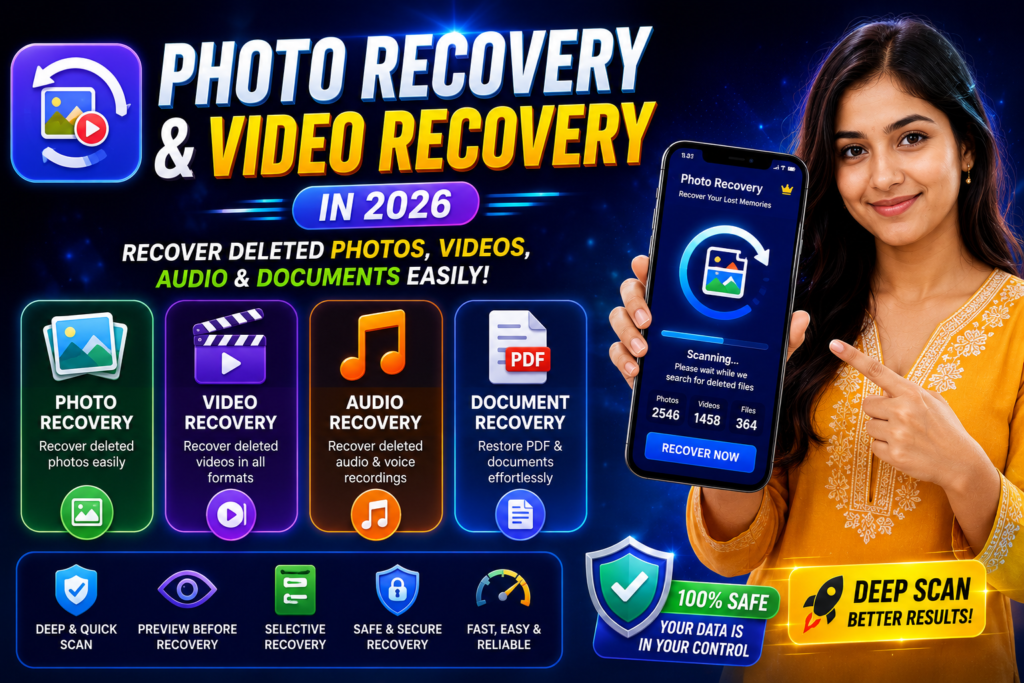
Losing important photos, videos, audio recordings, or documents can be frustrating. Whether files were accidentally deleted, removed during storage cleanup, or lost after device issues, recovery tools have become increasingly popular among Android users.
Photo Recovery and Video Recovery is an Android recovery application designed to help users locate and restore recently deleted media and files from device storage.
The app supports recovery for multiple file types, making it more than just a photo recovery tool.
What Does the App Do?
According to the developer, the application can help users recover:
- Deleted photos
- Deleted videos
- Audio files
- Documents
- PDF files
- Text files
- Voice recordings
The app scans selected device storage locations and attempts to locate recoverable files.
Photo Recovery Features
The photo recovery section uses scanning technology to search for deleted or temporary image files stored on the device.
Features include:
- Deep photo scanning
- Quick photo scan
- Photo preview before recovery
- Selective image restoration
- Recovery of recently deleted images
Users can review found photos before choosing which files to restore.
Video Recovery Features
Videos often consume large amounts of storage and may be deleted accidentally.
The video recovery feature supports recovery attempts for formats such as:
- MP4
- AVI
- MKV
- Other supported video formats
This can be useful for restoring:
- Family videos
- Personal recordings
- Downloaded videos
- Screen recordings
Audio Recovery
The app also includes audio recovery functionality.
Supported recovery targets may include:
- MP3 files
- WAV files
- AAC files
- Voice recordings
- Downloaded audio content
This feature can help users recover important recordings that were removed unintentionally.
Document Recovery
Document recovery is another feature offered within the application.
It may help locate:
- PDF files
- Study materials
- Notes
- Text documents
- Personal records
The app scans selected storage areas and identifies potentially recoverable documents.
Preview Before Recovery
One useful feature is file preview.
You May Also Like
![Permanently Delete Photo Recovery App for Android 2026 – What It Really Does [SUDDEN RECOVER]](https://tnshorts.com/wp-content/uploads/2026/04/Permanently-Delete-Photo-Recovery-App-Android-2026-300x200.webp "Permanently Delete Photo Recovery App for Android 2026 – What It Really Does [SUDDEN RECOVER] 4")
Instead of restoring everything, users can preview:
- Photos
- Videos
- Audio files
- Documents
This allows users to select only the files they actually need.
Selective Recovery
Many recovery tools attempt to restore all detected files.
This application offers selective recovery, allowing users to:
- Choose specific files
- Skip unwanted items
- Save storage space
- Improve organization
Deep Scan vs Quick Scan
Quick Scan
Quick Scan focuses on recently deleted files and usually finishes faster.
Best for:
- Recent deletions
- Fast results
- Everyday recovery needs
Deep Scan
Deep Scan searches more extensively through storage locations.
Best for:
- Older deleted files
- Larger storage devices
- More thorough recovery attempts
Results may vary depending on device storage conditions.
Important Permission Information
The developer states that the app uses the All Files Access permission to scan selected storage locations for recoverable content.
According to the Play Store description:
- The app scans storage to find recoverable files.
- Users control whether the permission is granted.
- The permission is required for complete scanning functionality.
Always review permissions carefully before installation.
Things Users Should Know
Recovery results can vary.
Success depends on:
- Device model
- Android version
- Available storage data
- How long ago files were deleted
- Whether storage has been overwritten
No recovery application can guarantee 100% restoration of every deleted file.
Pro Version Benefits
The developer lists the following premium features:
- Unlimited recovery
- Photo recovery
- Video recovery
- Audio recovery
- Document recovery
- Deep scanning
- Quick scanning
- Ad-free experience
Should You Try It?
If you regularly store important photos, videos, recordings, or documents on your Android device, a recovery application may be useful as an additional recovery option.
The app combines multiple recovery categories into a single tool, making it suitable for users who want photo, video, audio, and document recovery features in one place.
Official Play Store App
Conclusion
Photo Recovery and Video Recovery offers a collection of file recovery tools for Android users in 2026. With support for photos, videos, audio files, and documents, along with preview and selective recovery features, it provides multiple options for users attempting to restore deleted content from their devices.
More Articles You May Like
![Photo Recover Apps on Android in 2026 – What They Do and When They Work [GET BACK PHOTOS]](https://tnshorts.com/wp-content/uploads/2026/03/Photo-Recover-Apps-on-Android-in-2026-300x167.jpg "Photo Recover Apps on Android in 2026 – What They Do and When They Work [GET BACK PHOTOS] 5") Photo Recover Apps on Android in 2026 – What They Do and When They Work [GET BACK PHOTOS]
Photo Recover Apps on Android in 2026 – What They Do and When They Work [GET BACK PHOTOS]
 Deleted Photos Recovery App 2026 – Complete Guide Before You Use (All Recover Updated)
 🗞️ Recover Deleted Photos App 2025 — The Ultimate Photo & Video Recovery Tool by DOSA Apps
 Restore Deleted Old Photos – Best Android Photo Recovery App 2025