Quick Answer
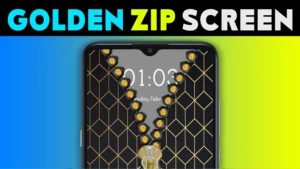
Zipper lock screen & wallpaper by CodoSol is an Android personalisation app for zipper effects, themed backgrounds and custom photos. Consider it for appearance while keeping Android’s own PIN, password or pattern enabled. Its promotional images show an app PIN feature, but that does not establish equivalent device protection. Check the permissions, purchase terms and privacy information before applying it.
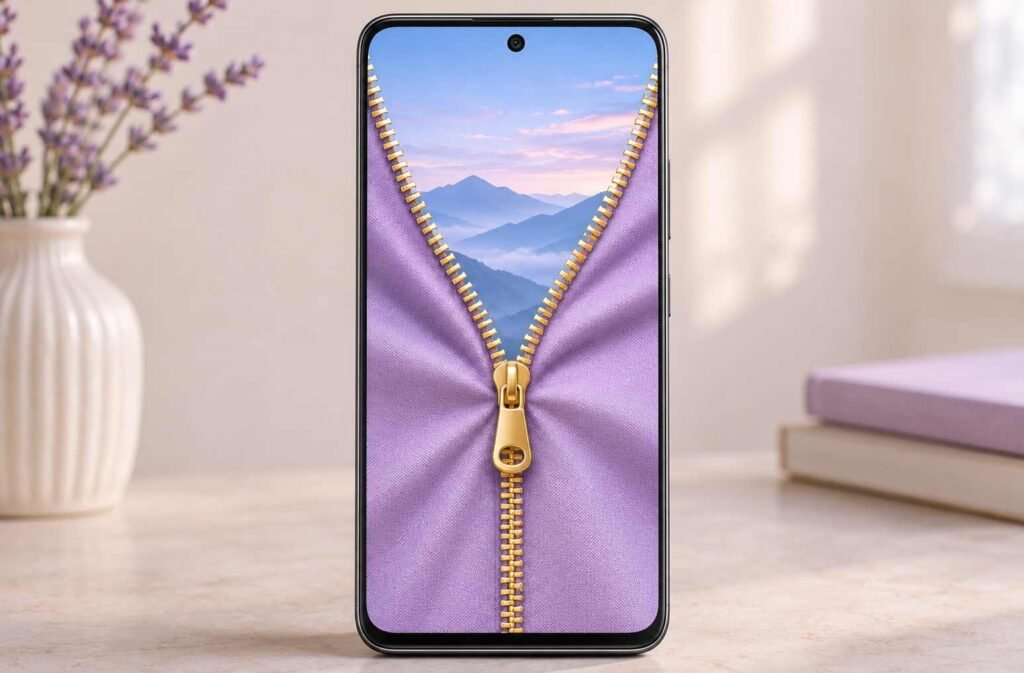
A zipper lock screen looks appealing in a preview: pull the tab, watch the background open, and reveal the screen underneath. The important decision comes when you put that effect on the phone you use for messages, payments, calls and everyday tasks.
You might want a playful cat design, a coordinated gold theme, or a family photo with an unusual opening animation. Those are reasonable reasons to try a personalisation app. But a convincing lock symbol or number pad can also create expectations about protection that a screenshot cannot prove.
The useful question is what changes after installation. Does the app simply give you the look you wanted? Does opening your phone become a two-stage process? Can you still read notifications comfortably? And do the permissions requested make sense for the features you actually use?
This guide looks at CodoSol’s app through those everyday decisions. It separates the advertised design features from Android’s screen-lock controls, explains a privacy-information gap, and gives you a short trial to complete before paying or choosing personal photos. You do not need to decide whether the animation is impressive enough for everyone. You need to decide whether it earns a place on your own phone without making ordinary use harder.
Table of Contents
Quick Overview
| Your question | Practical answer |
|---|---|
| What is the main purpose? | Personalising the screen with zipper designs and backgrounds. |
| Should I remove my Android screen lock? | No. Keep the device’s existing security method enabled. |
| What should I try first? | A built-in theme, before spending time editing personal photos. |
| What needs closer attention? | Actual unlocking behaviour, special access, paid offers and the linked privacy policy. |
The Zipper Gesture and Your Phone’s PIN Do Different Jobs
Dragging a zipper demonstrates a gesture. By itself, it does not establish who is holding the phone. Android’s screen lock uses a PIN, pattern or password, with fingerprint unlocking available on supported devices.
The supplied promotional screenshot includes a PIN screen. That is an advertised app feature, not evidence that its credential handling, recovery process or protection matches Android’s built-in system. We have not independently tested those behaviours.
Keep your existing device lock enabled. You can find the relevant controls by searching Settings for “Screen lock”; the menu varies by manufacturer. Google explains the options in its Android screen-lock guide.
If you find yourself dismissing a zipper screen and then completing your normal unlock, judge whether that extra interaction is enjoyable enough to keep. Do not remove the system lock just to shorten the sequence.
Which Features Could Be Useful?
Ready-Made Themes for a Coordinated Look
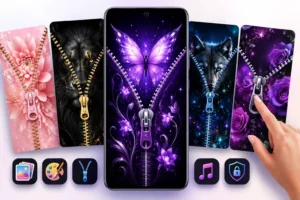
The developer advertises styles including cats, roses, hearts, anime-inspired artwork, gold and glitter effects. A collection can be convenient if you enjoy changing your phone’s appearance and prefer a ready-made combination.
Choose a design you can read at a glance. Busy artwork may look attractive in a promotional image while making the clock or other screen information harder to distinguish on your phone.
Your Own Photo with an Adjustable Zipper
The description says you can use personal images and change the zipper tab’s shape, colour and position. Those controls matter when the zipper would otherwise run through a face or cover the main subject.
For example, an off-centre portrait may suit a different zipper position from a landscape. Check the final crop before assuming the editor’s composition will carry across perfectly.
A Preview Before You Commit
The advertised live preview helps you compare combinations before applying them. Use it to choose a design, then check the real result after locking and waking the phone. An attractive preview does not demonstrate notification handling, background reliability or security.
Try One Theme Before Buying Anything
The description outlines choosing a background, adjusting the zipper and applying the design. Exact button names and setup prompts can vary. Use this short trial:
- Confirm your normal Android lock is active. Make sure you know the device PIN, pattern or password.
- Select a built-in background. This lets you evaluate the effect before sharing a personal image.
- Preview a simple zipper design. Check where the tab and opening animation sit.
- Read each setup prompt. Enable access only when its purpose is clear and acceptable to you.
- Lock and wake the phone. Check the number of interactions needed, clock readability and your usual notification view. Try receiving an ordinary call.
- Check again after a restart. Confirm that normal device access still works and that the design behaves as expected.
These are suggested checks, not reported results from a TNShorts device test. If the design repeatedly gets in the way, change the design or remove the app.
Things to Know Before Installing
Use the Google Play listing for Zipper lock screen & wallpaper and check the developer name, CodoSol. Several apps have similar names.
| Item | Details |
|---|---|
| App | Zipper lock screen & wallpaper |
| Developer | CodoSol |
| Category | Personalization |
| Latest listed update | 2 November 2026 |
| Download milestone | 100,000+ |
| Version and Android requirement | 1.1.3; Android 8.0 and above, according to the supplied Play Store details |
| In-app purchases | Listed; the supplied Indian store view shows ₹340–₹2,200 per item |
| Developer support | info.gamerstudio@gmail.com |
Checked on 4 November 2026. Version, Android requirement and INR prices reflect the supplied store details; availability and offers can change by device and region.
Before approving a purchase, read what it unlocks and whether the charge is one-time or recurring. The price range alone does not explain those terms. We have not verified the current free-feature limits or advertising frequency.
The supplied device view shows a 13 MB download. That is not a measurement of battery use, memory consumption or final storage after downloading additional content. Likewise, an Android minimum version does not guarantee identical behaviour across every phone.
Privacy: The Store Declaration and Policy Need Clarification
The Play Store’s Data safety section currently declares no data collection, no sharing with third parties, and encryption in transit. These are developer-provided declarations, rather than an independent audit.
You May Also Like
However, the privacy policy linked from the listing covers CodoSol’s games and applications generally. It discusses third-party advertising technology, information collection and device or usage analytics retention of up to 24 months.
The policy does not clearly explain which of those practices apply to this particular zipper app. That leaves a gap between the app-specific store declaration and the broader policy wording. It does not establish that this app collects every type of information mentioned there.
If that distinction affects your decision, ask the developer which services and data practices apply to the current version. Until you are comfortable with the explanation, a built-in background is a more cautious first trial than a sensitive personal photo.
Permissions: Check the Request You Actually Receive
We have not independently verified a complete permission list for version 1.1.3. The following are checks for requests you may encounter, not a claim that this app asks for all of them.
- Photos: Selecting an image has a clear connection to a custom background. If the app offers Android’s Photo Picker, share only the image you want to use. Do not assume this picker is available in every app or Android build.
- Display over other apps: If requested, read the explanation. This is special access to draw above other app screens, and deserves more consideration than selecting a picture.
- Accessibility: If requested, understand the stated purpose before enabling it. Google explains that accessibility access can let an app read screen content and act on your behalf in its restricted-settings guidance. Stop the setup if the explanation does not justify the access.
A theme preview does not tell you what access is enabled. Review the actual Android settings rather than judging permissions from the design alone.
Two Everyday Problems to Check
A Decorative Screen Does Not Set Your Notification Privacy
Do not assume a closed zipper hides message previews. Check what appears when the phone is locked and use Android’s notification controls to hide sensitive content if needed. Google’s notification settings guide explains the available options; wording varies by phone.
A Payment App Reports Something Drawing Over the Screen
Google Pay can refuse transactions while another app draws over it. If you encounter that warning and have granted this app overlay access, turn that access off and follow Google Pay’s overlay troubleshooting steps.
This is a documented interaction with overlays generally, not a confirmed fault in CodoSol’s app. The warning alone does not identify which app is responsible.
Limitations
- Security has not been validated: An app PIN or lock graphic does not demonstrate protection equivalent to Android’s device lock.
- Another interaction may become tiring: A design worth trying once may feel less useful during frequent phone checks.
- Compatibility needs a real-device check: Preview quality and a supported Android version do not establish reliable behaviour in your routine.
- Performance claims remain unmeasured: We have no device-test evidence for battery impact, memory use or animation smoothness.
- Purchases and privacy require attention: Check the offer you receive and the unresolved policy scope before committing.
Who Should Use It—and Who Should Avoid It?
It may suit someone who enjoys interactive themes, is comfortable reviewing Android access requests, and accepts a possible extra step when opening the phone.
Skip it if your main goal is stronger device security, the quickest possible unlocking, or a background change with minimal setup. It is also a poor fit if you are uncomfortable with the privacy-policy gap or the permissions presented during setup.
Choose the Option That Matches Your Goal
| What you want | Option to consider | Trade-off |
|---|---|---|
| A different picture | Your phone’s built-in wallpaper controls | A simpler change, without the app’s advertised interactive zipper effect. |
| A coordinated clock and background | The manufacturer’s lock-screen editor or theme options | Choices depend on the phone model and software version. |
| A zipper opening animation | CodoSol’s app, after the short trial | Check access, everyday usability and any paid requirements. |
| Better protection from unauthorised access | Android’s screen-lock and security settings | Security controls serve a different purpose from decorative themes. |
For choosing a static image, see our guide to selecting an Android wallpaper. If you are also considering fingerprint-themed decoration, our Lock 3D animation guide explains another visual effect and its limits.
How to Remove It
Turn off the app’s theme or lock-screen feature if that control is available, then uninstall it through Android’s app settings. You can also use Play Store → profile picture → Manage apps & devices → Manage, select the app, and choose Uninstall. See Google’s app-removal instructions if your menus differ.
After removal, confirm that your normal wallpaper and Android screen lock are set as you want them. If you accepted a subscription, cancel it separately: uninstalling an app does not cancel a Google Play subscription. This is a general billing reminder, not confirmation that every offer in this app is a subscription.
Frequently Asked Questions
Does a Zipper Lock Screen Make My Phone More Secure?
The animation itself does not establish stronger security. The supplied promotion shows an app PIN feature, but its protection has not been independently evaluated here. Keep Android’s native screen lock enabled.
Why Might I See the Zipper and My Normal Lock Screen?
You may be seeing the app’s decorative screen alongside the device’s existing lock. Check the actual sequence on your phone. If it feels cumbersome, remove or disable the decoration while retaining the system lock.
Can I Use a Family Photo Instead of a Built-In Theme?
The developer advertises custom photos. Start with a non-sensitive image, review the photo-access request, and check that cropping or zipper placement does not obscure the subject.
Will It Work on Every Phone Running Android 8 or Later?
The supplied listing gives Android 8.0 as the minimum requirement. That does not establish support for every screen arrangement or manufacturer configuration. Check Play Store compatibility and test the applied result before paying.
Does “No Data Collected” Mean I Can Skip the Privacy Policy?
No. The developer supplies that store declaration, while the linked policy discusses broader collection and advertising practices. The scope needs clarification for this app, so review both sources and the permissions shown on your phone.
Can I Get the New Look Without Installing Another App?
If you mainly want a different background or clock style, check your phone’s existing customisation options first. Those may satisfy the appearance change. Consider this app when the zipper interaction itself is the feature you want.
Editorial Disclosure
TNShorts publishes independent Android app guides, reviews, comparisons and educational content. This guide uses the official Play Store listing, linked developer policy, Google documentation and the supplied store screenshot and details. We did not install or test this app. Features, prices, permissions and availability can change; verify important details through official sources.
Final Recommendation
Try Zipper lock screen & wallpaper if you specifically want an interactive zipper design and are comfortable with the setup requests. Its advertised photo, tab and theme controls offer room for personalisation. Keep your Android lock enabled, try one simple theme, and check everyday usability before paying. If you only need a new background, use the built-in picker. If the privacy explanation or access requests leave you uncertain, skip the installation.