
Quick Answer
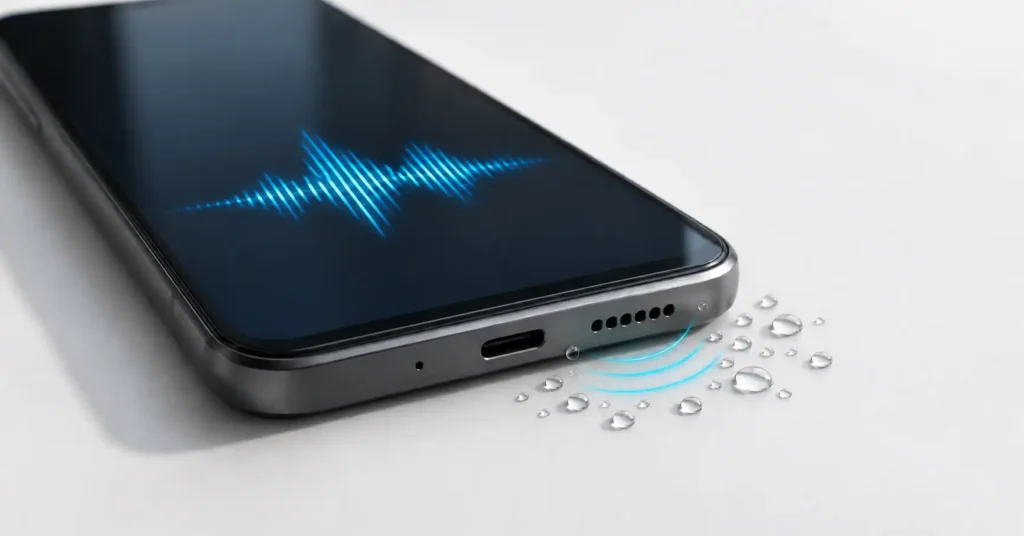
A speaker cleaner app plays tones that make your phone’s speaker vibrate. This may help move small droplets near the speaker opening, but it cannot dry the entire phone, remove every blockage, or repair damaged hardware.
If your phone has fallen into water, follow its manufacturer’s drying instructions before trying an app. For a dry phone with poor sound, check audio settings and run a speaker test first.
The useful question is what caused the sound to change. A muffled speaker after a light splash, a blocked grille, and audio routed to Bluetooth can sound like similar problems while needing different solutions.
This guide explains how water-eject apps fit into that decision. It also examines Speaker Cleaner: Water Eject by Zogo Global, including a privacy-policy mismatch worth checking before installation.
Table of Contents
Quick Overview: Match the Tool to the Problem
| Your situation | Best first action |
|---|---|
| Phone fell into water | Turn it off and follow the manufacturer’s liquid-exposure guidance. |
| Phone is dry but media sounds quiet | Check media volume, Bluetooth output, and anything covering the speaker. |
| Small droplets affected the speaker opening | Follow drying guidance; consider tones only if the device is safe to operate. |
| Visible dirt or sticky residue | Use model-specific cleaning advice rather than relying on sound. |
| Distortion continues after drying | Use manufacturer diagnostics or seek inspection. |
Google’s Pixel water-exposure guidance, for example, says to switch off a phone that falls into water, wipe it with a soft cloth, and leave it on a flat surface to dry at room temperature.
Do Speaker Cleaner Apps Actually Work?
There is a real mechanism behind sound-based water ejection. A speaker moves as it produces sound, and that movement can displace nearby droplets. Apple uses a series of tones to clear water from an Apple Watch speaker.
However, a feature designed for a particular watch does not prove that an Android app works equally well on every phone.
In a 2024 experiment reported by The Verge with iFixit, a water-eject video expelled some droplets from phone speakers. It did not clear liquid throughout the devices. The experiment involved four phones and was not a controlled effectiveness study.
The practical conclusion: limited water movement is plausible. Complete drying and hardware repair are different tasks. That experiment also did not test Zogo Global’s app.
For another app example, read our guide to water-eject apps and their limitations.
What the Different Modes Mean for You
The developer’s app description advertises water-eject tones, dust-cleaning patterns, manual frequency control, vibration, and sound tests. Their value depends on the problem you are trying to solve:
- Water-eject mode: attempts to move small droplets near the speaker. It should never delay the response to a submerged or malfunctioning phone.
- Dust-cleaning mode: claims to loosen particles. Treat that as a developer claim; it does not establish that sound removes compacted lint or sticky deposits.
- Manual frequency control: lets you change a tone’s pitch. More control does not mean there is one proven setting for your device.
- Vibration mode: adds movement, but feeling the phone vibrate is not evidence that a blockage has cleared.
- Speaker tests: help you listen for changes. A successful test cannot certify that the phone’s interior is dry.
The benefit is convenient access to tones and repeatable listening checks. The limitation is that the app cannot identify every cause of weak audio from the sound alone.
Before Installing, Check Which Sound Is Wrong
For a dry phone that is safe to use, try these checks first:
- Play a familiar speech clip and adjust media volume while it plays.
- Disconnect Bluetooth headphones, speakers, and other audio accessories.
- Check whether the case or a protective film covers an opening.
- Try another recording or app to rule out one poor-quality source.
- Compare media playback, normal calls, and speakerphone.
These comparisons help describe the symptom; they are not a hardware diagnosis. If only normal calls sound poor, do not assume a bottom-speaker cleaning tone addresses the affected audio path. Our Android speaker testing guide explains how to compare audio output before trying more tools.
Samsung’s sound troubleshooting guide also checks settings, Bluetooth connections, cases, and other obstructions before moving to further troubleshooting.
How to Try a Speaker Cleaner App Cautiously
Only consider this after following your phone maker’s advice and establishing that the device can be operated. Do not switch on a wet, powered-off phone just to run a cleaner.
- Use the exact Play Store listing. Similar names and icons can belong to different developers.
- Review permissions and purchases. Read any payment screen before continuing.
- Disconnect audio accessories. The tone needs to play through the phone speaker you intend to check.
- Keep the phone away from your ears. Start with a comfortable volume. Avoid prolonged, maximum-volume experiments.
- Use a stable, dry surface. Keep the speaker opening unobstructed.
- Try one short cycle and reassess. Stop if sound becomes harsher, the device behaves unusually, or you feel discomfort. Do not repeat cycles indefinitely.
These are conservative usage suggestions, not a tested cleaning protocol for this app. No universal frequency, volume percentage, or cycle length is established here.
Samsung warns against drying with heat and cleaning with compressed air. It also says not to connect chargers or accessories until the device is fully dry. Follow your model’s exposure guidance, especially after salt water or other liquids; do not assume general rinsing advice applies to every phone.
How to Check Whether It Helped
Use a simple listening comparison rather than the app’s completion animation:
- Play the same short voice clip before and after.
- Keep media volume, phone position, and listening distance unchanged.
- Leave any volume booster or equalizer unchanged, preferably disabled for both checks.
- Listen for clearer speech and reduced crackling, rather than loudness alone.
This is a suggested comparison, not a laboratory test. If the speaker improves while the phone is also drying, you cannot tell from that result alone how much the tone contributed.
If sound is clear but too quiet, our Android audio booster guide explains the separate benefits and limits of volume amplification.
Clearer sound is not permission to charge. A speaker tone cannot confirm that a USB port is dry. Google treats a liquid or debris warning as a separate issue with its own unplugging, drying, and support instructions.
Speaker Cleaner: Water Eject — App Details
| App | Speaker Cleaner: Water Eject |
|---|---|
| Developer | Zogo Global |
| Platform / category | Android / Tools |
| Pricing | Ads and in-app purchases; check local prices before buying. |
| Downloads | 50K+ on the listing checked on 2 November 2026. |
| Rating | Check the current rating on Google Play. |
| Last update | 24 October 2026 on the listing checked. |
| Support email | zogomobi@gmail.com |
| Developer’s stated purpose | Sound-based assistance for nearby moisture or loose particles, plus audio checks. |
| Release date, version, Android requirement and size | Check App info on Google Play for your device. |
| Official listing | View Speaker Cleaner: Water Eject on Google Play |
| Privacy policy | Developer-linked privacy policy; see the mismatch explained below. |
Listing details were checked on 2 November 2026 using the US English web view. Availability and displayed information can vary.
You May Also Like
Safety and Privacy: Details Worth Checking
The Data Safety Panel Needs Attention
The developer-provided panel says the app may collect performance-related information and device identifiers, declares no third-party data sharing, and reports that data is not encrypted and cannot be deleted. These are listing declarations, not findings from an independent security audit.
The Linked Policy Describes a Different App
At the time checked, the listing’s Privacy Policy link opened a document introducing GPS Tracker: Location Tracker, with a stated update date of 16 March 2021. It did not clearly explain this speaker cleaner’s practices.
That mismatch does not prove this app collects location or contains malware. It does leave uncertainty about which policy statements apply. Privacy-conscious users have a reasonable basis to choose manufacturer diagnostics or ask the developer for a relevant policy before installing.
Match Permissions to the Feature
Playing a tone does not itself require recording your surroundings. A sound-level meter, however, may need microphone access to measure sound. That distinction can explain a microphone request without justifying unrelated access.
Review requests individually. Contacts, SMS, precise location, or Accessibility access would need a clear explanation for a basic speaker-tone tool. This is permission guidance, not a claim that this app requests those permissions.
Android lets you review access under Settings → Apps → the app → Permissions; labels vary. See Google’s guide to Android app permissions.
Limitations: What the App Cannot Establish
- A clean speaker grille: an animation or timer finishing does not verify that dirt has disappeared.
- A repaired speaker: continuing distortion may need inspection rather than another tone.
- A dry phone: audio quality cannot rule out moisture elsewhere.
- A calibrated measurement: a decibel display is not automatically a professional sound meter.
The app’s promotional screenshots also show a noise meter. NIOSH explains that differences among Android microphones and processing hardware complicate validation of sound-measurement apps. Do not use an unverified meter to certify speaker repair or assess hearing safety. See NIOSH’s explanation of sound-level measurement apps.
Who Should Use It?
A speaker cleaner may suit someone whose phone is safe to operate, who wants convenient test tones, and who understands that any benefit is limited. It is an optional troubleshooting aid.
Who Should Avoid It?
Avoid relying on it after submersion, with a moisture warning, unusual heating, charging trouble, or persistent distortion after drying.
Also skip it if permissions, payments, or privacy explanations do not meet your expectations.
For this particular app, the policy mismatch and Data safety declarations make it difficult to recommend as the first choice for a simple speaker check.
Better Alternatives Depend on Your Need
| Option | Best use | Trade-off |
|---|---|---|
| Phone maker’s diagnostics | Checking speaker or microphone operation | Availability and tests vary by device. |
| Familiar speech or music | Basic listening comparisons on a dry phone | No calibrated measurement or automatic diagnosis. |
| Manufacturer cleaning and drying guidance | Responding to moisture or visible contamination | Requires patience and model-specific instructions. |
| Authorized service | Persistent distortion, residue, or suspected internal damage | May involve inspection fees and downtime. |
On supported Galaxy devices, Samsung Members Diagnostics offers audio tests. Open Diagnostics and choose the relevant function; menus and availability can differ. Its purpose here is checking operation, not certifying water removal.
How to Uninstall
Open Google Play → profile icon → Manage apps & devices → Manage, select the app, and tap Uninstall. Google documents this in its app-removal instructions.
If you accepted a recurring subscription, manage it separately through Google Play’s Subscriptions section. Uninstalling does not cancel a subscription.
Frequently Asked Questions
Can a speaker cleaner app remove water from the whole phone?
No. Speaker movement may displace nearby droplets, but it cannot establish that the charging port, buttons, or internal components are dry.
Can it clean dust without touching the speaker?
Some developers claim their tones loosen particles. Do not treat that as proof that compacted dust or sticky residue has been removed. Use the manufacturer’s cleaning instructions.
Which frequency should I use?
This guide does not establish a universally effective frequency. A slider’s range does not prove every selectable tone is useful for your phone.
Why does an app ask for microphone permission?
A sound-level meter may need to listen through the microphone. Basic tone playback does not itself require recording audio. Check which feature triggers the request.
Is Speaker Cleaner: Water Eject free?
The listing shows ads and in-app purchases. Check what each purchase unlocks, whether it renews, and the price in your region before accepting.
Should I run cleaning sounds every day?
There is no demonstrated need for daily tone cleaning in a normally working phone. Repeated use without a specific problem adds little value; investigate persistent symptoms instead.
Final Recommendation
A speaker cleaner app can be useful for convenient tones and limited speaker-area troubleshooting. Its main weakness is uncertainty: a clearer result does not prove dust removal, complete drying, or repair.
Start with settings and manufacturer diagnostics on a dry phone. After liquid exposure, follow the device maker’s advice. For Zogo Global’s app, review the privacy-policy mismatch and current Data safety information before installing. Seek service when symptoms persist rather than repeating cleaning attempts.
Editorial disclosure: TNShorts publishes independent Android app reviews, guides, comparisons, and educational content. This guide is based on publicly available app information, manufacturer guidance, and practical analysis. We did not install or laboratory-test this app. Features, pricing, permissions, privacy practices, and availability may change. Verify important details through official sources before deciding.
More Articles You May Like
 Speaker Cleaner Water Remover – Android Speaker Cleaning Guide 2026
 Best HIGH-VOLUME Booster for Android 2026: What Works and What Users Should Know
 Phone Speaker Dust Cleaner Sound 2026 – Does It Really Work? [GET WATER]
 Speaker Cleaner Water Remover App for Android 2026 [PERFECT CLEAN] – What It Does and When It Really Helps