
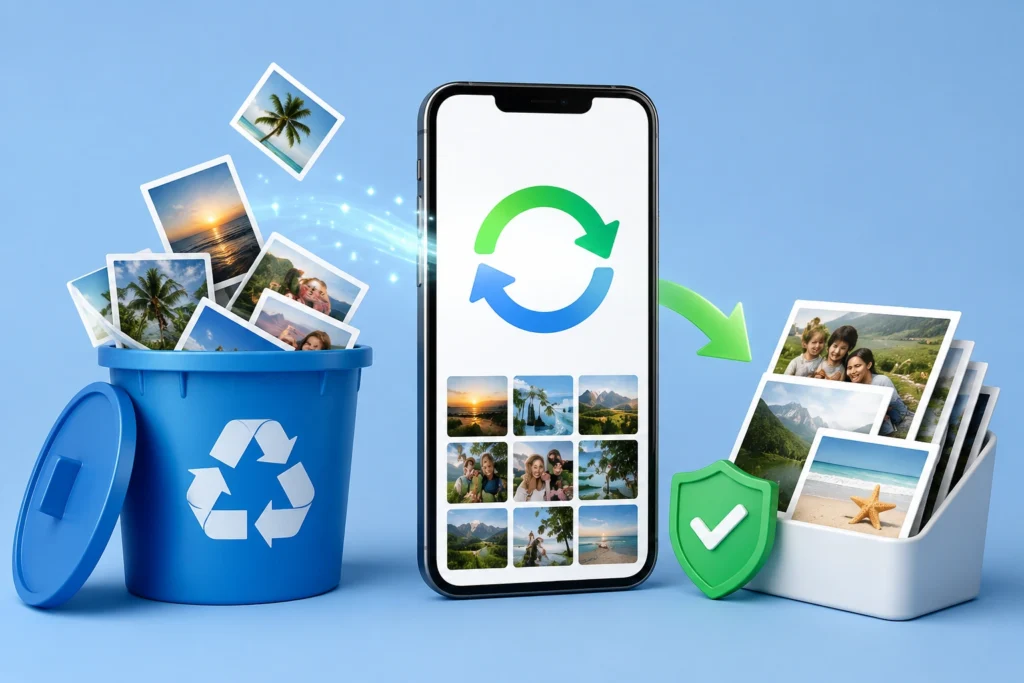
If you deleted an important photo on Android, installing a recovery app can feel like the obvious next step. But there is one thing worth understanding before you let any recovery app scan your storage:
A photo-recovery app cannot guarantee that every deleted photo will come back.
That distinction matters with Restore Old Deleted Photos, an Android utility published on Google Play by Airport Flights Status™. The app is designed to scan for photos that may still be recoverable and let you select and restore the results. The developer also acknowledges that recovery can be limited on non-rooted phones.
So, should you install it?
Quick Answer
Restore Old Deleted Photos is worth trying when the original photo is no longer visible in your normal gallery or trash, but it should be treated as a recovery attempt—not a guaranteed undelete tool.
The app scans accessible storage/cache traces, shows discovered images, and lets you choose photos to restore. However, some scan results can be existing photos, cached copies, thumbnails, or other images rather than the exact deleted original you were hoping to recover.
That is particularly important because recent Google Play reviews include users reporting that scans returned photos already present on their devices. The developer’s own response says results can sometimes look similar to existing files because of how Android stores and indexes data.
TNShorts verdict: Try the least invasive recovery methods first—Gallery Trash, Google Photos Trash, backups and cloud storage. Use a scanning app when those options fail and understand that deeper recovery may be limited.
Table of Contents
Why Deleted-Photo Recovery on Android Is Complicated
The phrase “recover deleted photos” sounds simpler than the actual process.
Deleting a photo does not create a convenient hidden folder that every recovery application can open. What happens depends on where the picture was stored, which gallery app deleted it, whether a trash/recycle-bin feature was enabled, whether a cloud backup exists, how much the phone has been used since deletion, and what storage access Android gives the recovery application.
This produces an important distinction that app listings often fail to make clear:
Finding an image during a scan is not automatically proof that a deleted original has been recovered.
A scanner might discover a thumbnail, cached version, currently existing file or another copy of the same image.
For users, the meaningful question therefore isn’t simply:
“Did the app find 500 images?”
It is:
“Did it find the particular deleted image I could no longer access?”
That is the standard we would use to judge any photo-recovery application.
What Does Restore Old Deleted Photos Actually Do?
The basic workflow is straightforward.
The application scans the storage information available to it, displays images it finds, allows you to select wanted photos and provides a restore option. Its Google Play description also advertises saving restored photos, sharing them, and saving photos to Google Drive.
This simplicity can be useful for someone who does not want to deal with desktop recovery utilities or complicated technical procedures.
But the scanning stage deserves more attention than the Restore button.
A recovery application’s usefulness depends heavily on what Android still allows it to find. If the original data is no longer recoverable through the access available to the app, a polished interface or long scan cannot recreate the missing original.
A Better Recovery Order: Don’t Start With a Scanner
This is one of the most useful things to know if you’ve just lost a photo.
Before installing another app, check recovery sources in this order:
- Your phone’s Gallery Trash/Recently Deleted
- Google Photos Trash
- Google Photos or another cloud backup
- File-manager trash or recycle bin
- Messaging apps if the photo was previously sent
- Another device or computer where the image may have been copied
- A recovery scanner such as Restore Old Deleted Photos
Why leave the scanner until later?
Because the first options may contain the actual original photo. They can therefore be more reliable than attempting to reconstruct or rediscover something from storage traces.
There is another practical precaution: if the missing photos are extremely important, avoid unnecessarily creating large amounts of new data on the device while deciding what to do.
An Overlooked Problem: “Recovered” Doesn’t Always Mean “Original”
Suppose the missing photo was originally a high-resolution camera image.
A recovery scan shows something that looks identical.
Success?
Not necessarily.
Check the recovered file’s:
- resolution,
- file size,
- image quality,
- crop,
- filename and
- metadata, where available.
A tiny cached preview can look perfectly normal on a phone screen while containing much less detail than the original camera file.
This matters especially for family photos, documents, old photographs you intend to print, and images you want to edit later.
Visual similarity alone isn’t enough to verify a full-quality recovery.
What the Developer Itself Says About Recovery Limits
There is an unusually important note in the Google Play description.
The developer says that performance for scanning deleted photos is limited if the device is not rooted.
That qualification is significant.
Modern Android deliberately restricts how applications access storage. Those restrictions protect users, but they also mean that an ordinary third-party application may not have unrestricted access to every part of internal storage.
So you should be skeptical of any expectation that installing a normal Android app automatically gives it forensic-level access to everything previously deleted from your phone.
Restore Old Deleted Photos should therefore be viewed as a scanner working within the access available to it, not as a guaranteed way around Android’s storage protections.
When This App Could Be Useful
There are still reasonable situations for trying it.
For example, you have already checked your gallery’s trash and backups, the photo isn’t there, and you want a relatively simple on-device scan before considering more complicated recovery options.
It can also be useful when you are willing to inspect scan results manually rather than assuming everything labelled as recoverable is genuinely deleted.
The ability to preview and select results is important because recovery is usually about finding a handful of meaningful pictures—not restoring every image a scanner happens to discover.
Where You May Be Disappointed
The biggest limitation is expectation versus reality.
You May Also Like
![Permanently Delete Photo Recovery App for Android 2026 – What It Really Does [SUDDEN RECOVER]](https://tnshorts.com/wp-content/uploads/2026/04/Permanently-Delete-Photo-Recovery-App-Android-2026-300x200.webp "Permanently Delete Photo Recovery App for Android 2026 – What It Really Does [SUDDEN RECOVER] 4")
The Play Store description uses broad recovery language, but also includes the non-rooted-device limitation mentioned above.
Recent reviews provide another useful signal. Some reviewers report that the application displayed existing photos instead of the deleted pictures they expected. In a June 2026 response, the developer explained that the tool scans cache and storage traces and that results can sometimes resemble existing files because of Android’s storage and indexing behavior.
This doesn’t establish what will happen on your particular phone, but it tells you something important before installing:
A successful scan and a successful recovery are two different things.
Evaluate the app by whether it restores your missing file—not by the number of images shown after scanning.
Things to Know Before Installing
Restore Old Deleted Photos remains available through Google Play. The current listing identifies Airport Flights Status™ as the publisher and MICZON LLC in the developer information. At the time checked, Google Play showed more than 10 million downloads, ads and in-app purchases, and a July 6, 2026 update.
Before scanning, pay attention to any permission request.
A photo-recovery tool logically needs access to relevant photos or storage in order to search for images. However, that doesn’t mean you should automatically approve every permission presented.
Read the Android permission prompt and ask a simple question:
Does this permission make sense for recovering my photos?
If a requested permission appears unrelated to the function you are using, investigate before approving it.
Privacy and Data Safety
Photo-recovery applications deserve more privacy scrutiny than an ordinary calculator or wallpaper app because the material being scanned can be personal.
According to the developer declarations currently displayed by Google Play, the app reports no data shared with third parties and no data collected, and Google Play states that data is encrypted in transit. These are developer-supplied Data Safety declarations and can change; they should not be interpreted as an independent guarantee that an app is completely risk-free.
For particularly sensitive photographs, consider whether you actually need a third-party scan at all if the image can be recovered through your phone’s built-in trash or an existing backup.
A Simple Test That Can Save You Time
Don’t judge the application based on how impressive its first scan looks.
Instead, identify one specific missing photo before starting.
Remember approximately when it was taken, what was in it and whether another copy exists.
Run the scan and look specifically for that image.
If you find it, restore it and then verify its resolution and quality. If the app merely shows dozens or hundreds of photos that are already sitting in your gallery, don’t confuse a large result count with successful deleted-photo recovery.
This small test provides a much more meaningful answer to “Does Restore Old Deleted Photos work on my phone?”
Who Should Try Restore Old Deleted Photos?
It makes the most sense for someone who has already checked the obvious recovery locations and wants to make another reasonable attempt using an Android app.
It particularly suits users who understand that results vary and are prepared to inspect the recovered files rather than expecting a one-tap guarantee.
Who Should Avoid It?
Consider another approach if your only acceptable outcome is guaranteed recovery of an irreplaceable photograph.
You should also avoid assuming that rooting your phone is automatically the right solution just because the developer mentions limitations on non-rooted devices. Rooting introduces its own security, warranty, compatibility and data-loss considerations and is not something TNShorts recommends doing casually just to test a photo-recovery application.
If the missing data is exceptionally valuable, experimenting with the device may be less appropriate than seeking professional recovery advice.
Better Alternatives Depend on Where the Photo Was Lost
There isn’t one alternative that is universally better.
Google Photos or your Gallery’s Recently Deleted folder should usually be your first choice when the deletion was recent. They may restore the original without performing a storage scan.
An existing cloud backup is preferable when the photo had already synchronized before deletion. You are retrieving a stored copy rather than hoping deleted data remains recoverable.
A reputable desktop recovery solution may be worth investigating for certain storage situations, particularly removable media, but Android’s internal-storage restrictions still matter.
Professional data recovery is the expensive option, but it may make more sense when the lost photos are genuinely irreplaceable and unsuccessful experimentation could make the situation worse.
The correct choice depends more on where the original image existed and what happened after deletion than on which recovery app has the biggest Restore button.
Frequently Asked Questions
Can Restore Old Deleted Photos recover permanently deleted pictures?
It may find recoverable images or storage/cache traces, but permanent recovery of every deleted original cannot be guaranteed. The outcome depends on the device, storage state and what data remains accessible.
Does Restore Old Deleted Photos need root?
The Play Store description says the app can be used without rooting, but also states that scanning performance is limited when the device is not rooted.
Why is the app showing photos I never deleted?
A scan can discover existing media, cached images, thumbnails or indexed copies. Recent Play Store reviewers have reported seeing existing images, and the developer has acknowledged that results can sometimes appear similar to current files.
If the app finds my photo, is it definitely the original?
No. Open the restored file and check its resolution, file size and visible quality. A cached or thumbnail copy can resemble the original while being substantially lower quality.
Should I root my Android phone to recover photos?
Not merely to experiment with a recovery app. Rooting has consequences of its own. Try trash folders, backups and other low-risk recovery options first.
Should I check Google Photos before installing a recovery app?
Yes. If Google Photos backed up the picture or still has it in Trash, retrieving that copy is generally preferable to attempting a storage scan.
Is Restore Old Deleted Photos completely safe?
TNShorts does not label third-party apps “completely safe.” The app is currently distributed through Google Play, and its Play Store Data Safety section contains developer declarations about collection and sharing. Review the current listing, privacy information and permission requests yourself before installing.
What should I do immediately after accidentally deleting an important photo?
First check Gallery/Recently Deleted and your cloud-photo trash. Verify backups before installing multiple utilities or generating unnecessary new files. If the data is exceptionally valuable, consider professional advice before experimenting further.
Final Recommendation
Restore Old Deleted Photos is best viewed as an additional recovery attempt, not a guarantee that an old deleted photograph will return.
Its strength is accessibility: it provides an Android-based scan-and-select workflow without requiring users to begin with complicated recovery software. Its major limitation is more fundamental—the application can only work with image data or traces that remain available to it, and the developer itself notes limitations for non-rooted devices.
For a recently deleted picture, check Gallery Trash and Google Photos first. If those fail, Restore Old Deleted Photos may be worth testing for a specific missing image.
And when evaluating the result, ignore impressive scan counts.
The best recovery app isn’t the one that finds the most pictures. It’s the one that actually returns the missing picture you were looking for, at useful quality.
Editorial Disclosure
TNShorts publishes independent Android app reviews, guides, comparisons, and educational content.
Content is based on publicly available information, practical analysis, and user-focused evaluation. Features, pricing, permissions, privacy practices, and availability may change over time. Readers should verify important information through official developer sources before making decisions.
More Articles You May Like
![Photo Recover Apps on Android in 2026 – What They Do and When They Work [GET BACK PHOTOS]](https://tnshorts.com/wp-content/uploads/2026/03/Photo-Recover-Apps-on-Android-in-2026-300x167.jpg "Photo Recover Apps on Android in 2026 – What They Do and When They Work [GET BACK PHOTOS] 5") Photo Recover Apps on Android in 2026 – What They Do and When They Work [GET BACK PHOTOS]
Photo Recover Apps on Android in 2026 – What They Do and When They Work [GET BACK PHOTOS]
 Deleted Photos Recovery App 2026 – Complete Guide Before You Use (All Recover Updated)
 🗞️ Recover Deleted Photos App 2025 — The Ultimate Photo & Video Recovery Tool by DOSA Apps
 Restore Deleted Old Photos – Best Android Photo Recovery App 2025