
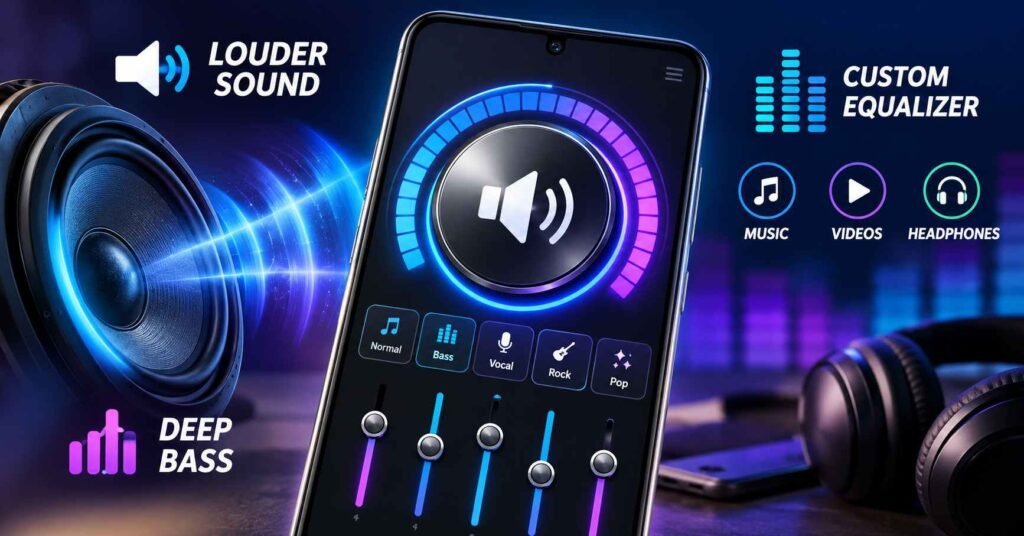
If your Android phone sounds too quiet, an audio booster app can sometimes make music, videos, or speaker playback sound louder.
But there is an important detail many app descriptions do not explain:
A volume booster cannot magically make your phone’s speaker hardware more powerful.
What these apps usually do is increase the digital audio gain, adjust frequencies with an equalizer, enhance bass, or alter the audio signal before Android sends it to your speaker or headphones.
That can help in some situations. It can also introduce distortion, harsh sound, clipping, louder advertisements, and unnecessary hearing risk if you push the volume too far.
For this guide, TNShorts checked the current Google Play listing for Volume Booster – Amplify Audio by APSOFT HKT rather than relying only on the promotional description.
Quick Answer
Volume Booster – Amplify Audio is worth trying only if your main problem is quiet media playback and you also want bass and equalizer controls.
The app combines volume boosting, bass adjustment, equalizer controls and audio effects. It is currently listed on Google Play with 100K+ downloads, contains ads, and was updated on August 3, 2026.
However, there are two important considerations before installing it.
First, increasing digital gain does not repair a weak or damaged speaker. At higher boost levels, sound quality can deteriorate rather than improve.
Second, Google Play’s current Data safety section says the app may collect personal information, app activity and other data categories, and states that data is not encrypted. That is a meaningful privacy consideration for an app whose primary job is simply changing audio output.
TNShorts verdict: useful for occasional media boosting, but not an automatic install for everyone.
Table of Contents
What Most People Actually Want From an Audio Booster
People usually search for an audio booster because one of these situations is happening:
- YouTube or movie dialogue sounds too quiet.
- A downloaded video has low audio.
- Your Bluetooth speaker does not sound loud enough.
- Music lacks bass.
- Your phone speaker seems quieter than another phone.
- You want separate bass, treble or EQ control.
- Earphones sound quieter than expected.
These problems do not all have the same solution.
That distinction matters because a booster app can help with software-level loudness, but it cannot fix:
- a blocked speaker grille,
- a damaged speaker,
- poor-quality headphones,
- Bluetooth hardware limitations,
- a badly encoded recording,
- Android volume restrictions imposed by the device,
- or hearing-related difficulty.
So the first question should not be “How high can this app boost my volume?”
It should be:
Why is my audio quiet in the first place?
What Volume Booster – Amplify Audio Does
The developer describes the app as a combination of:
- volume booster,
- bass booster,
- audio equalizer,
- Bluetooth and speaker booster,
- music and video volume enhancer,
- audio visualizer,
- manual bass and treble controls.
The Google Play listing confirms those are the main advertised functions.
That combination makes it more useful than a simple one-button “200% volume” type utility because it gives users some control over how the sound is changed.
1. Volume boosting
The main function raises perceived loudness beyond what some media tracks normally produce.
This can be useful when:
- a particular video is recorded too quietly,
- dialogue is hard to hear,
- a small Bluetooth speaker needs a little more perceived loudness,
- or an older recording is mastered at a low level.
The key word is little.
Pushing the boost aggressively does not mean the speaker suddenly develops extra physical power.
At some point the audio waveform can run out of headroom and begin clipping.
The result may be louder sound but worse clarity.
2. Bass Booster
Bass enhancement can make music sound fuller, particularly with:
- headphones,
- Bluetooth speakers,
- dance music,
- movie sound effects,
- and tracks that sound thin on small speakers.
But bass boosting is one area where users can easily expect too much.
A small phone speaker physically cannot reproduce deep low frequencies like a large woofer.
Software may exaggerate the frequencies the speaker can reproduce, creating the impression of more bass.
That can be enjoyable, but it is not the same as adding real subwoofer capability.
If you hear buzzing or rattling after increasing bass, reduce the effect rather than increasing it further.
3. Equalizer Controls
For many users, the equalizer may actually be more valuable than the raw volume booster.
Instead of making every frequency louder, EQ lets you shape the sound.
For example:
| Problem | Better adjustment |
|---|---|
| Speech sounds muddy | Reduce bass slightly |
| Dialogue is difficult to understand | Raise mid frequencies carefully |
| Music sounds thin | Add moderate bass |
| Cymbals sound harsh | Reduce high frequencies |
| Cheap earphones sound boomy | Reduce low bass |
| Podcast sounds too quiet | Moderate gain + speech-focused EQ |
This is an overlooked advantage.
Sometimes the user does not need more volume.
They need better frequency balance.
Making speech frequencies clearer can make dialogue easier to understand without pushing the entire output louder.
The Biggest Misunderstanding About “200%” or “Maximum” Volume
Audio booster apps often use phrases such as “max volume”, “super volume” or “extra loud”.
Those descriptions should not be interpreted as the phone speaker operating at twice its physical power.
Android still sends audio through the device’s amplifier and speaker hardware.
Software can increase digital gain before playback, but the hardware remains the limiting factor.
When the source audio is already close to maximum level, additional digital amplification can result in:
- clipping,
- crackling,
- harsh vocals,
- distorted bass,
- reduced dynamic range,
- or unpleasant high-frequency sound.
This is why 100% system volume + maximum booster level is not automatically the best combination.
A cleaner configuration may actually sound better at a slightly lower boost.
A Better Way to Use an Audio Booster
If you install this app, do not immediately push everything to maximum.
Try this sequence instead:
- Set your Android media volume to a comfortable level.
- Play the actual song, video or podcast causing the problem.
- Increase the booster slowly.
- Stop increasing when the sound becomes clearly loud enough.
- Adjust EQ only if something still sounds unclear.
- Reduce bass if the speaker starts buzzing.
- Avoid large boosts when using earphones.
This produces a much more useful result than treating the app like a “make everything 200% louder” switch.
Where It May Work Well
Quiet movies and videos
If a video itself has low audio, additional gain can make dialogue easier to hear.
Older recordings
Some old recordings are mastered quieter than modern material.
Moderate boosting can help.
Small Bluetooth speakers
An EQ adjustment may improve perceived clarity, although the Bluetooth speaker’s own amplifier still sets the physical ceiling.
Music that needs more bass
Users who enjoy stronger low frequencies may like the bass controls.
Different headphones
Headphones can vary considerably in sensitivity and sound profile. EQ may help compensate for an overly bright or bass-heavy pair.
Where It May Not Solve the Problem
This section matters more than the feature list.
Your speaker is physically damaged
If the speaker suddenly became quieter, crackles, or sounds muffled even during calls and notifications, the problem may not be software.
The speaker grille is blocked
Dust or debris can reduce apparent loudness dramatically.
An app cannot fix that.
Only one app is quiet
If Spotify, YouTube, VLC or another specific app is quiet while everything else sounds normal, investigate that app’s settings first.
Bluetooth volume synchronization is the problem
Some phone/headphone combinations handle Bluetooth volume differently.
A booster app may not solve the underlying Bluetooth configuration.
The recording itself is poor
Amplifying a noisy or distorted recording makes the noise and distortion louder too.
Benefits
For the right user, the app has several practical advantages.
Multiple audio tools in one app: You do not necessarily need separate volume booster, EQ and bass apps.
Quick adjustments: Someone watching low-volume videos can change perceived loudness without editing the media file itself.
EQ is more useful than pure amplification: Users can improve clarity rather than blindly raising everything.
Works with common media use cases: The developer specifically positions it for music, videos, speakers, Bluetooth devices and headphones.
Limitations
There are also some important trade-offs.
You May Also Like
It cannot bypass physics
A small phone speaker remains a small phone speaker.
High boost can degrade sound
Extra gain may produce distortion or clipping.
Bass boosting has hardware limits
Small speakers cannot reproduce deep bass simply because software requests it.
It contains advertisements
Google Play currently marks the app as containing ads.
One Google Play review shown on the listing specifically complained about excessive ads, while another user reported difficulty opening or accessing the app. Individual reviews do not prove that every user will experience the same issues, but they are useful signals to watch for during installation.
Performance may vary between phones
Android manufacturers use different audio processing stacks, speaker hardware and firmware.
The same booster setting can therefore sound different on Samsung, Xiaomi, Motorola, OnePlus, Realme or other devices.
Things to Know Before Installing
The official Play listing currently identifies the app as:
| Item | Current information |
|---|---|
| App | Volume Booster – Amplify Audio |
| Developer | APSOFT HKT |
| Category | Tools |
| Platform | Android |
| Distribution | Google Play |
| Pricing | Free listing; contains ads |
| Downloads | 100K+ |
| Last updated | August 3, 2026 |
These details can change, especially rating and review totals.
TNShorts recommends installing it only from Google Play rather than third-party APK download websites.
Safety and Privacy Considerations
This is where the current listing deserves closer attention.
According to the developer-provided Google Play Data safety declaration:
- no data is declared as shared with third parties,
- the app may collect personal information, app activity and two other data categories,
- and Google Play currently displays “Data isn’t encrypted.”
That does not automatically mean the app is malicious.
Google also makes clear that Data safety information is provided by developers and can change.
However, for TNShorts’ decision framework, an audio utility requesting or collecting data deserves more scrutiny than an entirely offline audio-control tool.
Before accepting any permission, ask:
Does this permission make sense for the feature I am using?
If a permission appears unrelated, you can deny it initially and see whether the required audio feature still works.
Do Not Ignore Hearing Safety
The biggest risk with any powerful volume booster is not the app itself.
It is prolonged listening at excessive volume.
The World Health Organization says the risk of hearing damage depends on both sound intensity and listening duration, and recommends keeping personal-device listening levels below about 60% of maximum as a practical safe-listening measure. World Health Organization
WHO gives a useful comparison:
- around 80 dB: up to roughly 40 hours per week,
- around 90 dB: roughly 4 hours per week.
The safe listening duration decreases rapidly as sound intensity increases.
That is particularly relevant to audio booster apps because Android’s normal volume indicator may no longer reflect the entire perceived gain once additional processing is being applied.
So do not assume:
“My phone is only at 60%, therefore it must be safe.”
The booster itself can change the resulting output.
Who Should Use It?
This app makes the most sense for users who:
- occasionally encounter quiet videos,
- want bass and EQ controls in one place,
- understand that boosting has limits,
- use external speakers at moderate levels,
- or want more control over music playback.
For these users, installing it and testing moderate settings is reasonable.
Who Should Avoid It?
You may want to skip it if:
- your speaker is already loud enough,
- your phone has a good built-in equalizer,
- you are sensitive to advertisements,
- you want the simplest possible offline audio utility,
- privacy/data handling is your top priority,
- or you routinely use headphones at very high volume.
You should also avoid relying on a booster when your speaker has suddenly become abnormally quiet.
That may require troubleshooting rather than amplification.
Better Alternatives
There is no single “best audio booster” for everyone.
The right alternative depends on the problem.
Android’s built-in equalizer or manufacturer audio controls
Best for: users who only want cleaner sound.
Advantages: no extra app, fewer privacy considerations, usually integrated with the device.
Weakness: options vary by phone brand.
This should be the first thing to check before installing another utility.
VLC for Android
Best for: locally stored movies and videos with quiet audio.
VLC provides playback and audio adjustment options without requiring a system-wide booster.
Trade-off: it mainly helps media played inside VLC rather than every app.
A dedicated music equalizer
Best for: music listeners who want tonal adjustment more than raw loudness.
Trade-off: equalizer support can vary between Android versions and playback apps.
Better headphones or an external speaker
Best for: users consistently needing significantly more volume or deeper bass.
Software processing cannot compensate indefinitely for weak hardware.
For persistent loudness problems, better output hardware can be a more effective solution than repeatedly increasing digital gain.
Before Installing Any Audio Booster, Try These 5 Checks
This can save many users from installing an app they do not actually need.
1. Test another audio source.
Play a ringtone, YouTube video and downloaded song.
If only one source is quiet, the phone itself may be fine.
2. Check the speaker grille.
A blocked grille can sound like a software volume problem.
3. Disconnect Bluetooth.
Make sure audio is not being routed somewhere unexpected.
4. Check accessibility and hearing-related settings.
Balance or audio adjustments can affect playback.
5. Restart the phone.
Temporary audio-service problems sometimes disappear after a restart.
Only after those checks would TNShorts move to a third-party volume booster.
How to Uninstall Volume Booster – Amplify Audio
If you test the app and decide you do not need it:
- Open Settings.
- Select Apps.
- Find Volume Booster – Amplify Audio.
- Tap Uninstall.
- Confirm removal.
You can also uninstall it directly through Google Play.
After uninstalling, play some music again and confirm that your normal Android volume and equalizer behaviour have returned.
FAQ
Is an audio booster really able to make Android louder?
It can increase digital audio gain and perceived loudness, but it cannot increase the physical capability of the speaker indefinitely. Excessive boosting may cause distortion.
Does Volume Booster – Amplify Audio work with Bluetooth speakers?
The developer advertises Bluetooth volume boosting support. Real-world results can still depend on the phone, Bluetooth device and its own amplifier.
Can it improve bass?
It includes bass controls and equalizer functions. These can change the tonal balance, but they cannot make a small phone speaker reproduce frequencies beyond its physical capability.
Is Volume Booster – Amplify Audio free?
The current Google Play listing is installable without an upfront price and states that the app contains ads.
Is the app safe?
TNShorts would not describe any third-party app as completely safe. It is currently distributed through Google Play, but its Data safety disclosure deserves attention because Google Play states that it may collect several data categories and that data is not encrypted.
Why does boosted audio sometimes sound worse?
Digital amplification can push an already loud audio signal beyond its available headroom. That can create clipping, harshness and distorted bass.
Should I use maximum boost with headphones?
That is not advisable. WHO warns that louder audio significantly reduces safe listening time. Use the minimum boost necessary and take listening breaks.
Can an audio booster repair a quiet phone speaker?
No. If the speaker is blocked, damaged or defective, increasing audio gain does not repair the underlying hardware problem.
Final Recommendation
Volume Booster – Amplify Audio is a reasonable option for Android users who want occasional extra loudness together with bass and equalizer controls.
Its strongest feature is not simply “more volume.” The more useful part is having gain, bass and EQ adjustments together, because better frequency balance can sometimes solve a listening problem without pushing everything to maximum.
Its main limitations are equally important:
- it cannot overcome speaker hardware limits,
- aggressive boosting can create distortion,
- it contains ads,
- and the current Google Play Data safety declaration deserves consideration because it states that several data categories may be collected and that data is not encrypted.
TNShorts recommendation: first check your phone’s built-in sound settings and identify why the audio is quiet. If the problem is simply a low-volume media source, test this app with a modest boost. If your speaker is physically weak, damaged, or consistently inadequate, a software booster is unlikely to be the best long-term fix.
Editorial Disclosure
TNShorts publishes independent Android app reviews, guides, comparisons and educational content. This article uses publicly available information from the current Google Play listing together with practical technical analysis. Features, permissions, privacy declarations, ratings, pricing and availability may change. Verify important details through the official Google Play listing before installing.
More Articles You May Like
![What Are Volume Control (Lower or Boost) Apps for Android in 2026? [FULL VOLUME]](https://tnshorts.com/wp-content/uploads/2026/02/Volume-Control-Lower-or-Boost-apps-for-Android-300x200.webp "What Are Volume Control (Lower or Boost) Apps for Android in 2026? [FULL VOLUME] 5") What Are Volume Control (Lower or Boost) Apps for Android in 2026? [FULL VOLUME]
What Are Volume Control (Lower or Boost) Apps for Android in 2026? [FULL VOLUME]
 What Is an Equalizer Music Player Booster for Android? (SOUND PERFECT 2026)
 What Is Speaker AUTO CLEAN App in 2026? How It Works & Limits
 Video Volume Booster 2026 – The Complete Guide to Louder & Clearer Loud Music on Android