
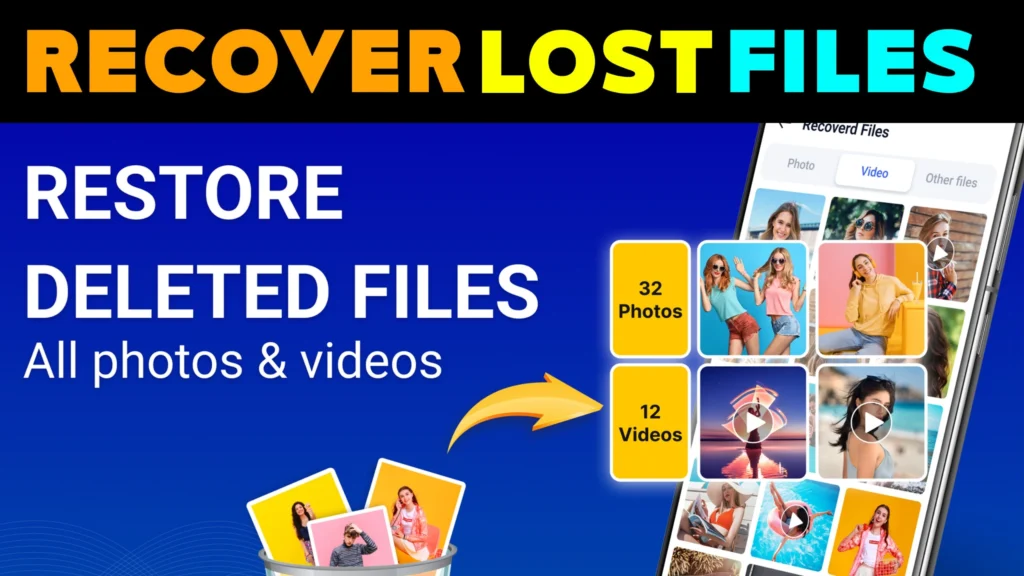
📅 Yesterday, my friend lost some important photos from his phone—memories from a family trip that meant a lot to him. He was devastated and asked me, “Can I recover deleted photos for free?” I told him, “Yes, but only if you act fast!”
I personally tried various file recovery apps and methods over the years, and today, I’m sharing the most effective solutions to recover lost files on Android, iOS, and PC.
This guide will cover:
✔️ Best file recovery apps & software
✔️ Free vs. paid file recovery – is 100% free recovery possible?
✔️ Official vs. Mod APKs – are cracked versions safe?
✔️ Legal & security risks of third-party recovery tools
✔️ Why Play Store & App Store don’t allow certain recovery apps
If you’ve ever lost files, keep reading—this guide will help you get them back!
- 1️⃣ What is File Recovery & How Does It Work?
- 2️⃣ Best File Recovery Apps for Android & iOS
- 3️⃣ File Recovery: Official Apps vs. Mod APKs (Are Cracked Versions Safe?)
- 4️⃣ Why Play Store & App Store Don’t Allow Some File Recovery Apps
- 5️⃣ File Recovery for Windows, Mac & Cloud Storage
- 6️⃣ File Recovery for Samsung, Vivo, Oppo, Realme & OnePlus
- 7️⃣ Legal Aspects & Data Privacy in India, USA & Europe
- 8️⃣ How to Prevent Data Loss – Backup Strategies
- 📌 Enhancing FAQs
- 📜 Disclaimer for File Recovery Content
1️⃣ What is File Recovery & How Does It Work?
File recovery is the process of retrieving lost, deleted, or corrupted files from a device. Whether the loss is due to accidental deletion, a system crash, or formatting, certain tools can scan storage memory and recover data.
📌 How File Recovery Works:
- When you delete a file, it isn’t immediately erased—it just becomes invisible.
- If new data overwrites the space, recovery becomes more difficult.
- Recovery software scans storage to find and restore these invisible files.
🔹 Can we recover permanently deleted files?
Yes! If a file hasn’t been overwritten, you can restore it using recovery tools.
🔹 Is file recovery 100% free?
Some apps offer limited free recovery, but full features often require a premium version.
🔹 What files can be recovered?
✔ Photos & videos
✔ Documents (PDFs, Word, Excel)
✔ Audio & voice recordings
✔ System & app data
2️⃣ Best File Recovery Apps for Android & iOS
📱 File Recovery – Photo & Video Recovery (Android)
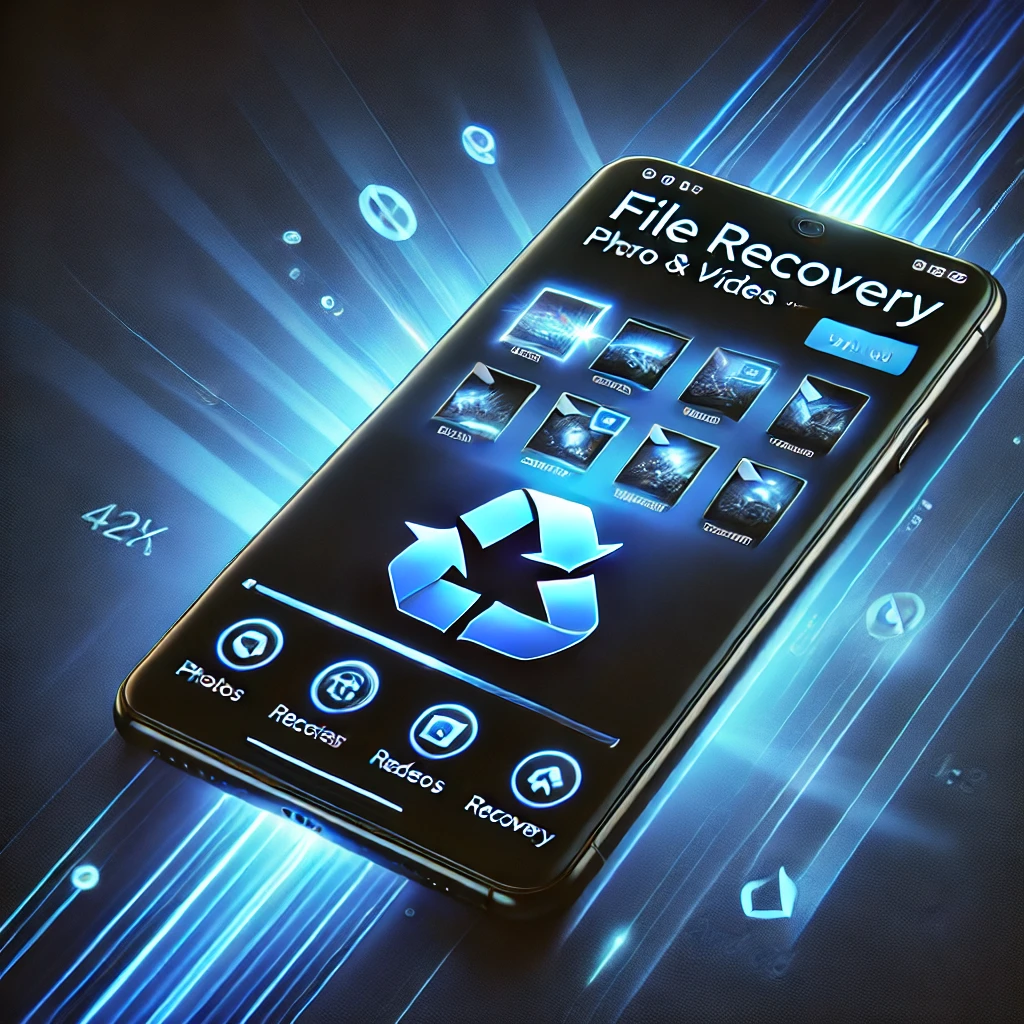
Rating: ⭐ 4.1 (28.5K Reviews) | 📥 10M+ Downloads
📅 Released: March 22, 2024
🏢 Developer: Easy To Use (oneTap)
📜 Privacy Policy
📥 Download on Play Store
✔ Photo & Video Recovery – Quickly restores lost media files.
✔ Deep Scan Mode – Finds hidden & deleted files.
✔ Preview Before Recovery – Ensures you choose the right files.
✔ User-Friendly – No technical skills required.
📱 Tiger Data Recovery (iOS)

Rating: ⭐ 4.2 (207 Reviews)
📅 Released: April 30, 2024
🏢 Developer: Shanghai Yixuan Network Technology Co., Ltd.
📜 Privacy Policy
📥 Download on App Store
✔ Supports All iOS Devices – Works with iPhones, iPads, and iPods.
✔ Backup & Password Recovery – Extra security for your data.
✔ Quick & Secure Recovery – No risk of malware.
File Recovery – Feature Ratings (Ultimate Review)

Summary
File recovery isn’t just about retrieving lost files—it’s about peace of mind. Whether it’s an accidentally deleted photo or an important document, these apps provide a fast and reliable solution.
✔ Android & iOS Compatibility – Works across Samsung, Vivo, Oppo, Realme, OnePlus, and iPhones.
✔ Deep Scan Technology – Finds even permanently deleted files.
✔ Privacy Protection – No risk of data leaks or unauthorized access.
✔ Fast & Free – Basic recovery is free, with premium options for advanced features.
💡 Final Verdict: If you’ve lost important files, don’t panic. File Recovery & Tiger Data Recovery are your best bets to restore them quickly!
✅ Pros & Cons
✅ No Tech Skills Needed – Simple and user-friendly interface.
✅ Recovers Photos, Videos & Documents – Supports multiple file types.
✅ Deep & Quick Scan Options – Choose based on urgency.
✅ No Security Risks – Data remains safe and private.
✅ Google Play & App Store Verified – No malware or hidden threats.
❌ Limited Free Version – Some features require a premium upgrade.
❌ Success Rate Depends on Overwritten Data – Older files may be harder to recover.
❌ Scanning Takes Time on Large Storage Devices – More files mean longer scan durations.
3️⃣ File Recovery: Official Apps vs. Mod APKs (Are Cracked Versions Safe?)
I’ve seen many people searching for File Recovery APK Mod versions, thinking they will get premium features for free. But what they don’t know is that these cracked versions come with serious risks:
⚠️ Why You Should Avoid Mod APKs:
🔴 Security Threats: Cracked APKs often include malware or spyware that can steal your data.
🔴 No Play Store Protection: Google does not verify Mod APKs, meaning they can contain viruses.
🔴 No Developer Support: Official apps get updates & bug fixes, but Mod APKs don’t.
🔴 Legal Risks: Downloading or distributing cracked software is illegal in many countries.
💡 Safe Alternative? Always use the official Play Store & App Store apps to protect your data.
4️⃣ Why Play Store & App Store Don’t Allow Some File Recovery Apps
Many users wonder why some file recovery apps are not available on the Play Store or App Store. The reason? Strict security and privacy policies.
📌 Google Play Store & Apple App Store have strict guidelines that prohibit apps from accessing deep system storage and recovering files beyond user permissions.
🔍 Why Do Some File Recovery Apps Get Rejected?
1️⃣ Data Privacy Concerns – Some apps try to access private system files, which violates user security policies.
2️⃣ Unauthorized Data Access – Apps that attempt to recover files from another user’s account get banned.
3️⃣ Malware & Phishing Risks – Some file recovery apps contain harmful code that can steal sensitive data.
4️⃣ Illegal Data Recovery – Apps that claim to recover deleted messages, call logs, or WhatsApp chats often violate privacy laws.
💡 Safe Alternative?
Always download file recovery apps from official sources to ensure security:
| Android | File Recovery |
| iOS | Tiger Recovery |
5️⃣ File Recovery for Windows, Mac & Cloud Storage
If you need to recover lost files on PC or cloud storage, here are the best solutions:
💻 File Recovery for Windows
🔹 Windows File Recovery Tool – Official Microsoft software for retrieving lost files.
📥 See Here
🔹 How to Recover Files on Windows:
1️⃣ Download Windows File Recovery from Microsoft.
2️⃣ Run the tool and select file types to recover.
3️⃣ Use Quick Scan for recent deletions, Deep Scan for older lost files.
🍏 File Recovery for Mac
🔹 Mac Time Machine Backup – Apple’s built-in recovery system.
🔹 Third-Party Apps:
✔️ Disk Drill
✔️ EaseUS Data Recovery
☁️ Cloud Storage Recovery (Google Drive & iCloud)
🔹 Google Drive:
📥 Recover Deleted Files
🔹 iCloud Backup:
📥 Go to Settings > Apple ID > iCloud > Manage Storage > Restore Files.
💡 Pro Tip: Always enable cloud backup for automatic data recovery.
6️⃣ File Recovery for Samsung, Vivo, Oppo, Realme & OnePlus
Each smartphone brand has different recovery options. Here’s how to restore lost files on your specific device:
📱 Samsung File Recovery
✔️ Samsung Cloud – Restore from backup.
✔️ Google Photos Trash – Check deleted files within 30 days.
✔️ File Recovery App – Download Here
📱 Vivo & Oppo File Recovery
✔️ Recently Deleted Folder – Found in the built-in File Manager app.
✔️ Google Photos Backup – Check trash folder for missing images.
✔️ Use File Recovery App – Supports Vivo & Oppo storage scanning.
You May Also Like
📱 Realme & OnePlus File Recovery
✔️ File Manager Recovery – Check the “Recycle Bin” option.
✔️ Use PC Recovery Tools – Connect phone to a PC and use Windows File Recovery.
✔️ Install File Recovery App – Works with Realme & OnePlus devices.
7️⃣ Legal Aspects & Data Privacy in India, USA & Europe
Can file recovery apps access personal or private data?
This is one of the biggest concerns for users, and rightly so. Different countries have strict data privacy laws, and using unauthorized file recovery tools may lead to legal risks.
📜 Data Protection Laws in Different Countries
🔹 India (IT Act & PDP Bill)
✔ The Information Technology Act (2000) protects digital privacy.
✔ The Personal Data Protection (PDP) Bill restricts apps from accessing sensitive data without permission.
✔ Using unauthorized APKs that bypass Android security is illegal in India.
🔹 United States (CCPA & GDPR Compliance)
✔ Under CCPA (California Consumer Privacy Act), apps must disclose what data they collect.
✔ GDPR (General Data Protection Regulation) protects user data across Europe & USA.
🔹 European Union (Strict GDPR Regulations)
✔ Apps cannot recover files without user consent.
✔ Mod APKs & unofficial tools that access private storage can be banned under GDPR violations.
❌ Risks of Using Unauthorized File Recovery Tools
🚨 Legal Penalties – Downloading cracked software violates copyright laws.
🚨 Privacy Breach – Some apps secretly steal personal data (messages, passwords, photos).
🚨 AdSense & Play Store Bans – Sites promoting illegal APKs get blacklisted by Google.
💡 Solution? Always use trusted file recovery apps from the Play Store or App Store:
| Android | File Recovery |
| iOS | Tiger Recovery |
8️⃣ How to Prevent Data Loss – Backup Strategies
Even though file recovery tools are powerful, prevention is always better than recovery. Here’s how to avoid losing your files permanently:
🔹 Best Backup Methods for Android & iOS
✔ Google Drive Backup (Android) – Automatically backs up photos, videos & documents.
✔ iCloud Backup (iOS) – Restores deleted files from Apple’s cloud system.
✔ External Hard Drive / USB Backup – Always keep a copy of important files offline.
📌 Enable Auto-Backup on Google Photos & iCloud
🔹 Android: Open Google Photos > Settings > Backup & Sync > Enable
🔹 iPhone: Go to Settings > Apple ID > iCloud > iCloud Backup > Turn On
💡 Pro Tip: Set up weekly automatic backups to avoid accidental file loss!
📌 Enhancing FAQs
This section is for those who want to clear more doubts after reading the article.
1️⃣ How do I recover files?
To recover lost files, use a trusted recovery app like File Recovery (Android) or Tiger Data Recovery (iOS). Perform a deep scan for best results.
2️⃣ Can I recover files for free?
Yes, basic file recovery is free, but advanced features like deep scanning and full file restoration may require a premium version.
3️⃣ Is file recovery 100% successful?
No. If data is overwritten, recovery becomes difficult. Acting quickly after deletion increases the chances of success.
4️⃣ Are recovery apps safe to use?
Yes, if downloaded from the Google Play Store or App Store. Avoid Mod APKs as they may contain malware or spyware.
5️⃣ Can I recover old deleted files?
It depends. If the file hasn’t been overwritten, deep scanning can retrieve old deleted data.
6️⃣ Why do Play Store & App Store restrict recovery apps?
Due to privacy laws, some recovery apps are blocked if they try to access unauthorized system data.
7️⃣ Can I recover files without an app?
Yes! On Android, check Google Photos Trash. On iOS, try iCloud Backup. PC users can use Windows File Recovery.
8️⃣ Is it legal to use file recovery apps?
Yes, as long as you are recovering your own files. Using recovery tools to access other people’s data is illegal.
9️⃣ Which file types can be recovered?
You can recover photos, videos, documents, and audio files. Some apps also restore system data.
🔟 How can I prevent file loss?
Enable Google Drive or iCloud backup, store files on external drives, and avoid accidental deletions.
📜 Disclaimer for File Recovery Content
This article provides informational guidance on file recovery methods for Android, iOS, and PC users. While we strive for accuracy, file recovery success is not guaranteed, and results may vary based on device storage conditions and data overwriting.
🔹 Important Notices
✔ Use Official Apps Only – Always download from trusted sources like the Google Play Store & Apple App Store.
✔ Privacy & Security – File recovery apps may collect user activity & device data (refer to their official privacy policies).
✔ Legal Compliance – Recover only your own files. Unauthorized data recovery is strictly prohibited.
✔ No Liability – tnshorts.com and Author M Raj are not responsible for any data loss, security risks, or misuse of third-party software.
📌 For full details, read our complete disclaimer here:
🔗 📜 Disclaimer for File Recovery Content
🚀 Stay safe & recover files responsibly!
More Articles You May Like
 Old Recover 2026: Can You Really Get Back Deleted Photos?
![Permanently Delete Photo Recovery App for Android 2026 – What It Really Does [SUDDEN RECOVER]](https://tnshorts.com/wp-content/uploads/2026/04/Permanently-Delete-Photo-Recovery-App-Android-2026-300x200.webp "Permanently Delete Photo Recovery App for Android 2026 – What It Really Does [SUDDEN RECOVER] 9") Permanently Delete Photo Recovery App for Android 2026 – What It Really Does [SUDDEN RECOVER]
Permanently Delete Photo Recovery App for Android 2026 – What It Really Does [SUDDEN RECOVER]
![Speaker Cleaner with Water Eject App Android 2026 [AUTO CLEAN] – What It Does and When It Helps](https://tnshorts.com/wp-content/uploads/2026/03/Speaker-Cleaner-with-Water-Eject-App-Android-2026-300x200.webp "Speaker Cleaner with Water Eject App Android 2026 [AUTO CLEAN] – What It Does and When It Helps 10") Speaker Cleaner with Water Eject App Android 2026 [AUTO CLEAN] – What It Does and When It Helps
Speaker Cleaner with Water Eject App Android 2026 [AUTO CLEAN] – What It Does and When It Helps
![Photo Recover Apps on Android in 2026 – What They Do and When They Work [GET BACK PHOTOS]](https://tnshorts.com/wp-content/uploads/2026/03/Photo-Recover-Apps-on-Android-in-2026-300x167.jpg "Photo Recover Apps on Android in 2026 – What They Do and When They Work [GET BACK PHOTOS] 11") Photo Recover Apps on Android in 2026 – What They Do and When They Work [GET BACK PHOTOS]
Photo Recover Apps on Android in 2026 – What They Do and When They Work [GET BACK PHOTOS]