
Short Description
A launcher app helps change your Android phone’s home screen, icons, app drawer, and overall design. In 2026, many users install launcher apps for better customization, smoother navigation, and a cleaner mobile experience. This guide explains how launcher apps work, who should use them, and safe Play Store alternatives.
Android users often search for a better launcher app when they want a faster home screen, cleaner design, or more personalization. In 2026, launcher apps are still one of the easiest ways to change how your phone feels without buying a new device.
In this guide, you will learn what a launcher app is, why people use it, how it works, its real benefits, limitations, safety tips, and whether it is the right choice for your phone. We will also look at a similar Play Store option: Google Play app Tree Top Launcher.
Table of Contents
What Is a Launcher App for Android?
A launcher app is the software that controls your Android phone’s home screen, app drawer, widgets, icons, and navigation style.
When you install a new launcher, it changes how your phone looks and feels without changing the Android system itself.
This means you can:
- Change icon styles
- Use custom themes
- Add gestures
- Organize apps better
- Improve one-hand use
- Make older phones feel cleaner and faster
Some launcher apps focus on speed, while others focus on design, privacy, or productivity.
Why People Use It
People usually install a launcher app for one of these reasons:
1. Their phone feels old
A lightweight launcher can make navigation feel smoother.
2. They want a cleaner home screen
Many default launchers come with extra apps and clutter.
3. They like customization
Users want control over icon packs, widgets, themes, and folders.
4. They want better productivity
Some launchers help with app organization, focus mode, and quick search.
5. They want a unique style
Minimal launchers, nature themes, and premium designs are popular in 2026.
How It Works (Simple Explanation)
A launcher app becomes the “front layer” of your Android phone.
It does not replace Android itself. Instead, it manages:
- Home screen layout
- App opening shortcuts
- Search bar access
- Swipe gestures
- Widget placement
- Folder structure
After installation from Google Play, Android asks which launcher you want to use as default.
You can switch back anytime in phone settings.
This makes launcher apps safer than system modification methods.
Real Benefits
Better Customization
You can fully control how your phone looks.
This includes:
- icon packs
- wallpapers
- transition effects
- hidden apps
- app drawer style
Faster Access to Apps
Many launchers improve search and folder management.
This helps users who use many apps daily.
Cleaner User Experience
Less clutter means better focus.
This is especially useful for students, professionals, and older users.
Better Performance on Some Phones
Lightweight launchers can reduce lag on older devices with low RAM.
It will not magically upgrade hardware, but it can improve daily usability.
More Personal Style
Some users prefer nature launchers, minimal launchers, or premium visual themes.
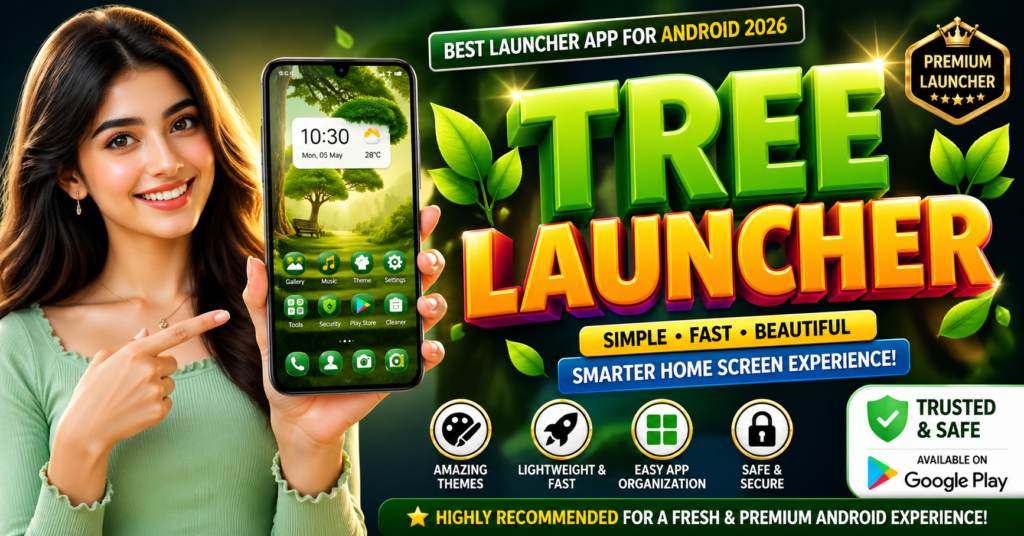
For example, apps like Tree Top Launcher offer a visual experience based on design and theme preferences.
Limitations / Things to Know
Launcher apps are helpful, but they are not perfect.
They cannot fix hardware problems
If your phone battery is weak or storage is full, a launcher cannot solve that fully.
Some launchers show ads
Free versions may include ads or limited features.
Too many effects can slow older phones
Heavy animations may reduce performance.
Permissions matter
Some launchers request notification access, storage access, or accessibility permissions.
Always review permissions before allowing access.
Safety & Privacy Notes
For safety, always install launcher apps only from the official Google Play.
You May Also Like
![Epic Themes Launcher App 2026 [ELEGANT THEMES]: Is It Worth Trying for Android Customization?](https://tnshorts.com/wp-content/uploads/2026/05/epic-themes-launcher-app-2026-300x225.png "Epic Themes Launcher App 2026 [ELEGANT THEMES]: Is It Worth Trying for Android Customization? 5")
Avoid:
- unofficial APK websites
- modified APK files
- cracked premium versions
These may contain malware or privacy risks.
Before installing:
- check developer name
- read recent reviews
- verify update history
- review permissions carefully
A launcher app should improve usability, not create security risks.
Common Mistakes Users Make
Expecting “phone speed boost” miracles
A launcher can improve interface speed, but it cannot replace better hardware.
Installing too many launcher apps
This creates confusion and background usage.
Use one reliable launcher instead.
Ignoring permissions
Some users allow everything without checking.
This is risky.
Only allow permissions that make sense.
Choosing style over stability
A beautiful launcher with poor optimization becomes frustrating later.
Balance design and performance.
Who Should Use This
Launcher apps are useful for:
- users with older Android phones
- people who want better organization
- users who like custom themes
- students needing focus-friendly screens
- professionals who want productivity shortcuts
- users bored with their default home screen
Who Should Avoid This
You may not need a launcher if:
- you are happy with your default phone UI
- you prefer very simple setup
- your phone already runs smoothly
- you do not want to manage settings or permissions
Sometimes the default launcher is already the best choice.
Similar Play Store Option: Tree Top Launcher
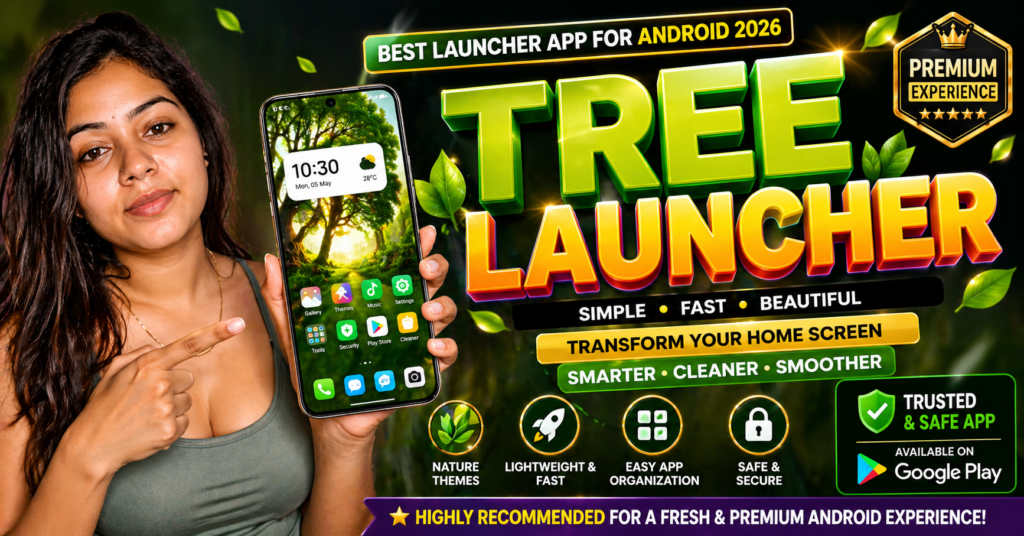
If you want a themed launcher experience, Tree Top Launcher is one option available on Google Play.
It is designed for users who want a fresh home screen style with launcher customization features.
Possible reasons users try it:
- visual theme improvement
- icon arrangement changes
- smoother home screen experience
- alternative launcher design compared to stock Android
You can check the official listing here:
Always review ratings, screenshots, and permissions before installing.
Other Similar Play Store Apps
Some users also compare with:
- Nova Launcher
- Microsoft Launcher
- Smart Launcher
- Niagara Launcher
- Lawnchair Launcher
Each focuses on different needs like speed, minimalism, or productivity.
Quick Decision Summary (5-Second Help)
Choose a launcher app if:
✔ You want a cleaner phone experience
✔ You like customization
✔ Your current home screen feels messy
✔ You want faster app access
Avoid it if:
✘ You expect major hardware speed improvements
✘ You dislike setup changes
✘ You prefer the default phone interface
Optional App
You can also try Tree Top Launcher from the official Google Play if you want a different launcher style.
People use it for:
- Better home screen look
- Easy app arrangement
- Smooth phone usage
- Simple and fresh design
How to Uninstall
If you do not want the launcher app anymore:
- Open Settings
- Go to Apps
- Find the launcher app
- Tap Uninstall
Important
Before uninstalling, change your default launcher back to your phone’s original launcher from:
Settings → Default Apps → Home App
This helps your phone return to normal home screen safely.
Conclusion
A good launcher app for Android in 2026 is not about flashy effects—it is about making your phone easier and better to use.
The best launcher is the one that matches your real daily needs.
If you want customization, organization, and a fresh home screen feel, a trusted Play Store launcher can be a smart choice.
Apps like Tree Top Launcher and other reliable launchers can help, but always choose based on stability, permissions, and real usefulness—not only appearance.
![What Is ChromaFusion Launcher Apps for Android 2026? [STYLE SCREEN]](https://tnshorts.com/wp-content/uploads/2026/02/ChromaFusion-Launcher-App-300x200.webp "What Is ChromaFusion Launcher Apps for Android 2026? [STYLE SCREEN] 9")