
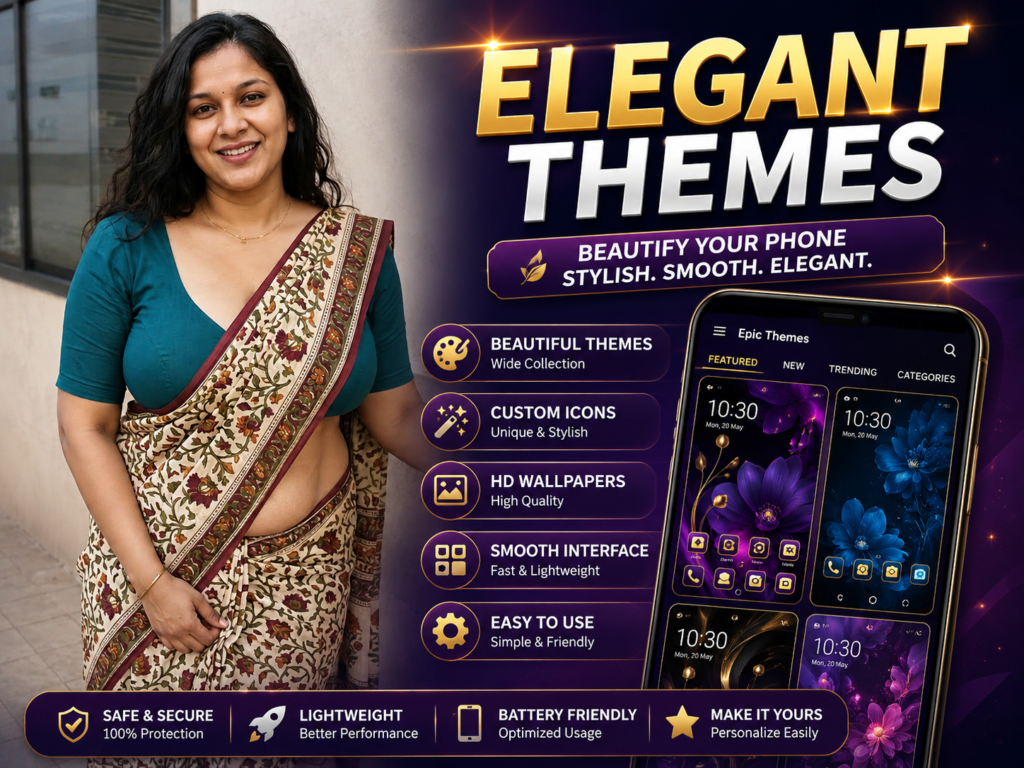
Epic Themes Launcher is an Android customization app designed for users who want stylish themes, custom icons, wallpapers, and a fresh home screen experience. In 2026, launcher apps remain popular for personalization without changing devices. This guide explains how theme launchers work, real expectations, limitations, and safe usage tips.
Many Android users get bored with the same home screen design every day. Default icons, plain wallpapers, and simple layouts often feel repetitive after long use.
This is why theme launcher apps remain popular in 2026.
Epic Themes Launcher is one of the apps users try when they want a fresh visual style, colorful themes, custom icons, and a different Android experience without changing the phone itself.
This guide explains what Epic Themes Launcher really does, who should use it, what users often misunderstand, and how to use launcher apps safely.
What It Is
Epic Themes Launcher is an Android launcher app focused on themes and customization.
It changes how your phone looks by modifying:
- home screen layout
- app icons
- wallpapers
- theme colors
- app drawer appearance
- transition animations
Instead of using the normal Android design, it gives a more stylish and personalized look.
Why People Use It
Users mainly install theme launchers because:
- they want a new phone feel
- default UI looks boring
- they enjoy colorful themes
- they want custom icons and wallpapers
- they like personalization
Many users use launcher apps simply to refresh their phone visually without buying a new device.
How It Works (Simple Explanation)
After installation from the official Google Play Store:
- the app becomes your home screen launcher
- it controls layout and design
- you can apply themes and icon packs
- wallpapers and animations can change instantly
You can switch back to your original launcher anytime in settings.
No rooting or advanced setup is normally required.
Real Benefits
One major benefit is instant visual change.
Your phone can feel completely different within minutes.
Some launchers also improve organization by allowing:
- better folder layouts
- gesture shortcuts
- easier app arrangement
Theme launchers also help users express personal style.
This is especially popular among younger Android users in 2026.
Limitations You Should Know
Launcher apps cannot upgrade phone hardware.
If your phone is already slow, heavy themes and animations may reduce smoothness further.
Some themes may require internet connection to download.
Free versions may include ads or limited premium features.
Battery usage can slightly increase with live effects and animations.
Safety and Privacy Notes
Always install launcher apps only from the official Google Play.
You May Also Like
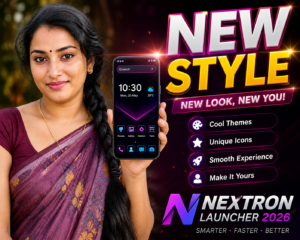
Avoid:
- unofficial APK downloads
- modified premium launchers
- apps requesting unnecessary permissions
Before installing, check:
- reviews
- developer details
- update history
- permission requests
A launcher should improve user experience, not create privacy concerns.
Common Mistakes Users Make
Many users install too many launcher apps together.
This creates confusion and unnecessary storage usage.
Some enable extreme animations, which slows down older phones.
Others expect launchers to “boost performance,” which is not their main purpose.
A launcher mainly changes appearance and usability.
Who Should Use It
This is useful for:
- users bored with stock Android UI
- people who like customization
- users wanting colorful themes
- people who enjoy icon packs and wallpapers
- Android users wanting a fresh look without changing devices
Who Should Avoid It
You may avoid theme launchers if:
- you prefer simple default Android layout
- your phone already struggles with performance
- you do not like changing settings frequently
Optional App to Try
You can try Epic Themes Launcher from the official Google Play.
Users try it for:
- stylish Android themes
- custom home screen layouts
- icon customization
- colorful launcher design
Official Play Store link:
Useful tip most users miss:
Choose lighter themes instead of heavy animated themes if your phone has low RAM. This keeps the phone smoother while still giving a fresh look.
How to Uninstall
If you no longer want the launcher:
- Open Settings
- Go to Default Apps
- Change back to your original Home App
- Open Apps
- Select the launcher app
- Tap Uninstall
Changing the default launcher first avoids confusion after removal.
Quick Decision Summary
Use it if:
✔ you want a fresh Android look
✔ you enjoy customization
✔ you like themes and icon packs
✔ you want a different home screen experience
Avoid expecting:
✘ major speed improvement
✘ hardware upgrades
✘ zero battery impact with heavy animations
Final Words
Epic Themes Launcher 2026 is mainly about personalization and visual experience.
It helps Android users create a more stylish and customized home screen without replacing the phone itself.
For the best experience, keep customization balanced. Too many effects may reduce smoothness, especially on older devices.
A clean, organized launcher setup usually feels better than extreme customization.
More Articles You May Like
 Tree Launcher App for Android 2026 – Features, Benefits & Safe Alternatives
 SpaceWalker Space Theme Launcher App for Android 2026 – What It Does and Why Users Install It
 What Is New CMM Launcher Apps on Android (ULTIMATE LAUNCHER 2026)?
![What Is ChromaFusion Launcher Apps for Android 2026? [STYLE SCREEN]](https://tnshorts.com/wp-content/uploads/2026/02/ChromaFusion-Launcher-App-300x200.webp "What Is ChromaFusion Launcher Apps for Android 2026? [STYLE SCREEN] 8") What Is ChromaFusion Launcher Apps for Android 2026? [STYLE SCREEN]
What Is ChromaFusion Launcher Apps for Android 2026? [STYLE SCREEN]