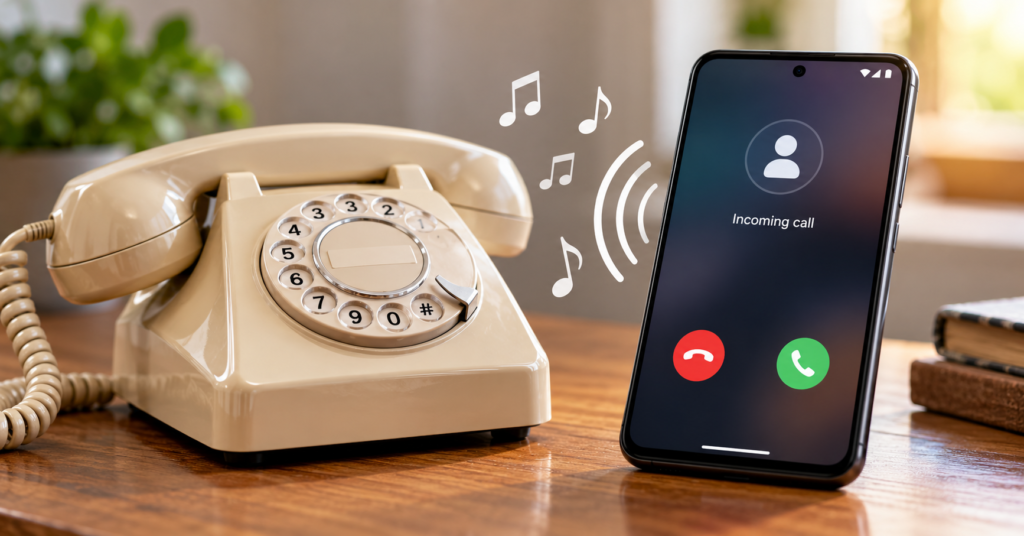
If you search for a 1980 old phone ringtone download, you are probably not looking for another modern song ringtone. You likely want that instantly recognizable old telephone sound — the mechanical-style ring associated with landline and rotary phones.
On Android, there are two ways to get this result: download an individual ringtone audio file and set it manually, or use an app that lets you preview and apply retro sounds.
Old Phone: Ringtones by Dream_Studio is designed around the second approach. It is currently available through Google Play, contains ads and in-app purchases, and offers retro phone sounds that can be used for calls, notifications and alarms.
Table of Contents
Quick Answer
Yes. If your goal is simply to make your Android phone sound like an older telephone, Old Phone: Ringtones is a practical option because you can browse retro sounds and apply one without hunting for ringtone files on random download sites.
But there is an important distinction:
“1980 ringtone” is a search description, not necessarily the exact historical year of every sound inside the app.
The Google Play description refers to classic, vintage, retro, office-phone and old-mobile-phone sounds; it does not promise that every ringtone is an authenticated recording from a specific telephone manufactured in 1980.
That difference matters if you are looking for a historically exact telephone sound rather than simply an old-fashioned ringtone.
Quick Overview
| Detail | Current information |
|---|---|
| App | Old Phone: Ringtones |
| Developer | Dream_Studio |
| Platform | Android |
| Category | Personalization |
| Main purpose | Retro and classic phone sounds |
| Call ringtones | Yes |
| Notification sounds | Yes |
| Alarm sounds | Yes |
| Contact-specific ringtones | Offered |
| Ads | Yes |
| In-app purchases | Yes |
| Google Play installs | 500K+ |
| Last Google Play update checked | September 1, 2026 |
| Best for | People wanting an easy retro ringtone setup |
| Official source | Google Play |
The install count, monetization model and update date above come from the current Google Play listing and can change over time.
Why People Search for a “1980 Old Phone Ringtone”
There is a practical reason old telephone sounds still work surprisingly well as ringtones.
Modern phones often use songs, electronic melodies and soft notification sounds. In a busy room, some of them blend into music, television audio or other background noise.
A traditional telephone ring has a very different sound signature. It was designed primarily to announce “the phone is ringing”, rather than to function as entertainment.
That makes the retro-ringtone idea useful beyond nostalgia.
For example, you might want one because you miss the sound of an old landline, want your phone to be easier to recognize among other devices, dislike musical ringtones, or simply prefer a straightforward ring that sounds like a telephone.
This is a more useful way to judge a retro ringtone app than asking whether the sounds are merely “cool.”
What Old Phone: Ringtones Actually Does
The app provides a collection of classic-style telephone sounds that you can browse and use on an Android phone.
According to its current Google Play description, its library includes old telephone, office-phone and older mobile-phone styles. Sounds can be used not only as an incoming-call ringtone but also for alarms and notifications. The developer also says individual ringtones can be assigned to different contacts.
That last feature changes the usefulness of the app considerably.
Suppose you give family calls one distinctive retro ring and another contact a different sound. You may be able to recognize who is calling without immediately looking at the screen.
So this isn’t only a nostalgia app. It can also be a basic audio-identification tool.
One Detail Many “Ringtone Download” Pages Miss
There is a difference between:
owning an MP3 ringtone file
and
having an app configure a ringtone for you.
If all you need is one sound that you intend to keep for years, downloading a legitimate audio file and setting it through Android’s ringtone settings can be simpler. You don’t necessarily need a dedicated ringtone app permanently installed.
The app approach makes more sense when you want to preview several old-phone styles, switch between them, configure alarms or notifications, or experiment with different sounds for different contacts.
This is an important decision point before installing anything.
Which route makes more sense?
| Your need | Practical route |
|---|---|
| One specific ringtone file | Manual ringtone setup may be enough |
| Want to browse many retro sounds | Ringtone app is convenient |
| Frequently change sounds | App is more convenient |
| Different sounds for contacts | App can be useful |
| Want minimal extra apps | Use Android’s built-in ringtone settings |
| Want exact historical 1980 audio | Verify the recording separately |
Is It Really a 1980 Telephone Sound?
Do not assume that every ringtone labelled “old,” “retro” or “vintage” represents an actual telephone from 1980.
There were many telephone systems, manufacturers and ring mechanisms across different countries and decades. A classic mechanical landline ring is also quite different from an early electronic telephone or later mobile-phone ringtone.
The Old Phone: Ringtones Play Store description uses broad categories such as classic vintage ringtones, office phone sounds and old mobile phones. It does not provide historical provenance for every recording.
So:
For nostalgia: the app fits the search well.
For historical accuracy: listen first and judge the individual sound rather than relying on “1980” as a precise date.
That distinction can save you from installing an app expecting one exact ringtone that may not be there.
What Makes This App Useful on Android?
The biggest advantage isn’t simply the number of sounds. Android can already use compatible audio as a ringtone.
The convenience comes from putting discovery + preview + selection + ringtone use into one workflow.
There are several practical uses.
You can choose a distinctive main ringtone so your phone doesn’t sound like everyone else’s. You can use a short retro tone for notifications instead of a song. You can use an old alarm-clock style sound for alarms. And contact-specific sounds can provide an audible clue about the caller.
The developer also specifically markets some of its sounds as loud ringtones.
However, users who have difficulty hearing a phone should not assume that the word “loud” guarantees audibility. Speaker hardware, Android volume settings, frequency sensitivity, ambient noise and individual hearing all affect the result.
Preview the sound on your own phone before depending on it for important calls or alarms.
Limitations You Should Know
The app’s specialization is also its main limitation. If you want current chart music, elaborate sound effects or extensive audio editing, this is not what the app is primarily designed for.
There are also advertisements and in-app purchases.
Recent Google Play feedback is generally positive, but reviews should not be treated as universal experience. Some users praise the ringtone variety and ease of use, while advertising is also mentioned in user feedback.
More importantly, installing an entire app can be unnecessary if your objective is only:
“I need one old telephone ring and I will never change it.”
In that situation, a legally obtained compatible ringtone file plus Android’s built-in sound settings is the leaner solution.
Things to Know Before Installing
Install the app through its official Google Play listing rather than searching for modified or cracked APK versions.
You May Also Like

![Message Tones 2026 Apps — What They Really Do on Android [NEW TONES]](https://tnshorts.com/wp-content/uploads/2026/02/Message-Tones-2026-Apps-300x200.webp "Message Tones 2026 Apps — What They Really Do on Android [NEW TONES] 4")
Before accepting a permission, look at why that permission is needed for the feature you are trying to use.
For example, assigning a ringtone to individual contacts naturally involves functionality related to your contacts. If you don’t need contact-specific ringtones, consider whether you need to use that feature at all.
Android versions and phone manufacturers also differ. A Samsung Galaxy may present ringtone controls differently from Xiaomi, Vivo, Oppo, Motorola or another Android device.
That doesn’t necessarily mean the app has failed; sometimes the final sound assignment is controlled by Android or the manufacturer’s Settings interface.
Safety & Privacy: What Google Play Currently Says
This deserves more attention than simply saying an app is “safe.”
Google Play currently says the developer declares that no data is shared with third parties, while the app may collect app activity, app info and performance, and device or other IDs. The listing also states that data is encrypted in transit and that users can request deletion.
These are developer-provided Data safety declarations, not a TNShorts security audit.
The app’s contact-related feature also deserves context. Independent app metadata services have reported contact-related permissions in versions of the application, which is consistent with its advertised ability to assign different ringtones to contacts. Permission declarations can change between releases, however, so your current Android permission prompt and Google Play information should take priority over an older third-party listing.
A good rule is simple:
Grant access based on the feature you actually intend to use, rather than automatically approving every prompt.
A Better Way to Test a Ringtone
Don’t select an old ringtone based only on how pleasant it sounds while holding your phone.
A ringtone has a job to do.
After choosing one, test it under realistic conditions:
Put the phone in your pocket and call it from another device. Try it from another room. Test it while a fan or television is running. Then lower the phone volume to the level you normally use and repeat the test.
You may discover that a ringtone that sounds excellent during preview is much less noticeable in everyday use.
Conversely, a less musical, sharper old telephone ring may perform better as an actual call alert.
This is particularly relevant to 1980-style telephone sounds, because their value can be functional rather than purely nostalgic.
Who Should Use It?
Old Phone: Ringtones makes sense for Android users who want to browse several classic telephone sounds rather than searching individually for audio files.
It is particularly relevant if you want retro call sounds plus alarms and notifications, enjoy old landline or early-phone aesthetics, regularly change ringtones, or want different sounds for contacts.
The current Google Play presence and recent 2026 update are also preferable to relying on an abandoned download page for an old ringtone application.
Who Should Avoid It?
You probably don’t need this app if you already have the exact ringtone audio file you want.
It may also be unsuitable if you strongly dislike ad-supported applications, don’t want another personalization app installed, require a historically verified recording from a particular 1980 telephone, or are uncomfortable with the permissions required by the features you want to use.
In those cases, Android’s built-in ringtone controls may be enough.
Better Alternatives
You don’t necessarily need another third-party ringtone app.
The most important alternative is Android itself.
If you already possess a legitimate MP3 or another supported audio file, many Android phones let you select that file through Settings → Sound & vibration → Phone ringtone, although the exact menu names vary by manufacturer.
This route has a clear advantage: you don’t keep a ringtone-discovery app installed merely to use one sound.
Another option is your phone manufacturer’s built-in sound collection. Samsung, Pixel, Xiaomi and other Android phones ship with their own ringtone libraries, and some devices already include simple bell or telephone-style tones.
So the choice should be based on your actual requirement:
Need one ringtone? Check your phone first.
Want many retro telephone sounds to explore? A dedicated app becomes more useful.
How to Uninstall Old Phone: Ringtones
If you’ve selected a ringtone but later decide you no longer want the app, first check what happens to the ringtone you configured.
Then uninstall it in the normal Android way:
Settings → Apps → Old Phone: Ringtones → Uninstall
You can also open its Google Play page and tap Uninstall.
After removal, check Settings → Sound & vibration → Phone ringtone to confirm that your preferred ringtone is still selected. If Android can no longer access a sound that depended on the removed app, select another locally available ringtone.
FAQs
Can I get a 1980 old phone ringtone on Android?
Yes. You can either use a retro-ringtone app or obtain a legitimate compatible audio file and select it through Android’s ringtone settings.
Does Old Phone: Ringtones contain real 1980 ringtones?
It provides retro, classic, office-phone and old-mobile-phone sounds, but the Google Play description does not establish that every sound is an authenticated recording from the year 1980.
Can I use the sounds for notifications?
Yes. The developer says the collection includes sounds that can be used for calls, notifications and alarms.
Can different contacts have different ringtones?
The app advertises the ability to assign different ringtones to individual contacts.
Is Old Phone: Ringtones free?
The current Google Play listing shows the app with advertisements and in-app purchases.
Does the app collect data?
Google Play currently says it may collect app activity, app info and performance, and device or other IDs. The developer declares no third-party data sharing on the Play Data safety section.
Do I need an app just to set an old ringtone?
No. If you already have a compatible, legally obtained audio file, Android can often set it as a ringtone directly. A dedicated app is mainly useful for finding, previewing and managing a collection of sounds.
Featured Snippet Answer
To get a 1980-style old phone ringtone on Android, you can use a retro ringtone app such as Old Phone: Ringtones or set a compatible audio file manually through Android’s sound settings. The app is useful if you want to browse multiple classic telephone, notification and alarm sounds, but users who need only one ringtone may not need a separate app.
Final Recommendation
For someone searching “1980 old phone ringtone download for Android,” Old Phone: Ringtones is worth considering primarily as a convenient retro-sound browser and ringtone-setting tool, rather than as proof that you are downloading an historically authenticated 1980 recording.
Its practical strengths are the range of classic-style sounds, support for ringtone/notification/alarm uses, and contact-specific ringtone functionality. The trade-offs are ads, in-app purchases, relevant permission considerations and the fact that installing a complete app may be excessive if you only need one audio file.
Start with your Android phone’s existing ringtone library if you only need a basic old-style ring. If that doesn’t have the sound you want and you want to explore multiple retro options, use the official Google Play version rather than unofficial or modified downloads.
Editorial Disclosure: TNShorts publishes independent Android app reviews, guides, comparisons, and educational content. Content is based on publicly available information and user-focused analysis. Features, pricing, permissions, privacy practices, ratings and availability can change. Verify important information through the official developer or Google Play listing before installing or making a decision.