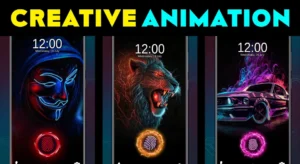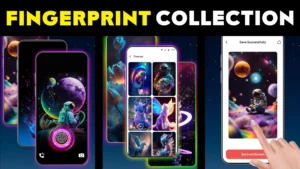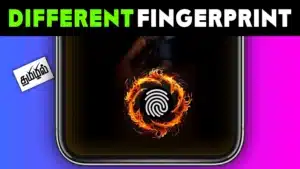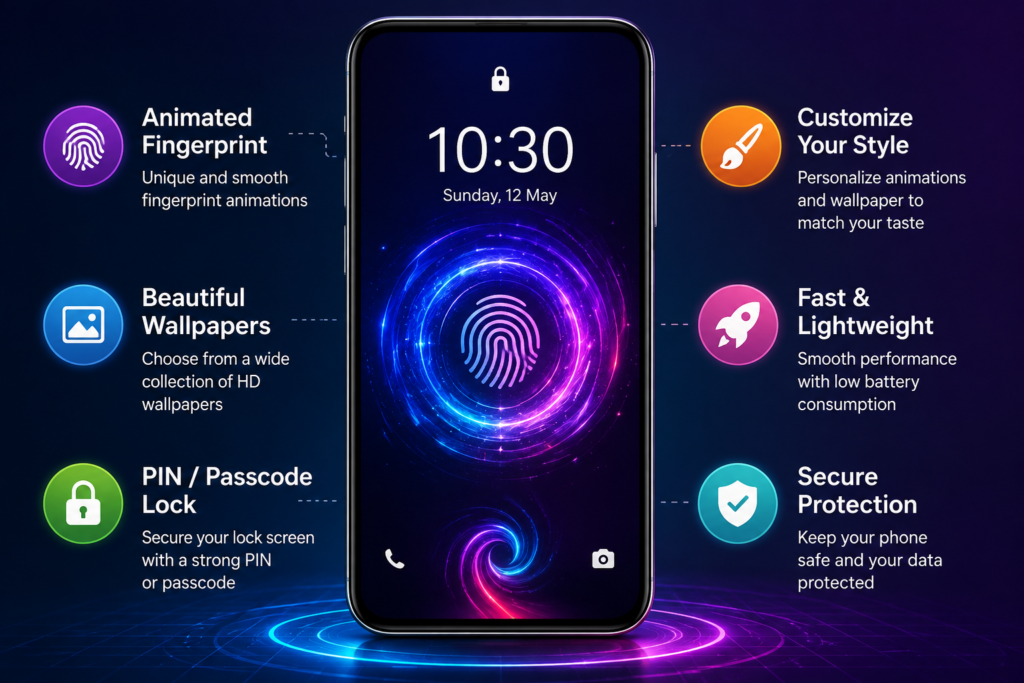
Fingerprint Animation Live looks like a fingerprint-unlock customization app, but there is an important distinction to understand before installing it: its main purpose is to give your lock screen a different visual experience.
The app provides fingerprint-style animations, lock-screen wallpapers, and its own PIN/passcode lock screen. According to its Google Play listing, the developer recommends disabling your phone’s normal lock screen for the best experience.
That recommendation matters much more than the animations themselves.
Quick Answer
Fingerprint Animation Live is worth considering mainly if you want a decorative, animated lock screen and are comfortable using a third-party lock-screen experience.
It should not be confused with Android’s real biometric fingerprint authentication.
The fingerprint graphic you see on the screen is primarily part of the lock-screen presentation. The app’s description says users configure a passcode or PIN for unlocking.
If your priority is strong device security, reliable fingerprint authentication, banking-app compatibility, or simply changing the appearance around your phone’s existing fingerprint sensor, keeping Android’s built-in lock system is usually the more sensible choice.
The Detail That Matters More Than the Animation
Many people searching for “Fingerprint Animation Live Android” are probably interested in making the fingerprint area of their phone look more attractive.
But there are actually two very different things:
1. Changing the appearance of a lock screen
and
2. Changing the phone’s biometric fingerprint system
Fingerprint Animation Live belongs primarily to the first category.
This distinction is easy to overlook because a glowing fingerprint graphic naturally looks like a fingerprint scanner. A visual fingerprint effect, however, does not automatically mean that the animation itself is reading or verifying your fingerprint.
That makes this app more accurately understood as a lock-screen personalization tool rather than an upgrade to your phone’s fingerprint hardware.
What Fingerprint Animation Live Actually Does
The app is published on Google Play under the AndroBeings name and is categorized as a personalization app. The current Play listing shows that it contains ads and has passed 50,000 downloads.
Its core experience combines:
- fingerprint-themed lock-screen animations;
- customizable lock-screen wallpapers;
- a replacement-style screen lock;
- PIN/passcode configuration.
The setup described by the developer is straightforward: activate the app’s Screen Lock option, create a PIN, confirm it, and then lock the phone.
The unusual part comes before that.
The developer says that, for the best experience, users should disable their phone’s default lock screen.
For TNShorts, that is the feature I would examine before deciding whether the app is right for you.
Don’t Treat “Disable Default Lock” as Just Another Setup Step
Android’s built-in lock screen is not merely the picture you see before reaching the home screen. It is integrated into the operating system’s device-security architecture.
A third-party lock-screen app is a different layer of software.
Therefore, when an app asks you to replace or disable the normal lock-screen experience, the decision deserves more thought than installing an ordinary wallpaper app.
Before changing anything, check exactly what your particular Android phone means by disabling its default screen lock. Settings and behavior can differ between Android versions and manufacturers.
If Android warns that changing the screen-lock method will affect fingerprints, face unlock, stored credentials, device protection, or other security features, read that warning rather than dismissing it simply to make an animation work.
A Better Way to Decide Whether You Need This App
Ask yourself one question:
What am I actually trying to change?
If your answer is:
“I want a cool animated lock screen.”
Fingerprint Animation Live matches that goal reasonably well.
If your answer is:
“I want my real fingerprint sensor to have a different unlock animation.”
Check your phone’s own customization settings first.
Some Android manufacturers provide lock-screen, always-on-display, theme, or fingerprint-animation customization themselves. When your phone already supports the effect you want, using the manufacturer’s implementation avoids replacing the normal lock screen simply for a visual change.
If your phone offers no such customization, this app provides a different approach—but with the lock-screen trade-off described above.
Where the App Makes Sense
The app is most appealing when appearance matters more to you than having a completely stock Android lock-screen experience.
For example, someone using an older or inexpensive Android phone may have very few built-in personalization options. A third-party lock-screen design can make that device feel visually different without changing the launcher or the rest of the interface.
It can also suit users who frequently change wallpapers and want the lock screen itself to become part of the theme rather than displaying a static background.
There is another small advantage: the fingerprint animation and wallpaper are presented as one visual experience. That can look more coherent than independently choosing a wallpaper and trying to match it with another customization.
What It Does Not Give You
This is where expectations should be kept realistic.
Installing a fingerprint animation app cannot add fingerprint hardware to a phone that does not have it.
It cannot turn an ordinary part of the display into a genuine biometric fingerprint reader.
And an animated fingerprint graphic should not be interpreted as proof that biometric authentication is taking place.
If you specifically searched for this app because you want real fingerprint unlocking, check your Android device’s Settings > Security/Privacy > Fingerprint options instead.
Your phone’s hardware and operating system determine genuine biometric capability.
The Biggest Practical Limitation: You Interact With the Lock Screen Every Day
A wallpaper app can occasionally misbehave without seriously affecting how you use your phone.
A lock-screen replacement is different.
You may encounter it dozens of times per day.
That means small annoyances become much more important: delayed appearance, an extra unlock step, inconsistent behavior after restarting the phone, battery-management restrictions, or differences in how notifications appear can matter more here than they would in a normal personalization app.
These problems are not claims that this specific app will necessarily experience them. They are practical considerations worth testing whenever you replace a system-level interaction as frequently used as the lock screen.
After installation, don’t judge the app only by how attractive the first animation looks.
Lock and unlock your phone repeatedly. Restart it once. Check notifications. Test your normal everyday apps. Then decide whether the visual improvement is worth the change in workflow.
You May Also Like
 Display Fingerprint Lock Animation: Is It Worth Installing?
 AI Wonderful Fingerprint Animation App 2026: Why Android Users Still Love It
 📱 3D Attractive Fingerprint Lock – Animation: Unlock in Style with Futuristic Effects
 Fingerprint Live with Multiple Animation HD – Best App for Stylish Lock Screen Wallpapers
Things to Know Before Installing
There are several points worth checking first.
The app is available through Google Play, so use the official listing rather than searching for unofficial APK downloads.
More importantly, examine the current Data safety and permission information yourself before installation because those declarations can change with app updates.
At the time checked, Google Play says the app may collect location data and may share location, personal information, and eight other data categories with third parties. Google Play also states that data is encrypted in transit. These are developer-provided disclosures rather than an independent guarantee of privacy or security.
That is relevant for an app whose basic user-facing purpose is lock-screen personalization.
It doesn’t automatically mean the app is unsafe. It does mean privacy-conscious users have a legitimate reason to review the detailed Data safety page before deciding whether the customization is valuable enough to them.
Permissions Deserve Context, Not Panic
A lock-screen replacement naturally requires capabilities that an ordinary wallpaper viewer may not need.
For example, third-party app metadata currently lists capabilities associated with displaying content over the interface, disabling the keyguard, running foreground functionality, internet access, advertising identifiers, and starting after the device boots.
Some of those can have legitimate functional explanations for a persistent lock-screen application.
The correct approach is therefore neither:
“It asks for powerful access, so it must be dangerous”
nor:
“It’s on Google Play, so every permission should automatically be accepted.”
Instead, compare each permission request with the feature you intend to use. If Android presents access that you don’t understand or that appears unnecessary for your needs, don’t approve it until you know why it is required.
Privacy-Conscious Users Have an Easier Alternative
If your real goal is simply “make my phone look better,” you don’t necessarily need to replace the lock screen.
A static wallpaper, manufacturer’s theme system, Android’s built-in personalization controls, or built-in always-on-display options can often provide most of the visual improvement while leaving the normal device lock intact.
That is an important trade-off because Fingerprint Animation Live solves a relatively small problem—lock-screen appearance—by becoming involved in a particularly important part of the phone’s daily interface.
For some users, that trade is worthwhile.
For others, it isn’t.
Benefits
The main advantage is straightforward: it can make a plain Android lock screen look more distinctive without requiring complicated customization.
The app also combines wallpapers, animation, and a PIN-style lock experience in one place. Users who enjoy regularly changing the visual style of their phones may find that more convenient than assembling several separate customization tools.
And because the app’s purpose is easy to understand, you can test fairly quickly whether its visual style appeals to you.
Limitations
The most important limitation is conceptual: the fingerprint animation should not be mistaken for biometric fingerprint authentication.
The second is the developer’s recommendation to disable the phone’s default lock screen. That makes this a more consequential customization than simply changing a wallpaper.
The app also contains advertising according to Google Play.
Finally, third-party lock-screen behavior can depend heavily on the Android version and phone manufacturer. Aggressive battery optimization, background restrictions, and manufacturer-specific security behavior can influence how replacement lock-screen apps operate.
Who Should Use It?
Fingerprint Animation Live makes the most sense for Android users who:
- primarily want a visually different lock screen;
- understand that the fingerprint effect is a customization feature rather than new biometric hardware;
- don’t mind experimenting with a third-party lock-screen setup;
- are comfortable reviewing the app’s permissions and Data safety information;
- value animated designs more than keeping the stock lock-screen experience.
For those users, it can be a fun personalization option.
Who Should Avoid It?
Skip it if your main goal is improving the security of your phone.
You should also think twice if you depend heavily on your manufacturer’s built-in fingerprint/face-unlock workflow, don’t want to alter your default lock configuration, prefer minimal permissions and data sharing, or simply want a new wallpaper.
In those cases, the visual benefit may not justify replacing part of the normal Android lock-screen experience.
Better Alternatives Depend on What You Actually Want
There isn’t one universal replacement because different users are searching for different outcomes.
For genuine fingerprint security: use Android’s built-in biometric settings. A third-party animation is not a substitute for hardware-backed fingerprint authentication.
For fingerprint-animation customization: check your phone manufacturer’s themes, lock-screen, always-on-display, or fingerprint settings first. This is especially sensible on devices that already provide native fingerprint effects.
For appearance only: use a conventional wallpaper or live-wallpaper app while retaining Android’s normal lock screen.
For a completely different lock-screen design: a third-party lock-screen app such as Fingerprint Animation Live becomes more relevant, but review its permissions, privacy disclosures, and compatibility first.
The best alternative therefore depends less on which app has the most effects and more on how much of Android’s normal lock-screen behavior you’re willing to replace for customization.
FAQs
Does Fingerprint Animation Live really scan my fingerprint?
The app is presented primarily as a lock-screen animation and wallpaper application. Its Google Play instructions describe setting a PIN/passcode for the app’s lock screen. Do not assume the animated fingerprint graphic itself provides biometric authentication.
Can it add fingerprint unlocking to a phone without a fingerprint sensor?
No app can create the missing physical fingerprint-scanning hardware. If your device lacks a supported biometric sensor, a fingerprint animation remains a visual effect.
Do I have to disable my Android lock screen?
The developer recommends disabling the default lock screen for the best experience. Before doing that, check the warnings and consequences shown by your particular phone.
Is Fingerprint Animation Live safe?
It would be inappropriate to describe any third-party app as completely safe without a full independent security audit. The app is available on Google Play, but users should still review its current permissions, Data safety disclosures, privacy policy, and Android warnings before enabling a replacement lock screen.
Does the app collect data?
At the time of this check, its Google Play Data safety section says it may collect location and may share location, personal information, and other categories with third parties. These declarations are supplied by the developer and may change.
Will the animation improve my phone’s fingerprint sensor?
No. A visual animation doesn’t make the physical fingerprint reader faster or more accurate.
Why might the app behave differently on two Android phones?
Android manufacturers customize power management, background execution, lock screens, notifications, and security behavior. A replacement lock-screen app can therefore behave differently depending on the device and Android version.
Should I install it?
Install it if you specifically want its animated lock-screen style and accept the trade-offs. If you only want real biometric unlocking or a different wallpaper, Android’s built-in features are a better place to start.
Final Recommendation
Fingerprint Animation Live is best viewed as a personalization app, not a fingerprint-security upgrade.
Its main attraction is the combination of animated fingerprint visuals, wallpapers, and a custom PIN-style lock screen. The bigger consideration is that the developer recommends disabling the phone’s default lock screen for the intended experience.
That changes the decision.
If customization is your priority, test the app carefully and confirm that locking, unlocking, notifications, restarts, and your everyday workflow behave the way you expect.
If security, privacy, and reliability matter more than animation, keep Android’s built-in lock and first explore the customization options already provided by your phone.
TNShorts recommendation: Don’t install this app because you expect better fingerprint security. Consider it only when you specifically want its lock-screen appearance and understand what you’re replacing.
View Fingerprint Animation Live on Google Play
Editorial Disclosure
TNShorts publishes independent Android app reviews, guides, comparisons, and educational content. Content is based on publicly available information, practical analysis, and user-focused evaluation. Features, pricing, permissions, privacy practices, and availability may change over time. Readers should verify important information through official developer sources before making decisions.