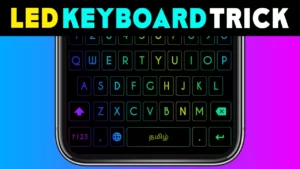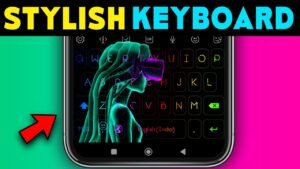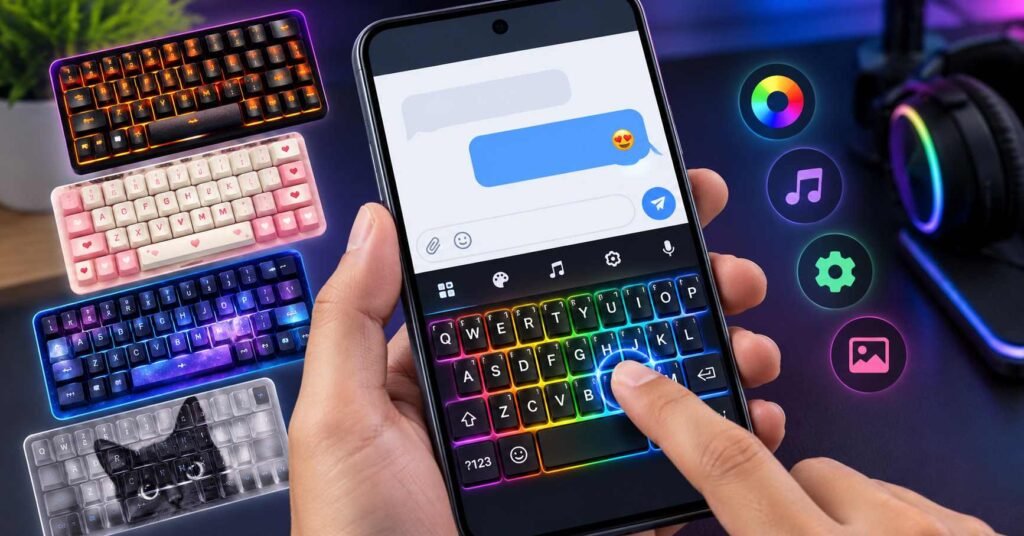
A colorful keyboard can make an ordinary Android phone feel different. But before installing style keyboard themes, there is one important question: are you changing how your keyboard looks, or are you replacing the keyboard you use every day?
Apps such as Mechanical Keyboard: RGB Theme offer RGB lighting, decorative keycaps, custom backgrounds, and simulated mechanical typing sounds. These features may be enjoyable, but appearance alone does not determine whether a keyboard is suitable for daily use.
Here is what Android users should understand before making the switch.
Quick Answer
Style keyboard themes let you personalize your Android typing experience with colors, backgrounds, key designs, and visual effects. Mechanical Keyboard: RGB Theme, developed by Neli Creative, focuses on animated RGB effects and mechanical-style typing sounds.
It may appeal to people who enjoy gaming aesthetics and creative phone customization. However, it operates as a keyboard, not just a visual theme. That means typing comfort, language support, advertising, and privacy should matter as much as appearance.
Our recommendation: Try an RGB keyboard if visual customization is your priority and you are comfortable with its data disclosures. If you simply want a different keyboard background, check your existing keyboard’s theme settings first.
Quick Overview
| Detail | Information |
|---|---|
| App name | Mechanical Keyboard: RGB Theme |
| Developer | Neli Creative |
| Category | Personalization |
| Platform | Android |
| Pricing | Free to install; contains ads and in-app purchases |
| Main purpose | RGB keyboard effects, themes, custom key designs, and typing sounds |
| Best suited for | People who prioritize visual customization |
| Main consideration | Keyboard privacy and daily typing usability |
| Official source | Google Play Store |
Table of Contents
What Do Style Keyboard Themes Actually Change?
People often search for style themes when they want to make their phones look more attractive. But Android customization works at different levels.
A wallpaper changes your background. A launcher may change your home screen and icons. A keyboard theme changes the appearance of the on-screen keyboard when you type.
Mechanical Keyboard: RGB Theme goes further by combining keyboard designs with lighting animations and simulated mechanical sounds.
It does not turn your phone into a physical mechanical keyboard, nor does it automatically change your entire Android interface.
That distinction matters if you only want a different visual style without replacing your current typing tool.
What Makes Mechanical Keyboard: RGB Theme Different?
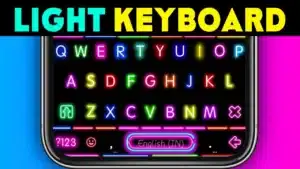
RGB lighting that changes the typing experience
The developer advertises adjustable RGB colors, LED effects, animation speed, and brightness.
For someone who likes RGB gaming accessories, this can create a matching aesthetic on a smartphone.
However, a bright keyboard is not necessarily a practical keyboard.
Highly illuminated backgrounds can make letters harder to distinguish, especially when key labels and background colors have poor contrast.
A good theme should make important keys easy to identify, not hide them behind decorative effects.
Mechanical typing sounds
Mechanical Keyboard: RGB Theme offers simulated sounds inspired by mechanical keyboard switches, including clacky, thocky, and creamy styles.
This is one of its more distinctive attractions.
For casual chatting, different keypress sounds can make typing feel more entertaining. They can also become distracting during long conversations, meetings, or late-night use.
The practical choice is to use typing sounds when you enjoy them and disable them when you need a quieter phone.
Remember that the sounds are software effects. They do not create the physical resistance or tactile feedback of a real mechanical switch.
More than one visual style
The app promotes themes inspired by gaming, football, anime, K-pop, seasonal events, and cute designs.
It also advertises customization of keycaps, backgrounds, fonts, keyboard size, and creative text features.
These options are most useful when you can create a keyboard that remains readable and comfortable after the novelty wears off.
A keyboard that looks excellent in a promotional screenshot may not be the one you want to use for writing a long message.
Four Details Most People Overlook Before Installing
1. Keyboard appearance and typing accuracy are different things
When choosing a keyboard, most people first look at its colors and animations.
But during daily use, other features may be more important:
- Autocorrection and word suggestions
- Cursor movement and text selection
- Quick access to numbers and symbols
- Voice typing and gesture typing
- Comfortable key spacing
- Language switching
Mechanical Keyboard: RGB Theme emphasizes personalization in its Play Store description. That does not establish that every typing convenience available in Gboard or Microsoft SwiftKey is also available here.
Check the specific features you rely on before replacing your current keyboard.
2. Stylish fonts may not behave like ordinary text
Some keyboard apps offer decorative fonts and text styles.
There is a difference between changing the appearance of letters on your keyboard and inserting special characters into your messages.
If a feature produces decorative Unicode text, characters may display differently across messaging apps, search boxes, forms, and devices.
Before using decorative text for something important, test whether the recipient can read and copy it correctly.
For ordinary messages, names, addresses, and professional communication, standard text is usually the more reliable choice.
3. Language support matters more than theme variety
A keyboard can offer many attractive designs and still be inconvenient if it does not support your preferred typing language.
For example, someone who regularly switches between Tamil and English needs easy access to both languages, comfortable word entry, and usable suggestions.
The Mechanical Keyboard: RGB Theme listing does not clearly establish the full range of its language and transliteration capabilities.
Tamil users should verify Tamil typing and Tamil-English switching before making it their main keyboard.
Gboard is another option because Google documents Tamil among its supported languages.
4. A keyboard used for two minutes may feel different after two hours
Animated effects, large keycaps, and unfamiliar spacing may seem exciting initially.
After extended typing, you may notice that you are making more corrections, missing symbols, or taking longer to complete messages.
That does not mean a decorative keyboard is inherently slow. It means you should judge it using your actual typing habits rather than screenshots alone.
A Practical Five-Minute Keyboard Test
Before paying for themes or committing to an unfamiliar keyboard, use this simple evaluation.
| Test | What to check |
|---|---|
| Short message | Are the keys comfortable and readable? |
| Long paragraph | Can you type without frequent corrections? |
| Numbers and symbols | Is punctuation easy to reach? |
| Language switching | Can you use your preferred languages? |
| Dark background | Are all letters still visible? |
| Sound controls | Can unwanted typing sounds be disabled? |
| Advertisements | Are interruptions acceptable? |
Use ordinary test text rather than passwords, payment information, or sensitive personal details.
If the keyboard repeatedly slows you down, changing to another theme may not solve the problem. The underlying layout and typing features could be a better reason to switch apps.
Is Mechanical Keyboard: RGB Theme Safe for Android?
This is an important consideration.
An Android keyboard is different from a wallpaper app because it is involved in entering text.
When a third-party keyboard is enabled, Android may display a warning about its potential access to typed information, including sensitive content.
That warning describes the access a keyboard could have. It is not proof that a particular developer is recording or stealing your passwords.
Nevertheless, keyboard access deserves careful consideration.
What the Google Play privacy disclosure says
At the time of this article’s review, the app’s Google Play Data safety section reported:
- Data that may be collected: Location and device or other identifiers.
- Data that may be shared: App activity.
- Encryption disclosure: Google Play displays “Data isn’t encrypted.”
These are developer-provided disclosures. They do not independently establish which text, if any, is transmitted from the keyboard.
You May Also Like


Neli Creative also provides a privacy policy. It describes company-wide data practices and third-party service providers, but it does not provide a clear, keyboard-specific explanation of every aspect of keystroke processing.
For a privacy-conscious user, that leaves important questions to consider before enabling the keyboard.
How to make a safer decision
Review the Data safety details and permissions on Google Play before installation.
Avoid granting unrelated permissions unless their purpose is clear. If you are uncomfortable with the keyboard’s access or disclosures, keep using an input method you already trust.
For sensitive activities such as banking, passwords, and payment details, use a keyboard whose security and privacy practices you understand.
Installing an app from the official Play Store is preferable to using an unknown APK source, but Play Store availability alone is not a guarantee of complete privacy or security.
Benefits and Limitations
Where this app makes sense
Mechanical Keyboard: RGB Theme can be appealing when you want a more expressive typing interface.
Its main attraction is the combination of themed key designs, lighting effects, simulated mechanical sounds, and visual personalization.
That combination is more specialized than simply choosing a new keyboard background.
For users who frequently change their phone’s aesthetic, these features can make customization more enjoyable.
Where it may fall short
There are several practical trade-offs.
Ads and paid features: Google Play confirms advertisements and in-app purchases. The complete availability and prices of individual themes or effects should be checked inside the app before purchasing.
Typing functionality: The advertised feature list does not establish parity with every advanced typing feature of established keyboard apps.
Visual distractions: Strong colors, movement, and sounds may reduce comfort for some users.
Battery and performance: Visual animations require processing, but no reliable device-specific battery or performance measurement was available for this evaluation. Actual effects may depend on the phone and settings.
Privacy: The app’s disclosed data practices deserve particular attention because it operates as an input method.
These limitations do not make RGB keyboards unsuitable for everyone. They help explain why a visually attractive keyboard may not be the best choice for every user.
Better Alternatives: Do You Really Need Another Keyboard App?
Before installing a separate style keyboard, compare your options.
| Your main need | Option worth considering |
|---|---|
| Animated RGB effects and mechanical-style sounds | Mechanical Keyboard: RGB Theme |
| Simple colors, photo backgrounds, and everyday typing | Google Gboard |
| Theme variety, photo customization, and predictive typing | Microsoft SwiftKey |
| Keep current typing habits and avoid another app | Customize your existing keyboard |
Gboard: Best starting point for simple personalization
Google Gboard already supports keyboard themes, photo backgrounds, sound preferences, and vibration settings.
It also provides documented multilingual typing features.
If your goal is simply to make your keyboard look different, Gboard may provide enough customization without introducing another keyboard provider.
Its styling options are not equivalent to the specialized animated mechanical effects promoted by Mechanical Keyboard: RGB Theme.
Microsoft SwiftKey: For customization and text prediction
Microsoft SwiftKey offers downloadable themes, custom photo backgrounds, keyboard resizing, and predictive typing features.
It can be a useful middle ground for people who care about both customization and typing assistance.
Its Play Store listing also discloses advertising and data collection, so it should not automatically be treated as a privacy-free alternative.
Choose based on the features and data practices you are comfortable with, not branding alone.
Who Should Use Mechanical Keyboard: RGB Theme?
This app is worth considering if you enjoy RGB gaming aesthetics, want simulated mechanical keyboard sounds, or frequently experiment with your phone’s appearance.
It may also suit people who primarily use their keyboard for casual messaging and value visual personalization more than advanced writing assistance.
The best candidates are users willing to test the app’s typing behavior and review its privacy disclosures before enabling it.
Who Should Avoid It?
Consider another option if you frequently type long documents, depend heavily on accurate word prediction, or require dependable multilingual input.
It is also unlikely to be your best choice if you prefer a distraction-free interface, dislike advertising, or are uncomfortable enabling a third-party keyboard with the disclosed data practices.
Users who only want a new background should first explore the themes already available in their current keyboard.
How to Install and Try It on Android
- Open the official Mechanical Keyboard: RGB Theme Play Store page.
- Check the current Data safety disclosure, compatibility, reviews, and pricing information.
- Install the app and explore any available theme previews.
- If you decide to use the keyboard, follow its setup instructions and review Android’s keyboard activation warning carefully.
- Select a readable theme and test ordinary typing before using it for daily communication.
Android menu names vary by phone brand and software version. On many devices, keyboard management is available under Settings → System → Keyboard → On-screen keyboard. Other phones may place these options under Language and input or General management.
Do not enable a keyboard if you are uncomfortable with the permissions or potential access described by Android.
How to Uninstall Mechanical Keyboard: RGB Theme
If you decide not to continue using the app, switch back to your previous keyboard first.
- Open Android Settings and find the keyboard management section.
- Select Gboard, your manufacturer’s keyboard, or another preferred input method as the default.
- Confirm that your preferred keyboard opens correctly in a normal text field.
- Open the Mechanical Keyboard: RGB Theme page in Google Play and select Uninstall.
- Check your Google Play subscriptions separately if you purchased a recurring plan.
Important: Uninstalling an app does not automatically cancel an active Google Play subscription.
Frequently Asked Questions
1. Can style keyboard themes change my WhatsApp and Instagram keyboard?
If you enable a themed keyboard as your Android input method, it can generally appear in apps that use the system keyboard, including messaging and social apps. Some apps and secure entry screens may use different input interfaces.
2. Does a mechanical keyboard theme make my phone type faster?
Not necessarily. RGB effects and simulated keypress sounds mainly change the experience of typing. Actual speed depends on layout, accuracy, prediction features, and user familiarity.
3. Is Mechanical Keyboard: RGB Theme completely free?
The app is free to install on Google Play, but it contains advertisements and in-app purchases. Check whether the particular design or effect you want requires payment.
4. Can I use Tamil with this keyboard?
The Play Store description does not clearly confirm the complete Tamil typing experience. Verify language availability and switching options in the app. Gboard is an alternative with documented Tamil language support.
5. Can a style keyboard app see what I type?
Third-party keyboards can have access to text input as part of their operation. This is why Android warns users before enabling unfamiliar keyboards. Potential access should not be confused with proof that a particular app is transmitting or storing typed content.
6. Will RGB keyboard animations drain my battery?
Animations may affect resource usage, depending on their implementation, intensity, and device. A reliable battery impact figure cannot be established without controlled testing on the relevant phone.
7. Can I keep Gboard installed while trying another keyboard?
Yes. Android supports multiple installed keyboard apps. You can generally switch the active input method without uninstalling Gboard.
8. Will my keyboard theme change the text other people see?
Usually, a keyboard’s visual theme affects only your typing interface. It does not automatically change the font in messages received by other people. Special decorative text characters, where supported, are a separate feature.
Final Recommendation: Is an RGB Style Keyboard Worth Installing?
Mechanical Keyboard: RGB Theme is worth considering for its visual customization, RGB effects, and simulated mechanical typing sounds. These features can make casual messaging more enjoyable for people who like personalized phone designs.
Its main limitations are the need to trust an additional keyboard provider, the disclosed data practices, advertising, potential paid features, and uncertainty about how well every advanced typing requirement is supported.
If animated lighting and mechanical sounds are your main priorities, explore the app’s official listing and carefully evaluate it before enabling the keyboard.
If you care more about typing accuracy, Tamil-English input, and maintaining a familiar interface, Gboard or SwiftKey may be more suitable.
The best keyboard is not necessarily the one with the most impressive screenshots. It is the one that lets you type comfortably, reliably, and with a level of privacy you accept.
Official App: Mechanical Keyboard: RGB Theme — Google Play
TNShorts Editorial Disclosure
TNShorts publishes independent Android app guides, comparisons, and educational content. This article is based on publicly available Google Play information, official developer disclosures, Android support documentation, and practical feature analysis. It is not a hands-on performance test or independent security audit.
Features, prices, permissions, privacy practices, and app availability may change. Readers should check official sources before installing or purchasing.
![Metal Black Color [YELLOW BLUE RED] Theme](https://tnshorts.com/wp-content/uploads/2023/01/Metal-Black-Color-Theme-App-TnShorts-300x169.webp "Metal Black Color [YELLOW BLUE RED] Theme 6")