Quick Answer
If you want a simple Android app that can hide photos, videos, audio files, and folders behind a password, Audio Manager: Hide Media File appears to offer those basic privacy features along with volume controls.
However, it is best suited for users who want casual privacy rather than enterprise-level security. Before installing, you should understand how hidden file apps work, what permissions they require, and their limitations.
Table of Contents
Why People Search for a Hide File App
Most Android users are not trying to hide files for complicated reasons.
Usually they want to:
- Keep personal photos private
- Hide sensitive videos
- Prevent accidental access by friends or family
- Organize confidential documents
- Reduce clutter in the main gallery
- Store private media separately
The real question is often:
“Can I keep my private files away from casual access without making my phone difficult to use?”
That is where apps like Audio Manager: Hide Media File try to help.
What Most Users Want to Know
Before installing a file hiding app, most people ask:
Does it actually hide files?
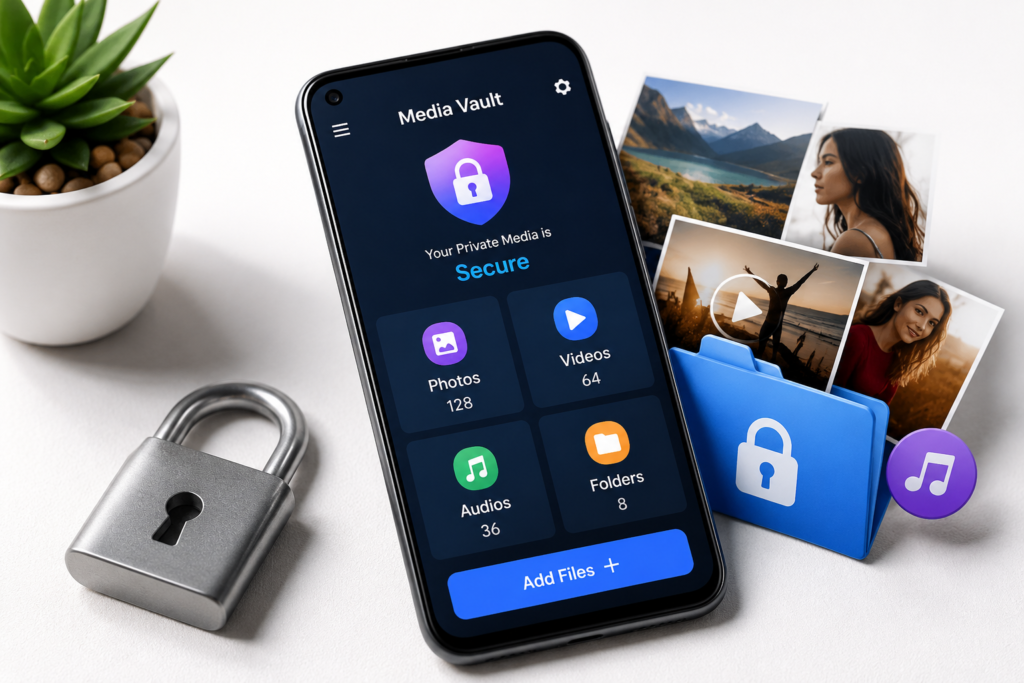
According to the developer description, the app can hide:
- Photos
- Videos
- Audio files
- Entire folders
The files are then accessible through the app after entering a password.
Is it a file manager?
Not exactly.
Its main purpose appears to be a combination of:
- Audio volume management
- Private media storage
The privacy features are the primary reason most users would install it.
Can it replace cloud backup?
No.
A file hiding app is not the same as:
- Cloud backup
- Photo backup service
- Secure encrypted storage platform
You should still maintain backups of important files.
What It Does
Audio Manager: Hide Media File combines two different functions.
Volume Management
The app allows users to adjust:
- Media volume
- Call volume
- Alarm volume
- Notification volume
- System volume
Having all audio controls in one place can be convenient for users who frequently switch between work, entertainment, and silent modes.
Media Hiding
The second feature is media privacy.
Users can move selected content into a protected area that requires a password to access.
This can help reduce the chance of someone casually opening private content from the normal gallery.
Real-World Use Cases
Personal Photos
Some users prefer keeping personal photos separate from their main gallery.
A hidden vault can provide an extra layer of privacy.
Family Devices
If multiple family members use the same tablet or phone, private media can be kept out of sight.
Work-Related Files
Freelancers and professionals may want to keep sensitive project screenshots or recordings separate from everyday media.
Media Organization
Some users simply want cleaner galleries without deleting files.
Hidden folders can help with organization.
Benefits
Simple Privacy Layer
The biggest advantage is convenience.
Users can hide selected media without needing advanced technical knowledge.
Folder Hiding Support
Many privacy apps focus only on individual files.
Folder hiding can make management easier when dealing with large collections.
Combined Utility App
Having both volume management and media privacy in one app may reduce the need to install multiple tools.
Easy Interface
Based on the Play Store screenshots, the interface appears straightforward and beginner-friendly.
Limitations
Every hide file app has trade-offs.
Not a Replacement for Full Encryption
Password protection and hidden storage do not automatically mean military-grade encryption.
Users with highly sensitive information may require stronger security solutions.
Risk of Forgotten Passwords
If you forget the password, recovering hidden content may become difficult depending on how the app stores data.
Device Changes Can Be Complicated
Moving hidden files between devices may not always be as simple as moving regular photos.
App Dependency
Your hidden files may rely on the app functioning correctly.
If you uninstall an app without understanding how it manages hidden data, problems can occur.
Things To Know Before Installing
Before using any media vault application:
Check Storage Requirements
Large photo and video collections can consume significant storage space.
You May Also Like
 Secret Piano Vault Hide Apps, Videos App for Android 2026 – What It Does and Why Users Use It
 Perfect Magic Compass (with Weather) Android App 2026 – What It Does and Why Users Install It
 ✅ Hide Button Calculator Photo Video Vault 2026
 Calculator Vault 2025 – Hide Personal Secure Photo & Video Vault Behind a Secret Calculator
Understand Backup Options
Determine whether hidden content is backed up automatically or not.
Read Privacy Information
Review the developer’s Play Store privacy details before storing sensitive content.
Keep Your Password Safe
A weak password reduces the value of any privacy tool.
Safety & Privacy Considerations
Official Availability
The app is available through the Google Play Store, which is generally safer than downloading unknown APK files from third-party websites.
Permissions Matter
Privacy-focused apps often need access to:
- Photos
- Videos
- Storage
- Media files
Users should review requested permissions and ensure they align with the app’s functionality.
No App Is Completely Risk-Free
Even when an app is available through official channels, users should:
- Review permissions
- Read recent user feedback
- Check privacy disclosures
- Keep important files backed up
Who Should Use It?
This app may be suitable for:
Casual Privacy Users
People who simply want to keep personal media away from casual viewing.
Users Wanting Simplicity
Those who prefer a straightforward interface rather than complex security software.
Users Needing Basic Vault Features
People looking for photo, video, audio, and folder hiding in one place.
Who Should Avoid It?
This app may not be ideal for:
Users Storing Highly Sensitive Information
Business secrets, legal documents, and highly confidential records may require stronger security solutions.
Users Expecting Cloud Backup Features
This appears to focus on local privacy rather than cloud storage.
Users Looking Only for Volume Controls
If you only need sound management, there are dedicated volume control apps available.
Better Alternatives
Google Files
Best For: General file management
Strengths
- Trusted ecosystem
- File organization tools
- Storage cleanup features
Weaknesses
- Not primarily designed as a private media vault
Google Photos Locked Folder
Best For: Photo privacy
Strengths
- Integrated with Android ecosystem
- Easy to use
- Good for personal photos
Weaknesses
- Focused mainly on photos and videos
Keepsafe Photo Vault
Best For: Dedicated media privacy
Strengths
- Designed specifically for private media
- Additional privacy-focused features
Weaknesses
- Some features may require premium access
Secure Folder (Supported Samsung Devices)
Best For: Samsung users
Strengths
- Built into supported Samsung devices
- Separate protected environment
Weaknesses
- Not available on every Android phone
Frequently Asked Questions
Can Audio Manager: Hide Media File hide videos?
Yes, the developer states that videos can be hidden within the app.
Can it hide photos?
Yes, photo hiding is one of its primary features.
Does it hide entire folders?
According to the developer description, folder hiding is supported.
Is a hidden file app the same as encryption?
Not necessarily. Hidden storage and encryption are different security concepts.
Can hidden files still use storage space?
Yes. Hidden files continue to occupy device storage.
Should I back up hidden files?
Yes. Important media should always be backed up separately.
Is this app available through Google Play?
Yes, it is listed on the Google Play Store.
Final Recommendation
Audio Manager: Hide Media File appears to be a practical option for Android users who want a simple way to hide photos, videos, audio files, and folders while also managing device volume settings.
Its biggest strengths are ease of use, folder hiding support, and combining privacy features with audio controls. Its biggest limitations are that it should not be viewed as a replacement for professional security tools or comprehensive cloud backup solutions.
Worth considering if:
- You want basic media privacy.
- You need an easy-to-use file hiding solution.
- You prefer a simple interface.
Consider alternatives if:
- You need advanced security.
- You want built-in ecosystem solutions.
- You require strong backup and synchronization features.
For most everyday Android users seeking basic privacy, Audio Manager: Hide Media File may be worth exploring, but reviewing permissions, privacy information, and backup options before storing important content is strongly recommended.
Editorial Disclosure
TNShorts publishes independent Android app reviews, guides, comparisons, and educational content.
Content is based on publicly available information, practical analysis, and user-focused evaluation.
Features, pricing, permissions, privacy practices, and availability may change over time.
Readers should verify important information through official developer sources before making decisions.