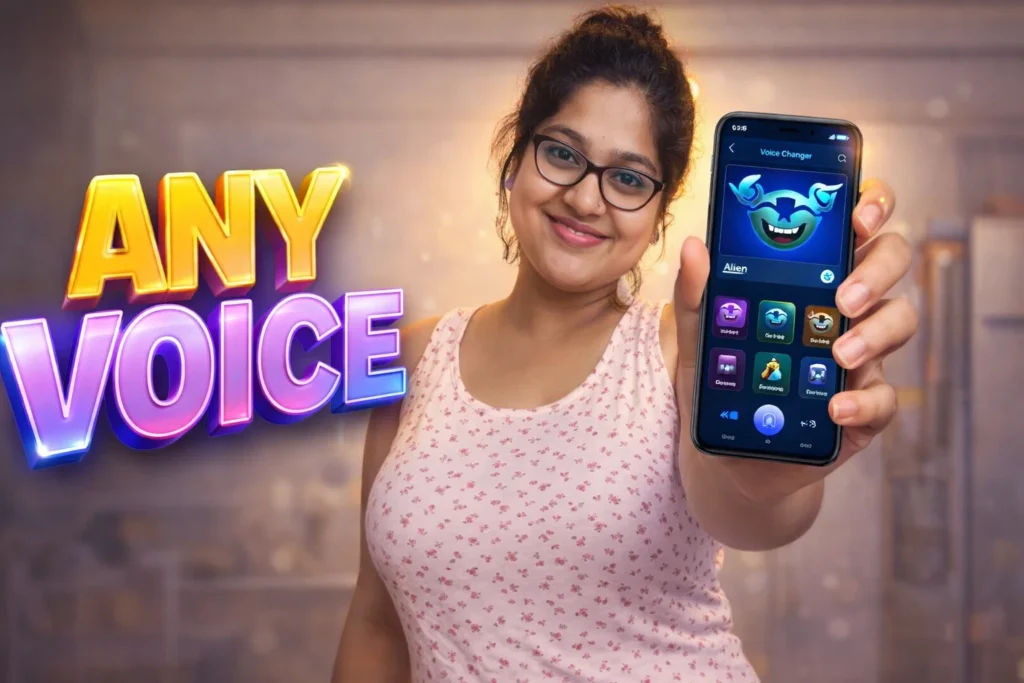
Ever heard someone’s voice sound like a robot, alien, chipmunk, r monster and wondered, “Did they really make that with an app?” Voice Changer and Sound Effects apps for Android promise exactly that: to take your real voice and transform it into something fun, dramatic, bizarre, or entertaining. But in 2026—when microphones, AI processing, and privacy safeguards are more advanced—do these apps truly work as advertised? This article breaks down how voice changer apps function, what they can and cannot do, and when they’re useful versus when they’re just for fun.
Quick Overview
| Feature | Reality in 2026 |
|---|---|
| Main function | Change live or recorded voice with effects |
| Technology used | Software audio processing |
| Works for | Voice notes, videos, games, fun clips |
| Main benefit | Entertainment & creativity |
| Limitation | Not high-precision voice identity masking |
What voice changer – sound effect apps are actually used for
Voice changer apps let you record your voice or import audio and then apply filters to make it sound different. These effects can be playful or dramatic, such as:
- Robot / machine
- Chipmunk / high pitched
- Deep voice / bass boosted
- Echo or reverb
- Nightmare / alien
- Monster / horror sound effect
- Gender-altered voice (higher/lower)
People use them to:
- Share funny voice messages with friends
- Create creative social clips or reels
- Make prank calls (note: legal and ethical limits apply)
- Add audio effects to videos
- Experiment with voice styles for entertainment
In 2026, these apps are often integrated with short video editors, messaging apps, and social sharing tools — but they still work fundamentally the same way.
How voice changer apps work (simple steps)
1. Audio capture
You either:
- Record your voice with the app’s recorder
- Import an existing audio file
2. Digital signal processing
The app applies software algorithms to change the sound. These effects are not adding new sound; they’re modifying:
- Pitch
- Speed
- Frequency
- Tone quality
- Audio layering
These transformations happen in real time (live mode) or after processing (file mode).
3. Playback or export
Once the effect is applied:
- You can play it within the app
- Save the modified audio
- Share it to social media or messaging apps
This processing is entirely software-based, meaning it doesn’t change the original file unless you save a new copy.
Do these apps really work?
Yes — but only in the sense of producing fun or altered audio, not as a “voice replacement” engine.
Here’s the realistic breakdown:
📌 They work well for entertainment
- Effects like chipmunk, robot, echo, distortion, and bass boost are easy to generate with software
- Most sound effects will clearly change your voice in the intended way
- Fun for clips, reels, messages, and casual content
📌 They are not professional voice transformation tools
- They do not realistically simulate one person sounding exactly like another
- They cannot bypass voice biometrics or identity systems
- They don’t generate voice that sounds like a different real human
📌 They are not high-end dubbing or film audio tools
- Professional audio studios use advanced DSP and often human engineering
- Consumer Android apps provide playful effects, not broadcast-level quality
So yes — they work at what they were built for: fun voice effects. But they are not magic voice identity tools.
Safety, privacy, and permission considerations
These apps require access to your microphone and sometimes your storage.
Permissions you may see
- Microphone (to record audio)
- Storage access (to save or open files)
- Optional camera (if video effects are available)
- Internet access (for shared effects or downloads)
Privacy notes
- Good apps only record local audio and store transformations locally
- Some free versions upload audio to servers for processing or analytics
- Always check the app’s privacy policy before granting broad permissions
Important: Avoid apps that request unrelated permissions like contacts, SMS, phone identity, or location — these are unnecessary for voice processing and may be privacy risks.
Pros and cons: honest and realistic
Advantages
✔ Easy and fun to use
✔ Wide range of audio effects
✔ Works with media files and live recordings
✔ Great for social media / creative content
Disadvantages
✘ Audio quality can be artificial or cartoonish
✘ Not suitable for professional voice work
✘ Some effects are repetitive or cliché
✘ Free versions often have ads
When you should avoid using voice changer apps
You should not rely on these apps if you need:
- Real voice security or authentication
- Identity masking in serious contexts
- High-quality voiceovers for professional media
In these situations, consider professional audio software or services.
Who these apps are suitable for / not suitable for
Suitable for
- Casual users and fun content creators
- Social media video editors
- People making prank or creative voice clips
- Kids and entertainment users (with supervision)
Not suitable for
- Professionals needing studio-grade audio
- Voice security or biometric purposes
- Users needing identity-level voice alteration
Practical daily-use tips (Android in 2026)
- Use a quiet room for better recording quality
- Avoid extreme boosts that distort clarity
- Save the original audio before applying effects
- Try multiple effects to find your favorite style
- Use headphones for more accurate playback
Frequently Asked Questions
Do voice changer apps work in real time?
Some do, especially ones that use on-device processing. Others process after recording.
Can I use these for calls?
Live call voice changing may be restricted by Android and carrier security — it typically works only for pre-recorded audio or app-specific chat.
Is my original audio lost?
No. The original stays intact unless you overwrite or delete it.
Will these apps drain battery?
Light to moderate processing is fine, but heavy real-time effects can increase battery usage.
Decision / Recommendation Table
| Scenario | Recommendation |
|---|---|
| Creating fun voice clips | Great choice |
| Professional audio production | Not recommended |
| Identity disguising | Not reliable |
| Casual social sharing | Very suitable |
| Reader Recommendation (simple decision) | play.google.com |
Conclusion: fun, not magic
Voice Changer – Sound Effects apps for Android genuinely work for what they are built to do: add playful, creative, and entertaining transformations to voice audio. They are not professional-grade voice simulators or identity masking tools, and they will not bypass authentication systems or replace your real voice in critical settings. Used wisely, they can make messages, videos, and social clips more fun — but the experience is always rooted in software audio effects, not secret digital magic.
More Articles You May Like