
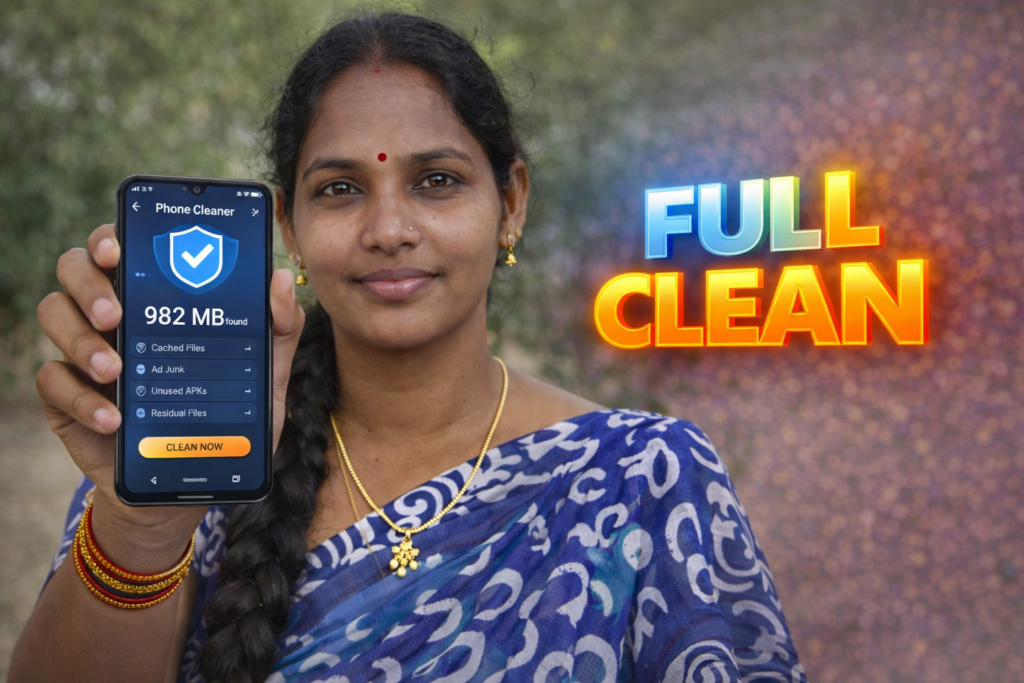
Smartphones are faster and more powerful than ever, but many Android users still face a familiar problem: phones becoming slow over time. Apps take longer to open, storage fills up unexpectedly, and simple actions start to lag. In 2026, this is rarely caused by hardware failure. Instead, it is usually the result of accumulated junk data. A phone junk cleaner for Android is designed to identify and remove this unnecessary clutter so devices can run more smoothly again.
Quick Overview
| Item | Details |
|---|---|
| Category | Android utility / maintenance |
| Primary purpose | Remove junk files and free storage |
| Typical users | Daily Android users, low-storage phones |
| Requires internet | No (for cleaning functions) |
| Risk level | Low (when used carefully) |
What Is a Phone Junk Cleaner Actually Used For?
A phone junk cleaner is an Android utility app that helps users manage storage by clearing files that are no longer useful. These files are usually created automatically by the system or by apps during normal use.
Common junk data includes:
- App cache files
- Temporary system files
- Residual files left after uninstalling apps
- Log files and thumbnails
- Duplicate or outdated temporary data
The goal is not to delete personal content such as photos or messages, but to remove background clutter that slowly consumes storage and affects performance.
How Phone Junk Cleaner Apps Work (Step-by-Step)
Most phone junk cleaner apps follow a similar, user-friendly process:
- Scan Storage
The app scans internal storage to detect cache files, temporary folders, and leftover data. - Categorize Junk Files
Files are grouped into categories such as system cache, app cache, and residual files. - Preview Before Cleaning
Users can review what will be removed. Reputable apps avoid deleting personal files by default. - One-Tap Cleaning
With user approval, the selected junk files are deleted safely. - Optional Maintenance Tools
Some apps also include app management, large file identification, or background app monitoring.
This process usually takes less than a minute and does not require advanced technical knowledge.
Safety, Privacy, and Permissions
Phone junk cleaner apps typically request limited permissions, but users should still pay attention.
Common permissions:
- Storage access (to scan and delete junk files)
- App usage data (to detect unused cache)
Important safety considerations:
- Avoid apps that request unnecessary permissions like contacts, SMS, or call logs
- Prefer apps that explain what each cleaning category contains
- Use preview options instead of blind one-tap cleaning
- Avoid aggressive “boost” claims that promise unrealistic performance gains
A reliable junk cleaner should focus on transparency and user control.
Pros and Cons of Using Phone Junk Cleaner Apps
Advantages
- Frees up storage quickly
- Improves responsiveness on low-storage devices
- Helps manage cache buildup from heavy apps
- Simple and beginner-friendly
Disadvantages
- Over-cleaning can cause apps to reload data
- Frequent cleaning may reduce battery efficiency
- Some features overlap with built-in Android tools
- Not a solution for hardware limitations
These apps are helpful tools, but they are not performance miracles.
When Should You Avoid Using a Junk Cleaner?
A phone junk cleaner may not be necessary if:
- Your phone already has sufficient free storage
- You rarely install or uninstall apps
- You are using a newer Android version with optimized storage management
- The app aggressively pushes ads or paid upgrades
Users who clean too frequently may notice apps taking longer to load because cached data must be recreated.
Who Is This Suitable For?
Suitable for:
- Phones with limited internal storage
- Users who install and remove many apps
- Older Android devices showing slowdowns
- Users who prefer manual storage control
Not ideal for:
- Flagship devices with ample storage
- Users comfortable with built-in Android cleaning tools
- People who expect instant speed boosts
Note for Readers (Official App Reference)
| Item | Information |
|---|---|
| Purpose | Example of a phone junk cleaner app |
| Platform | Google Play Store |
| Category | Phone cleaning & storage management |
| Reference link | Play Store |
| Important note | Always review permissions and user controls before use |
This reference is provided only to help readers understand how such apps are presented on the Play Store.
Frequently Asked Questions
Does a phone junk cleaner really make Android faster?
It can improve responsiveness by freeing storage and removing background clutter, but it does not increase hardware speed.
Is it safe to use junk cleaner apps daily?
Daily use is not recommended. Weekly or occasional cleaning is usually sufficient.
Can junk cleaners delete personal files?
Reputable apps do not remove personal photos or videos without user consent, but reviewing scan results is always advised.
Do Android phones already have built-in cleaning tools?
Yes. Many Android versions include basic storage management, but junk cleaners provide more detailed control.
Final Thoughts and Practical Advice
A phone junk cleaner for Android can be a useful maintenance tool in 2026, especially for users dealing with storage shortages and gradual slowdowns. When used responsibly, it helps keep devices organized and responsive. However, it should be treated as a supporting tool, not a cure-all. The best results come from combining occasional cleaning with mindful app usage and regular system updates.
More Articles You May Like
![Speaker Cleaner Water Remover App for Android 2026 [PERFECT CLEAN] – What It Does and When It Really Helps](https://tnshorts.com/wp-content/uploads/2026/04/Speaker-Cleaner-Water-Remover-App-for-Android-2026-768x512.webp "Speaker Cleaner Water Remover App for Android 2026 [PERFECT CLEAN] – What It Does and When It Really Helps 1") Speaker Cleaner Water Remover App for Android 2026 [PERFECT CLEAN] – What It Does and When It Really Helps
Speaker Cleaner Water Remover App for Android 2026 [PERFECT CLEAN] – What It Does and When It Really Helps
![Speaker Cleaner with Water Eject App Android 2026 [AUTO CLEAN] – What It Does and When It Helps](https://tnshorts.com/wp-content/uploads/2026/03/Speaker-Cleaner-with-Water-Eject-App-Android-2026-768x512.webp "Speaker Cleaner with Water Eject App Android 2026 [AUTO CLEAN] – What It Does and When It Helps 2") Speaker Cleaner with Water Eject App Android 2026 [AUTO CLEAN] – What It Does and When It Helps
Speaker Cleaner with Water Eject App Android 2026 [AUTO CLEAN] – What It Does and When It Helps
![Why Speaker Cleaner Water Eject Apps Reached 5M+ Installs on Android in 2026 [OUT WATER]](https://tnshorts.com/wp-content/uploads/2026/03/Speaker-Cleaner-Water-Eject-Apps-Android-2026-768x512.webp "Why Speaker Cleaner Water Eject Apps Reached 5M+ Installs on Android in 2026 [OUT WATER] 3") Why Speaker Cleaner Water Eject Apps Reached 5M+ Installs on Android in 2026 [OUT WATER]
Why Speaker Cleaner Water Eject Apps Reached 5M+ Installs on Android in 2026 [OUT WATER]
 IMPROVE SPEAKER: Clean My Speaker Water App