

Accidentally deleting files is still one of the most common smartphone problems. A wrong tap, a system cleanup, or a storage error can instantly remove photos, videos, or documents that matter. In 2026, many Android users search for quick solutions and discover File Recovery apps for Android. These tools promise to help recover deleted files—but many people misunderstand what they can actually do, how they work, and when they will fail. Understanding the reality behind file recovery is essential before trusting these apps with your data.
Table of Contents
Quick Overview
| Aspect | Details |
|---|---|
| App Category | Data & File Recovery |
| Main Purpose | Recover recently deleted files |
| File Types | Photos, videos, documents (varies by app) |
| Recovery Method | Storage scanning |
| Internet Required | No (mostly offline) |
| Success Rate | Limited, situation-dependent |
What Is File Recovery for Android Actually Used For?
File Recovery apps are designed to scan your phone’s storage and attempt to restore files that were deleted but not yet overwritten. They do not reverse time or rebuild damaged hardware. Instead, they look for data fragments that still exist in the device’s memory.
Common use cases include:
- Recovering recently deleted photos
- Restoring videos removed by mistake
- Finding files lost during cleanup apps
- Checking whether deleted data is still accessible
These apps are most effective immediately after deletion and before heavy phone usage.
How Do File Recovery Apps Work?
File recovery on Android follows basic storage principles.
Step-by-Step Explanation
- Storage Scan
The app scans internal storage or SD card for leftover data blocks. - File Detection
It identifies files that are marked as deleted but not overwritten. - Preview (Optional)
Some apps allow previewing recoverable files. - Recovery Attempt
Selected files are restored to a new folder. - Result Review
Users check which files are usable and which are corrupted.
Recovery does not work if the data has already been overwritten.
Important Reality Check: What These Apps Cannot Do
File recovery apps cannot:
- Recover files deleted long ago
- Restore data after factory reset (in most cases)
- Recover overwritten files
- Repair corrupted system storage
- Bypass Android security protections
They can:
- Recover some recently deleted files
- Help before new data overwrites old memory
- Restore files from SD cards more effectively
Understanding this prevents false expectations.
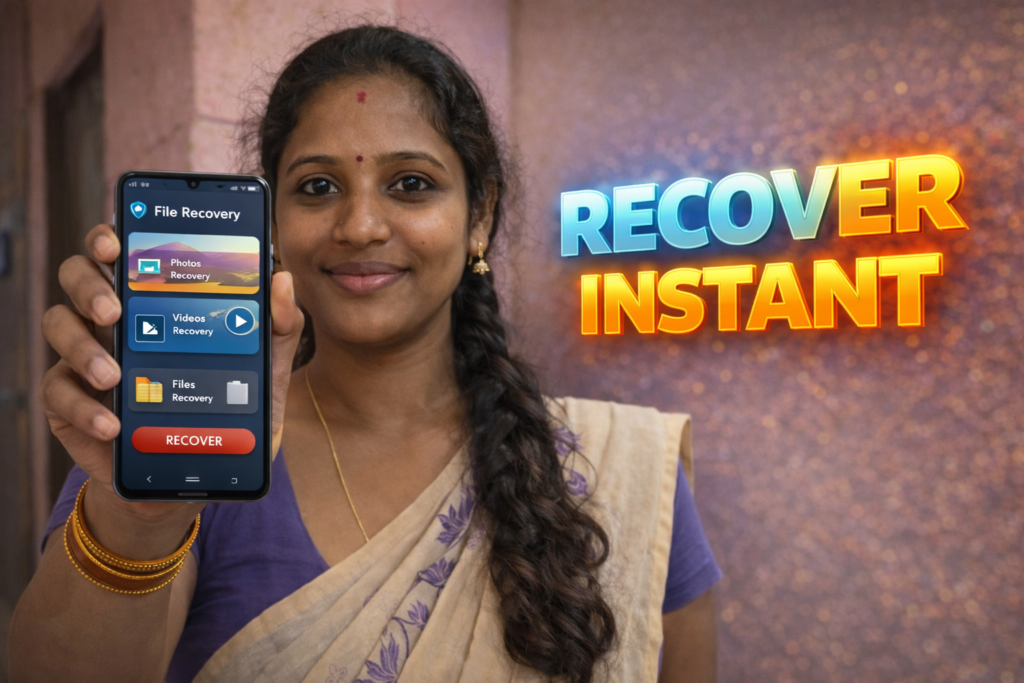
Note for Readers (Official App Reference)
| Item | Details |
|---|---|
| Purpose | To understand how file recovery apps are listed on Play Store |
| App Type | File & Photo Recovery Tool |
| Platform | Android |
| Source | Google Play Store |
| Reader Recommendation | Apps on Google Play |
| Important Note | This link is shared only for reference. Always review permissions, ratings, and update history before installing recovery apps. |
Safety, Privacy, and Permissions
Because file recovery apps scan storage, permissions matter greatly.
Common Permissions
- Media and file access
- Storage scanning permissions
What Is Reasonable
- Access only to local storage
- Offline scanning
- Clear explanation of recovery limits
Red Flags
- Mandatory internet connection
- Requests for contacts, SMS, or call logs
- Claims of “guaranteed recovery”
- Cloud uploads without explanation
A trustworthy recovery app should be transparent and limited in scope.
Real-Life Usage Scenarios
File recovery apps are typically used:
- Right after accidental deletion
- Before installing new apps
- On phones with SD cards
- When gallery trash is already emptied
They are not suitable for long-term or enterprise data recovery.
Advantages and Limitations
Advantages
- Easy to try before professional service
- No technical skills required
- Useful for recent deletions
- Works offline
Limitations
- Low success rate after overwriting
- Many recovered files may be corrupted
- Cannot recover everything
- Results vary by device and Android version
These apps are best-effort tools, not guarantees.
When You Should Avoid Using File Recovery Apps
Avoid using them if:
- Phone was factory reset
- Storage encryption is active and data overwritten
- You expect full recovery of old files
- You need legal or forensic-grade recovery
In such cases, professional data recovery may be the only option.
Who Is This Suitable For / Not Suitable For?
Suitable For
- Recent accidental deletions
- Personal photo recovery attempts
- Non-technical users
- SD card file recovery
Not Suitable For
- Business-critical data
- Long-deleted files
- Encrypted storage recovery
- Users expecting guaranteed results
Frequently Asked Questions
Can file recovery apps recover permanently deleted files?
Only if the data has not been overwritten.
Do these apps work after factory reset?
In most cases, no.
Are file recovery apps safe?
They are generally safe if permissions are limited and data stays on-device.
Why are some recovered files corrupted?
Because parts of the original data may already be overwritten.
Decision Guide (Simple Recommendation)
| Your Situation | Recommendation |
|---|---|
| Recently deleted files | ✅ Try recovery app |
| Old or overwritten data | ❌ Unlikely to work |
| SD card recovery | ✅ Better success |
| Need guaranteed recovery | ❌ Not suitable |
Practical Conclusion
File Recovery for Android in 2026 should be seen as a last-chance attempt, not a promise. These apps can sometimes recover recently deleted files, especially when used quickly and before new data overwrites storage. However, Android’s security and storage design limit what is possible. Users should keep expectations realistic, review permissions carefully, and maintain regular backups to avoid relying on recovery tools in the future.
More Articles You May Like
 Hide Secret Call Blocker App for Android 2026 – What It Does and When It Really Helps
![Reality of AI Call and Voice Translator App for Android 2026 [UNLIMITED CALL]](https://tnshorts.com/wp-content/uploads/2026/04/AI-Call-and-Voice-Translator-App-for-Android-2026-768x512.webp "Reality of AI Call and Voice Translator App for Android 2026 [UNLIMITED CALL] 2") Reality of AI Call and Voice Translator App for Android 2026 [UNLIMITED CALL]
Reality of AI Call and Voice Translator App for Android 2026 [UNLIMITED CALL]
![Voice Change Rules 2026: Complete Guide for Android, Apps & Online Tools [VOICE TRANSFORM]](https://tnshorts.com/wp-content/uploads/2025/12/voice-transform-ai-voice-change-rules-2026-768x512.png "Voice Change Rules 2026: Complete Guide for Android, Apps & Online Tools [VOICE TRANSFORM] 3") Voice Change Rules 2026: Complete Guide for Android, Apps & Online Tools [VOICE TRANSFORM]
Voice Change Rules 2026: Complete Guide for Android, Apps & Online Tools [VOICE TRANSFORM]
![Call Without Showing Number 2026 – Complete Guide to Private Calling [WITHOUT SIM]](https://tnshorts.com/wp-content/uploads/2025/12/WITHOUT-SIM-–-Call-Without-Showing-Number-App-Guide-2026-768x512.png "Call Without Showing Number 2026 – Complete Guide to Private Calling [WITHOUT SIM] 4") Call Without Showing Number 2026 – Complete Guide to Private Calling [WITHOUT SIM]
Call Without Showing Number 2026 – Complete Guide to Private Calling [WITHOUT SIM]