
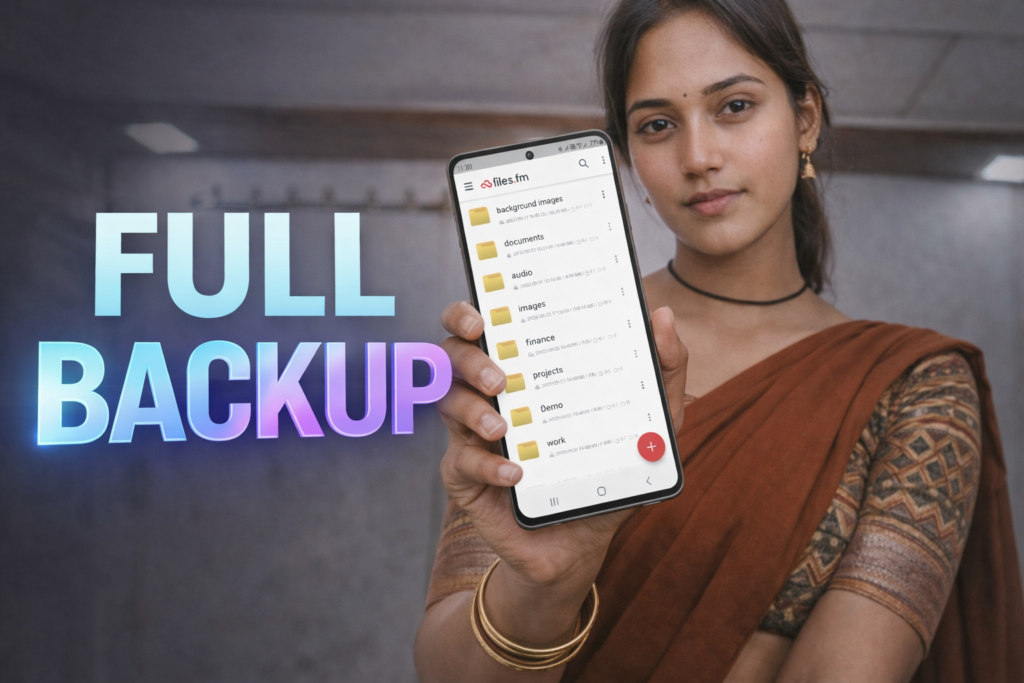
In 2026, free files cloud storage & backup has become one of the most important digital safety tools for everyday users. From mobile phones to laptops, people now store personal photos, documents, contacts, and work files digitally. Losing this data due to accidental deletion, device damage, or system failure can be frustrating and sometimes irreversible.
Free cloud storage and backup services help users store files online without paying money and ensure that important data can be recovered later. This pillar guide explains what free files cloud storage & backup is, how it works, how it is different from local storage, its benefits, limitations, and how to use it safely in 2026.
Table of Contents
What Is Free Files Cloud Storage?
Free files cloud storage is an online service that allows users to upload and store files on remote servers managed by a service provider. Instead of keeping files only on a phone or computer, the data is stored securely on the internet and can be accessed from multiple devices.
Most cloud storage services offer a free plan with limited space. This free space is enough for basic needs such as storing documents, photos, contacts, and backups.
Key points to understand:
- Files are stored online, not on your device
- Access is possible from anywhere with internet
- Data remains available even if your device is lost
- Free plans have storage limits
What Is Cloud Backup?
Cloud backup is the process of creating a copy of your files and saving them automatically or manually to cloud storage. The main purpose of cloud backup is data recovery, not just storage.
When a file is deleted, corrupted, or lost, cloud backup allows you to restore an earlier version of that file. This is especially useful during phone resets, software updates, or accidental deletions.
📊 Quick Overview Table (Discover-Style)
| Topic | Free Files Cloud Storage & Backup (2026) |
|---|---|
| Main Use | Store & back up files online securely |
| Cost | Free (limited storage) |
| Devices Supported | Android, iOS, Windows, Mac |
| Internet Required | Yes |
| Best For | Documents, photos, contacts, backups |
Cloud Storage vs Cloud Backup (Important Difference)
Many users confuse cloud storage with cloud backup, but they serve different purposes.
| Feature | Cloud Storage | Cloud Backup |
|---|---|---|
| Main Focus | File storage | Data recovery |
| Automatic Sync | Optional | Yes |
| Version History | Limited | Available |
| Restore Deleted Files | Basic | Advanced |
In simple terms:
- Cloud storage helps you save files
- Cloud backup helps you recover files
Why Free Cloud Storage Is Important in 2026
In 2026, data loss risks are higher than ever due to:
- Frequent phone upgrades
- Factory resets
- System crashes
- Malware or software bugs
- Accidental deletion
Free cloud storage & backup protects users from these risks without extra cost. Even limited storage is enough to save essential data like contacts, important documents, and family photos.
You May Also Like



What Types of Files Can Be Stored?
Free cloud storage services typically support:
- 📄 Documents (PDF, DOC, TXT)
- 🖼 Photos and screenshots
- 🎥 Short videos
- 🎵 Audio files
- 📇 Contacts and call logs (via backup apps)
- 📱 App settings (some services)
Large files may be restricted in free plans.
How Free Cloud Storage Works (Simple Explanation)
- User uploads files to cloud
- Files are encrypted and stored on servers
- User logs in from another device
- Files are downloaded or synced
- Deleted files may remain in trash for recovery
This process ensures accessibility and safety.
Is Free Files Cloud Storage Safe?
Yes, reputable cloud storage services are safe when used correctly.
Common security measures:
- Encrypted data transfer
- Secure login systems
- Data isolation between users
- Server-side security controls
User responsibility:
- Use strong passwords
- Enable two-step verification
- Avoid uploading sensitive data to unknown services
- Read privacy policies
Common Use Cases in 2026
| User Type | Use Case |
|---|---|
| Android users | Backup photos, contacts, app data |
| Students | Store notes, PDFs, assignments |
| Office workers | Access documents across devices |
| Regular users | Protect data from accidental loss |
Cloud Storage vs Local Storage
| Aspect | Cloud Storage | Local Storage |
|---|---|---|
| Accessibility | Anywhere | Single device |
| Risk of loss | Low | High |
| Backup availability | Yes | Manual |
| Device dependency | No | Yes |
Limitations of Free Cloud Storage
Free cloud services may have:
- Limited storage capacity
- Slower upload/download speeds
- Ads or upgrade prompts
- File size restrictions
- Fewer recovery options
This is why some users combine multiple free services.
Free vs Paid Cloud Storage (Decision Table)
| Feature | Free Plan | Paid Plan |
|---|---|---|
| Storage Size | 2GB–15GB | 100GB–2TB+ |
| Automatic Backup | Limited | Yes |
| Ads | Sometimes | No |
| Best For | Basic users | Heavy users |
Best Practices for Using Free Cloud Storage
- Back up only important files
- Organize folders clearly
- Check backup status monthly
- Keep local copies for critical data
- Avoid uploading unnecessary large files
Is Free Cloud Storage Enough for Everyone?
Free cloud storage is enough for:
- Casual users
- Students
- Personal document storage
- Contact and photo backup
It may not be enough for:
- Large video libraries
- Business-critical data
- Long-term archival storage
Should You Use Free Files Cloud Storage & Backup in 2026?
Yes. For most users, free cloud storage & backup provides a strong safety net against data loss. While free plans have limits, they offer reliable protection for essential data without cost.
📱 Bonus App Card:
Files Cloud Storage & Backup — Quick Overview
- Automatic folder backup and one-way sync
- Upload and store large files
- Access files across web, mobile, and desktop
- File recovery and version management
- Secure file sharing with permissions
Understanding what free files cloud storage & backup is in 2026 helps users protect their digital life. Free cloud storage is no longer optional—it is a basic digital habit. With proper use, even limited free storage can prevent permanent data loss and reduce stress during device changes.
More Articles You May Like
 Cloud Storage: Secure BIG 100GB Free Backup and File Sharing with Cloud Drive App
 FREE 25 GB: Extra Cloud Storage App – Eco-Friendly Cloud Storage with hiveDisk
 TeraBox Cloud Storage Free: Get 1024 GB Free Storage to Securely Back Up and Access Your Files Anytime
 25 GB Storage Free with HiveDisk – Download Now from the Play Store!