
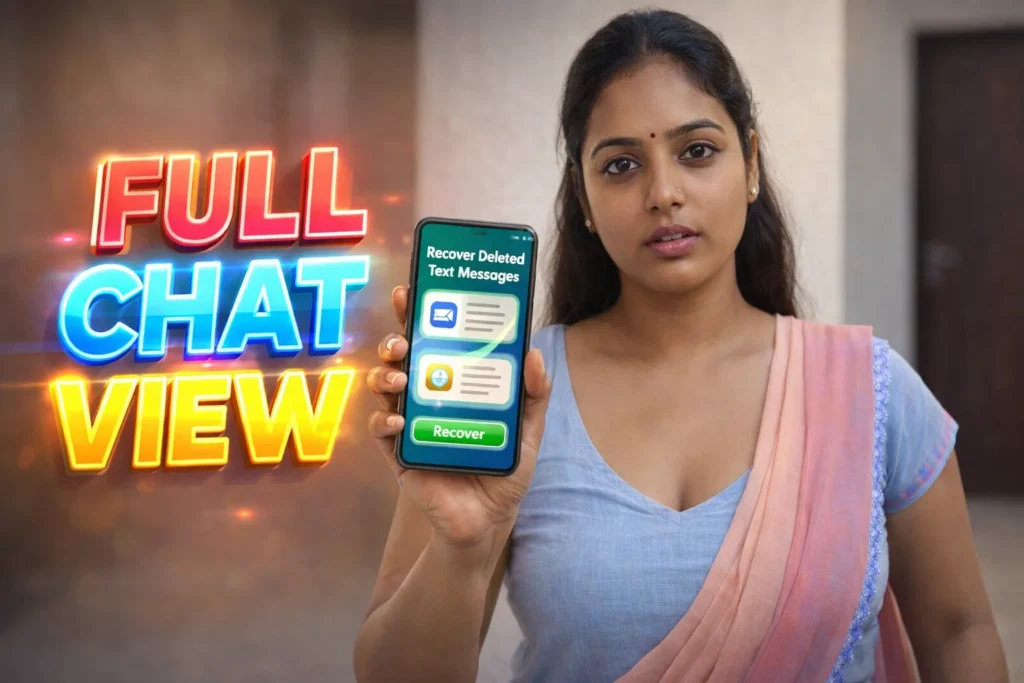
It happens to everyone: you open your Android phone and realize an important text message is gone — maybe you deleted it by mistake, cleared a thread, or it disappeared after an app update. Recover Deleted Text Messages apps claim to restore those lost texts. But can they actually do it? In 2026, Android’s storage architecture, privacy protections, and app restrictions have evolved significantly, meaning recovery apps work in specific ways — and often with limitations. This article explains what these apps really can and cannot do.
Quick Overview
| Topic | Real Reality (2026) |
|---|---|
| Recover all deleted texts reliably | No |
| Recover some recent texts | Sometimes |
| Works without backup | Limited |
| Requires permissions | Yes |
| Main benefit | Captures recent or notification-logged texts |
What “recover deleted text messages” apps are actually used for
Apps that claim to recover deleted text messages are generally designed to:
- Read SMS or notification text before it is deleted
- Save message information locally
- Access Android’s notification log or captured text
- Try to scan local storage areas for remnants
Important: None of these apps can rewrite text messages that were never on your device at all or were deleted from both device and backup servers.
How these apps work (simple explanation)
1. Notification access
Many recovery apps use Android’s notification system to capture text when it first arrives. If the sender deletes it later, the saved version may remain in the recovery log.
2. Local cache scanning
Some attempt to read local storage areas where Android temporarily keeps message caches before they are overwritten.
3. Backup integration (if available)
If your Android phone is backed up (to Google Drive or a manufacturer cloud), some apps check for backups that include SMS data.
4. Message preview logs
Recovery apps often show “deleted text messages” only if they were previously seen or logged by the system.
These methods rely on data already present on the device — not on magic retrieval from the chat server.
The real truth: what recovery apps can do
✔ Recover messages that were already delivered
If a chat message reached your phone and was visible — even briefly — recovery apps with notification access can sometimes display it after deletion.
This works best when:
- Notifications were enabled
- The message text appeared in your notification panel
- The recovery app was installed before the message arrived
The real truth: what recovery apps cannot do
❌ Recover messages that were never delivered
If a message was deleted by the sender before your device received it, recovery is impossible.
❌ Restore messages deleted long ago
Overwriting happens quickly in flash storage; once the system replaces deleted data with new files, the original text is gone.
❌ Bypass encryption or server-side deletion
Messaging services like WhatsApp and others use encryption and never store texts on your device until they are delivered.
❌ Recover old backups that weren’t saved
If you never backed up SMS or messaging data, there may be nothing for recovery apps to retrieve.
Safety, privacy, and permission considerations
Since text recovery often taps into sensitive data flows, permissions matter.
Common permissions required:
You May Also Like
![Do Deleted Messages Recovery Apps Really Work on Android [BEST RECOVER 2026]](https://tnshorts.com/wp-content/uploads/2026/03/Deleted-Messages-Recovery-App-2026-300x200.webp "Do Deleted Messages Recovery Apps Really Work on Android [BEST RECOVER 2026] 1") Do Deleted Messages Recovery Apps Really Work on Android [BEST RECOVER 2026]
Do Deleted Messages Recovery Apps Really Work on Android [BEST RECOVER 2026]
![⭐ WhatsApp Deleted Messages Recovery App 2026 – Does It Really Work? [BACK RECOVER]](https://tnshorts.com/wp-content/uploads/2025/12/BACK-RECOVER-–-WhatsApp-Deleted-Messages-Recovery-Image-2026-300x200.png "⭐ WhatsApp Deleted Messages Recovery App 2026 – Does It Really Work? [BACK RECOVER] 2") ⭐ WhatsApp Deleted Messages Recovery App 2026 – Does It Really Work? [BACK RECOVER]
⭐ WhatsApp Deleted Messages Recovery App 2026 – Does It Really Work? [BACK RECOVER]
 Recover Deleted Message 2026 – Full Guide Before You Install (RECOVER CONTROL Updated)
![Don’t Lose Your WhatsApp Chat: How to Back Up and Restore [SHOW MESSAGES]](https://tnshorts.com/wp-content/uploads/2023/07/SHOW-MESSAGES-App-300x200.webp "Don't Lose Your WhatsApp Chat: How to Back Up and Restore [SHOW MESSAGES] 4") Don’t Lose Your WhatsApp Chat: How to Back Up and Restore [SHOW MESSAGES]
Don’t Lose Your WhatsApp Chat: How to Back Up and Restore [SHOW MESSAGES]
- Notification access (mandatory for capturing texts)
- Storage access (to save saved logs)
- Optional app access for backups
Privacy and security reality:
- Trusted apps process data locally
- Some may upload data to servers (always check privacy policy)
- Avoid apps that request unnecessary or unrelated permissions (camera, location, contacts)
Android 2026 prompts notification permissions and separates them clearly — giving users more control.
Pros and cons (balanced view)
Advantages
✔ Can capture deleted texts if logged by notifications
✔ Easy to use for recent messages
✔ Works without rooting the phone
✔ Doesn’t require complex setup
Disadvantages
✘ Not guaranteed to recover all deleted texts
✘ Not effective if notifications were disabled
✘ Cannot restore messages removed from backups
✘ Quality depends on messaging app behavior
These apps help in some cases, but should not be relied on as complete recovery solutions.
When you should not expect recovery
You should avoid expecting recovery if:
- Your messages were deleted before any notification
- You never backed up SMS or messaging data
- You rely on encrypted messaging that doesn’t show text in notifications
- You deleted data long ago and the storage has since been used
In these cases, recovery chances are extremely low.
Who these apps are suitable for / not suitable for
Suitable for
- Users who accidentally deleted a recent text
- Phones with notifications and notification access enabled
- Users who check notification logs often
- People without SMS backups
Not suitable for
- Long-lost or old deleted messages
- Encrypted messaging apps that don’t show previews
- Users expecting perfect recovery every time
- Devices without notification logs enabled
Practical daily-use tips (Android 2026)
- Enable notification previews for your messaging apps
- Install recovery apps before a deletion incident
- Check and grant notification permissions early
- Use regular SMS backups (Google Drive/MTP cloud)
- Don’t overwrite storage excessively after deletion
Modern Android lets you manage notification and backup settings deeply — use that to your advantage.
FAQ — user-style questions
Can deleted texts be recovered after weeks?
Unlikely, unless they were stored in a backup or notification history.
Do recovery apps work with WhatsApp or Messenger?
Not reliably — they depend on notification text, and many encrypted chat apps hide full message content.
Do I need root access?
No — most recovery apps do not require root, because they work through notifications.
Is my deleted message really stored somewhere?
Only temporarily, and only if backup or notification logging is enabled.
Decision / Recommendation Table
| Situation | Likelihood of Recovery |
|---|---|
| Recently deleted text with notifications | Medium–High |
| Messages deleted before receipt | None |
| Long-term deletion without backup | Very Low |
| Android backup present | High |
| Reader Recommendation (simple decision) | play.google.com |
Conclusion: not guaranteed, but useful when conditions are right
Recover Deleted Text Messages apps for Android can be helpful in some situations — particularly when messages were delivered, seen in notifications, and logged before deletion. However, they are not guaranteed recovery tools and cannot restore everything, especially messages deleted before reaching your phone or overwritten long ago.
Understanding these limitations helps set realistic expectations and makes these tools useful when they do work — without misconceptions.
More Articles You May Like
 Multi and Separate Apps – Clone Social & Gaming Apps | Dual Accounts & VIP Features
 READ CHATS: Deleted Messages Recovery App for Android Free – Restore Chats, Photos & Videos
 Recover Deleted SMS Instantly – Read Messages Before Delete on Any App
 🗑️ SEND MESSAGE Trick: How to Get Deleted Messages Back on Android – Recover Chats & Photos in Seconds!