Even though Android phones already include notification sounds, many users feel the default tones are repetitive or too quiet. In 2026, “Message Tones” apps have become popular because people want louder alerts, unique sounds, or personalized notification styles for texts and chat apps. But many users also wonder what these apps actually do — do they change system behavior, improve notification reliability, or simply add new sounds? This article explains the real function of Message Tones apps on Android, how they work, and what you should realistically expect before installing one.
Quick Overview
| Aspect | Reality |
|---|---|
| Main purpose | Provide custom message sounds |
| How they work | Add audio files to notification selection |
| Improve notifications? | No — only changes sound |
| Main benefit | Personalization |
| Main limitation | Depends on system notification settings |
What message tones apps are actually used for
Message tone apps are basically sound libraries. They give users extra audio files that can be set as SMS or app notification tones.
People typically use them to:
- Get louder or clearer text alerts
- Use fun or unique notification sounds
- Assign different tones for contacts or apps
- Replace boring system sounds
Apps like those found on the Google Play store usually provide a catalog of tones — not new messaging features.
Important: These apps do not change how messages are delivered. They only change what sound plays when notifications arrive.
How message tone apps work (simple explanation)
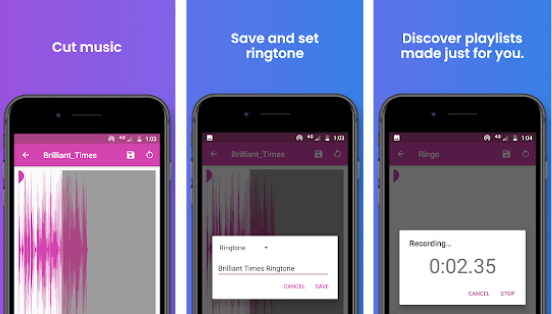
- Install the tone app
The app downloads or includes sound files. - Select a tone
Users preview and choose a sound. - Apply as notification tone
Android lets the user set it through notification settings. - Notification channel plays the sound
The system uses the chosen audio whenever a message arrives.
Android controls whether the sound actually plays — not the tone app.
The real truth: why tones sometimes don’t play
Many users think message tone apps “don’t work.” Usually, the issue is not the app but Android notification rules.
Notification channel importance matters
On Android 8+ (still used in 2026), notification channels control whether sound plays at all. If importance is Medium or Low, no sound will play.
Notification permission required
Since Android 13, apps must have permission to send notifications — otherwise tones won’t play.
Community-reported problems
Users often report issues where notifications become quiet or defaults change unexpectedly — not because of tone apps but due to app settings or device configuration.
So in reality:
Message tone apps work fine — but Android controls whether you hear them.
Safety, privacy, and permissions
Good message tone apps require very little access.
Normal permissions
- Storage access (to save sounds)
- Media playback
- Notification access (optional in some cases)
What you should avoid
If a tone app asks for:
- Contacts
- SMS reading
- Phone calls
- Microphone
…that is unnecessary for simple tones.
Android security guidance recommends apps request only needed permissions.
Pros and cons (balanced view)
Advantages
- Easy personalization
- Large variety of sounds
- Helps notice important messages
- Works across most messaging apps
Disadvantages
- Does not improve message delivery
- Some apps contain ads
- Tone may stop working after system updates
- Volume still depends on device settings
When you should avoid message tone apps
Avoid or skip these apps if:
- You already use default Android sounds happily
- You want performance improvement (they don’t provide it)
- You dislike ad-heavy apps
- You expect them to fix messaging bugs
Who these apps are suitable for / not suitable for
Suitable for
- Users wanting louder or clearer alerts
- People who receive many messages
- Users who like personalization
Not suitable for
- Users expecting system-level changes
- People wanting better message reliability
- Minimalist users who prefer stock sounds
Practical Android tips (2026 usage)
If tones don’t play, check:
- Notification permission enabled
- Notification channel set to High or Urgent
- Phone not in Do Not Disturb mode
- Message app not battery restricted
Android allows users to adjust notification channels individually — this often solves sound problems.
FAQ
Do message tone apps make messages louder automatically?
No. They only provide sounds; volume is controlled by system settings.
Why does my tone sometimes revert to default?
This often happens after system updates or app resets — a common user-reported issue.
Can these apps improve SMS delivery speed?
No. They only change notification audio.
Are message tone apps safe?
Yes — if permissions are minimal and the developer is reputable.
Decision / Recommendation Table
| User goal | Recommendation |
|---|---|
| Want unique message sounds | Good choice |
| Want louder alerts | Useful (if volume set correctly) |
| Fix SMS bugs | Not suitable |
| Improve performance | Not applicable |
| Reader Recommendation (simple decision) | play.google.com |
Conclusion: personalization, not system control
Message Tones apps in 2026 are simple customization tools. They provide new sounds for notifications but do not change how Android messaging works. Most problems users experience come from notification channels, permissions, or system settings — not from the tone apps themselves. If you understand this limitation and use trusted apps, message tone apps can make your phone feel more personal without affecting performance or security.