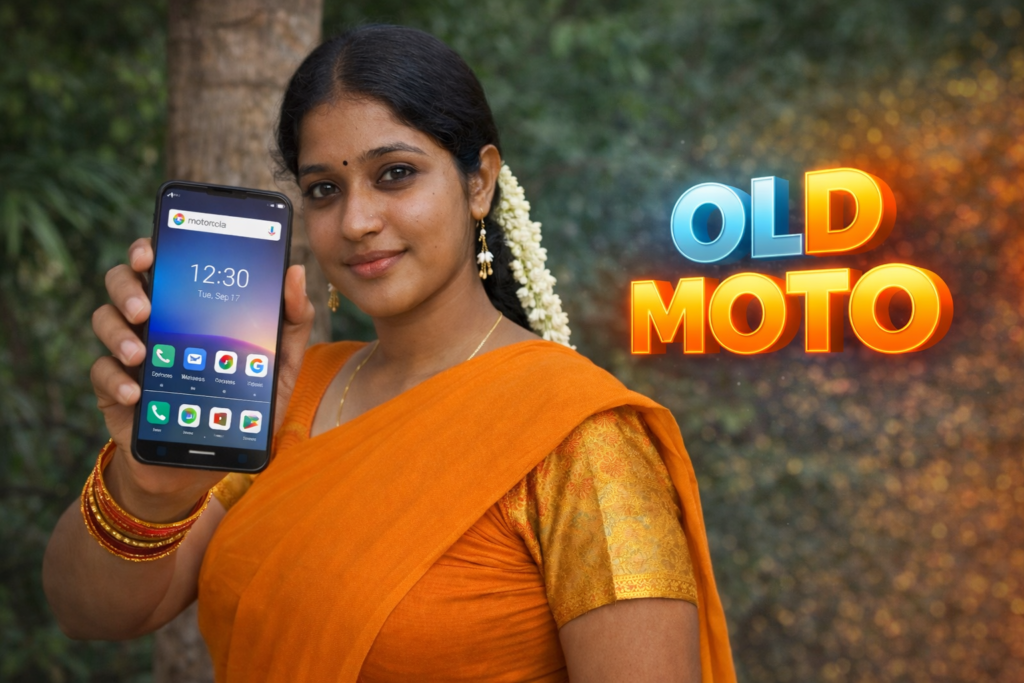
Smartphones in 2026 are powerful, but many users still feel frustrated with cluttered home screens, slow navigation, and unnecessary visual noise. Even on capable Android phones, the default interface can feel overwhelming or inconsistent after updates. This is where a Motorola Launcher for Android becomes relevant.
A Motorola-style launcher focuses on simplicity, clean visuals, and predictable navigation—helping users feel more in control of their phone again. Understanding how these launchers work, what they offer, and where they fall short is essential before deciding to use one.
Table of Contents
Quick Overview
| Aspect | Details |
|---|---|
| Category | Android Launcher |
| Purpose | Motorola-style home screen experience |
| Core Focus | Clean layout, simple icons, smooth navigation |
| Customization Level | Medium |
| Internet Required | No (after setup) |
| Best For | Users who prefer minimal, stock-like design |
What Is a Motorola Launcher Actually Used For?
A Motorola Launcher is an Android launcher designed to replicate or adapt the Motorola UI experience on devices that are not Motorola phones—or to enhance it on Motorola devices themselves.
In practical terms, it replaces:
- Your home screen
- App drawer layout
- Icon style and grid
- Gesture behavior
Unlike heavy customization launchers, Motorola launchers aim to keep things simple, fast, and familiar. The design usually avoids flashy animations and instead prioritizes:
- Readability
- Clean spacing
- Consistent gestures
- Battery-friendly behavior
For many users, this results in a calmer, more predictable phone experience.
How Does a Motorola Launcher Work?
A Motorola launcher does not modify your phone’s system files. It operates at the interface level only.
Step-by-Step Explanation
- Installation
The launcher is installed like any regular Android app. - Default Launcher Selection
Android asks whether you want to set it as the default home app. - Home Screen Replacement
Once enabled, it controls:- App icons
- Home screen layout
- App drawer behavior
- Optional Customization
You can usually adjust:- Icon size
- Grid rows and columns
- Gesture actions (swipe up, swipe down)
- Daily Use
The launcher runs continuously in the background to maintain the interface.
No rooting, no system modification, and no advanced permissions are required.
Note for Readers (Official App Reference)
If you want to check a Motorola-style launcher officially listed on the Play Store, you can view one example here:
| Item | Details |
|---|---|
| Purpose | To help readers understand how Motorola-style launcher apps are listed on the Play Store |
| App Type | Motorola-style Launcher & Theme App |
| Platform | Android |
| Source | Google Play Store |
| Reader Recommendation | View official app |
| Important Note | This link is shared only for reference. Always review app permissions, ratings, and updates before installing any launcher. |
This link is provided only as a reference to understand how such launchers are presented. Users should always review permissions and ratings before installing any launcher.
Safety, Privacy, and Permissions
In 2026, launcher safety matters more than ever because a launcher has visibility over your app usage patterns.
What It Usually Accesses
- App list
- Home screen interactions
- Gesture inputs
What It Should NOT Require
- Contacts
- Messages
- Phone calls
- Files or storage access
A trustworthy Motorola launcher should function with minimal permissions. If a launcher asks for access unrelated to home screen behavior, it should be avoided.
Advantages of Using a Motorola Launcher
Clean and Familiar Design
Motorola launchers typically resemble stock Android, making them easy to adapt to.
Improved Navigation
Simplified gestures reduce accidental taps and confusion.
Better Focus
Minimal visuals help reduce distractions during daily use.
Lightweight Performance
These launchers usually consume less battery and RAM compared to feature-heavy alternatives.
Limitations You Should Know
Limited Customization
If you enjoy deep theming, icon packs, or animation control, this may feel restrictive.
Not Always Identical to Official Motorola UI
Third-party Motorola launchers imitate the style but may not match system-level behavior exactly.
Dependency on App Updates
If the developer stops maintaining the launcher, compatibility issues can appear with future Android versions.
When Should You Avoid Using a Motorola Launcher?
You may want to skip a Motorola launcher if:
- You rely heavily on widgets that require advanced placement control
- You prefer animated transitions and visual effects
- You use accessibility services that conflict with custom launchers
- Your phone already runs a heavily customized OEM interface that you like
Who Is This Suitable For?
Suitable For
- Users who prefer a clean, stock-like Android look
- Older users who want simple navigation
- Budget phone users seeking smoother performance
- People who dislike cluttered home screens
Not Suitable For
- Power users who want deep UI control
- Gamers who need launcher-level performance tweaks
- Users who frequently switch icon packs and themes
Frequently Asked Questions
What is a Motorola launcher on Android?
A Motorola launcher is an Android home screen app that mimics Motorola’s clean and minimal interface style.
Does a Motorola launcher slow down the phone?
No. Most Motorola-style launchers are lightweight and designed for smooth performance.
Can I uninstall a Motorola launcher easily?
Yes. You can switch back to your default launcher at any time and uninstall it like a normal app.
Is a Motorola launcher safe to use?
It is safe if it asks only for basic launcher permissions and comes from a trusted source.
Decision Guide (Quick Recommendation)
| Your Preference | Recommendation |
|---|---|
| Clean, simple UI | ✅ Good choice |
| Battery efficiency | ✅ Recommended |
| Heavy customization | ❌ Not ideal |
| Beginner-friendly | ✅ Yes |
Final Thoughts
A Motorola Launcher for Android in 2026 is best viewed as a practical interface choice rather than a customization tool. It simplifies how your phone looks and behaves without changing how Android works underneath. For users who value clarity, consistency, and smooth daily use, it can be a meaningful improvement.
However, users who enjoy heavy visual customization or advanced UI control may find it limiting. Choosing a launcher should always be based on how you actually use your phone—not on appearance alone.
More Articles You May Like