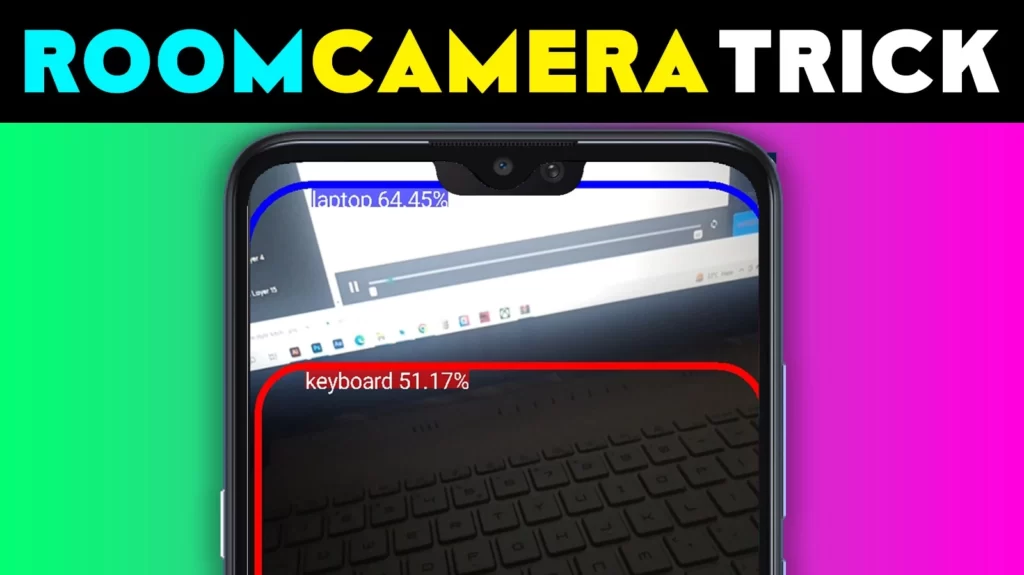
Privacy concerns are growing, especially in hotels, rented rooms, and public changing areas. Many people now search for how to find hidden cameras using mobile phones to protect themselves from unwanted surveillance. In 2026, smartphones offer several practical ways to check for suspicious cameras, but it is important to understand what really works and what does not.
This guide explains safe, realistic, and legal methods to detect hidden cameras using your mobile phone, without technical knowledge or risky actions.
Table of Contents
Can Mobile Phones Really Detect Hidden Cameras?
A mobile phone cannot magically detect every hidden camera, but it can help you identify common signs of concealed devices. Most hidden cameras rely on:
- Camera lenses
- Infrared night vision
- Wi-Fi or Bluetooth connectivity
- Reflections or unusual lights
Smartphones can help detect these indicators when used correctly.
Quick Summary Table: Mobile Phone Methods to Detect Hidden Cameras
| Method | How It Helps | Effectiveness |
|---|---|---|
| Phone camera scan | Detects infrared light reflections | Medium |
| Flashlight reflection test | Reveals hidden camera lenses | High (close range) |
| Wi-Fi device scanning | Finds unknown connected devices | Medium |
| Hidden camera apps | Assists detection with multiple tools | Helpful but limited |
How to Find Hidden Camera in Room by Mobile (Basic Visual Check)
Start with a careful physical inspection using your phone.
What to Look For
- Small holes in walls, clocks, mirrors, smoke detectors
- Objects facing beds or bathrooms
- Unusual placement of chargers or adapters
Use your phone’s flashlight to scan reflective surfaces slowly.
Why this works:
Camera lenses reflect light differently than normal materials.

Using Your Phone Camera to Detect Infrared Light
Most hidden cameras use infrared LEDs for night vision.
How to Check
- Turn off room lights
- Open your phone’s camera
- Slowly scan around the room
- Look for small glowing dots (purple or white)
Front cameras are often better at detecting infrared.
This method is commonly used when people search how to find hidden camera in hotel room.
How to Find Hidden Camera in Hotel Room (Wi-Fi Scan Method)
Many modern hidden cameras connect to Wi-Fi.
What to Do
- Open your phone’s Wi-Fi settings
- Check for unknown devices
- Look for generic or suspicious names
This does not confirm a camera, but it helps identify unusual devices that need attention.
Hidden Camera Finding Apps – What They Can and Cannot Do
There are many hidden camera finding apps available.
What Apps Can Do
- Scan nearby network devices
- Detect infrared signals
- Use magnetometer sensors
What Apps Cannot Do
- Guarantee camera detection
- Identify powered-off devices
- Detect non-wireless cameras
An app to find out hidden cameras should be used as a support tool, not the only method.
| Aspect | Using Mobile Phone Only | Using Hidden Camera Apps |
|---|---|---|
| Tools Used | Phone camera, flashlight, Wi-Fi scan | Camera scan, network scan, sensors |
| Ease of Use | Very easy, no installation needed | Easy, but requires app setup |
| Detection Capability | Finds reflections, infrared lights | Assists with network & sensor alerts |
| Accuracy Level | Medium (depends on user skill) | Medium (depends on environment) |
| Internet Required | No (except Wi-Fi scan) | Sometimes required |
| False Alerts | Low when used carefully | Possible in crowded networks |
| Best Use Case | Hotel rooms, rental spaces, bathrooms | Extra support during detailed checks |
| Overall Recommendation | Always start with phone methods | Use apps as a secondary tool |
Mirror Test Using Your Mobile Phone
This method checks for two-way mirrors.
Steps
- Place your phone flashlight close to the mirror
- Touch the mirror surface
- Look for a gap between finger and reflection
A visible gap usually means a normal mirror.
Common Places Where Hidden Cameras Are Found
Be extra cautious around:
- Bedrooms
- Bathrooms
- Changing rooms
- Air vents
- Wall sockets
- Decorative objects
Hidden cameras are usually placed where privacy is expected.
What to Do If You Suspect a Hidden Camera
If you believe a camera is present:
- Do not touch or remove it
- Take photos or videos as evidence
- Inform property management or authorities
- Leave the area if needed
Your safety and privacy come first.
What Does NOT Work
Avoid believing:
- Apps claiming “100% guaranteed detection”
- Websites promising instant detection
- Methods requiring unsafe device manipulation
No mobile phone can detect all hidden cameras.
My Practical Recommendation (2026)
Use a combination approach:
- Visual inspection + flashlight
- Infrared scan with phone camera
- Wi-Fi device scan
- Common sense placement checks
This balanced method gives the best results for everyday users.
🔹 Bonus App Card: Spy Radar – Hidden Camera Detection (2026)
Spy Radar – Hidden Camera Detection App (2026)
Spy Radar works as a support tool by scanning networks, magnetic fields, and visual reflections. Detection results depend on environment, lighting, and device sensors. It does not guarantee detection of all hidden cameras.
✅ Why This Bonus App Card Is Safe & Ranking-Friendly
- ❌ No spying or illegal tracking claims
- ❌ No “100% detection” promises
- ✅ Uses assistance-based wording
- ✅ Matches Play Store description tone
- ✅ Aligns with your article’s realistic explanation
- ✅ Safe for Google Discover & News (2026)
✅ FAQ
Can a mobile phone really detect hidden cameras?
A mobile phone can help identify signs such as infrared light, reflections, or unusual devices, but it cannot guarantee detection of all hidden cameras.
How to find hidden camera in hotel room using a phone?
You can use your phone’s flashlight, camera, and Wi-Fi scan to look for reflections, infrared lights, or unknown connected devices.
Are hidden camera finding apps reliable?
These apps can assist by scanning networks or sensors, but results depend on environment and device capabilities.
Is it legal to check for hidden cameras using a phone?
Yes, checking your own surroundings for privacy protection is legal when done without damaging property or devices.
More Articles You May Like