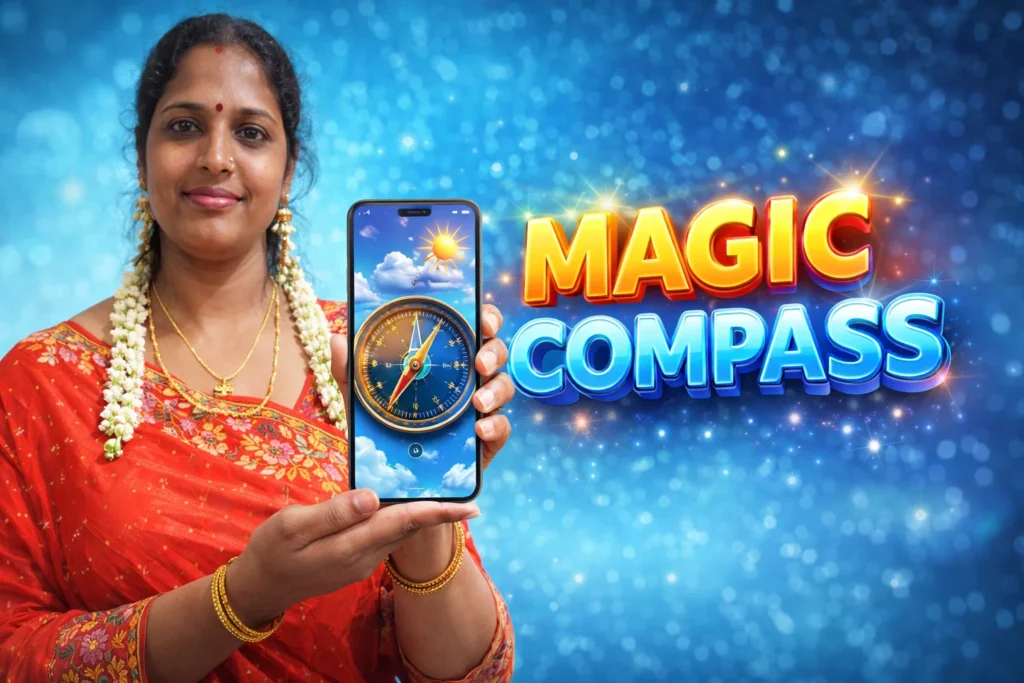
Many Android phones already have GPS and sensors, but users sometimes need a simple tool that shows direction, location, and weather in one screen. This is why apps like Perfect Compass (with weather) Android App 2026 are popular.
These apps combine a digital compass with weather information so users can quickly check direction and current conditions without opening multiple apps.
Such apps are useful for travel, outdoor use, navigation, and daily weather checking.
Quick Overview
| Feature | Details |
|---|---|
| Main Purpose | Show direction using digital compass |
| Extra Feature | Weather information |
| Sensors Used | Magnetometer, GPS, internet |
| Internet Needed | For weather only |
| Works Offline | Compass works offline |
| Suitable For | Travel, outdoor, daily use |
| Accuracy | Depends on phone sensors |
What Perfect Compass Apps Are Used For
Compass apps help users know direction using the phone’s built-in sensors.
Users install them to:
- find North / South / East / West
- check current location direction
- use compass while traveling
- see weather with direction
- use during trekking or driving
Apps with weather feature also show:
- temperature
- wind direction
- humidity
- location info
This makes them useful when going outside.
How Perfect Compass (with Weather) Works
The app uses phone hardware sensors.

Step 1: Magnetometer Sensor
Android phones have a magnetometer.
This sensor detects Earth’s magnetic field.
The app uses this to show direction.
Step 2: GPS Location
For better accuracy, the app may use GPS.
GPS helps show:
- your location
- altitude
- coordinates
- map direction
Step 3: Weather Data from Internet
Weather information needs internet.
The app connects to weather service to show:
- current temperature
- forecast
- wind speed
- weather condition
Compass works offline, but weather needs connection.
Step 4: Calibration for Accuracy
Sometimes the app asks you to move the phone in a figure-8 shape.
This calibrates the sensor.
Calibration improves compass accuracy.
Why Users Install Compass + Weather Apps in 2026
1. All-in-One Tool
Instead of opening:
- compass app
- weather app
- map app
Users get everything in one place.
2. Useful for Travel & Outdoor
Helpful for:
- trekking
- camping
- driving
- hiking
- fishing
Direction + weather together is useful outside.
3. Simple Interface
Compass apps are easy to use.
Open app → see direction → see weather.
4. Works Without Network (Compass)
Even without internet, compass still works.
Only weather needs data.
When These Apps Are Useful
These apps are useful when:
- traveling to new places
- going outdoors
- checking wind direction
- using map without navigation
- needing quick weather info
They are not needed for normal phone use.
Limitations to Know
- accuracy depends on phone sensor
- magnetic objects may affect compass
- weather needs internet
- old phones may not have sensor
Most modern phones support compass.
Who Should Use This App
Suitable for
- travelers
- outdoor users
- drivers
- hikers
- users who like utility apps
Not suitable for
- phones without compass sensor
- users who only need weather
- users who want navigation maps only
Decision / Recommendation Table
| Situation | Recommended? | Reason |
|---|---|---|
| Traveling to new place | Yes | Direction helpful |
| Outdoor activity | Yes | Compass + weather useful |
| Only need weather | Not needed | Weather app enough |
| Old phone without sensor | No | Compass may not work |
| Need simple direction tool | Yes | Easy to use |
Reader Recommendation (Simple Decision)
If you want a simple compass app with weather information on Android, you can explore:
Make sure your phone has a compass sensor for best accuracy.
Final Thoughts
Perfect Compass (with weather) Android App 2026 is a simple utility tool that shows direction using phone sensors and adds weather information using internet data. It is useful for travel, outdoor activities, and daily direction checking.
For users who want a lightweight tool that combines compass and weather in one app, this type of app is easy to use and practical.
More Articles You May Like

 vault app